ETC Service Note
Congo™ jr Face Panel Diagnostics
Congo™ jr Face Panel Diagnostics Page 4 Electronic Theatre Controls, Inc.
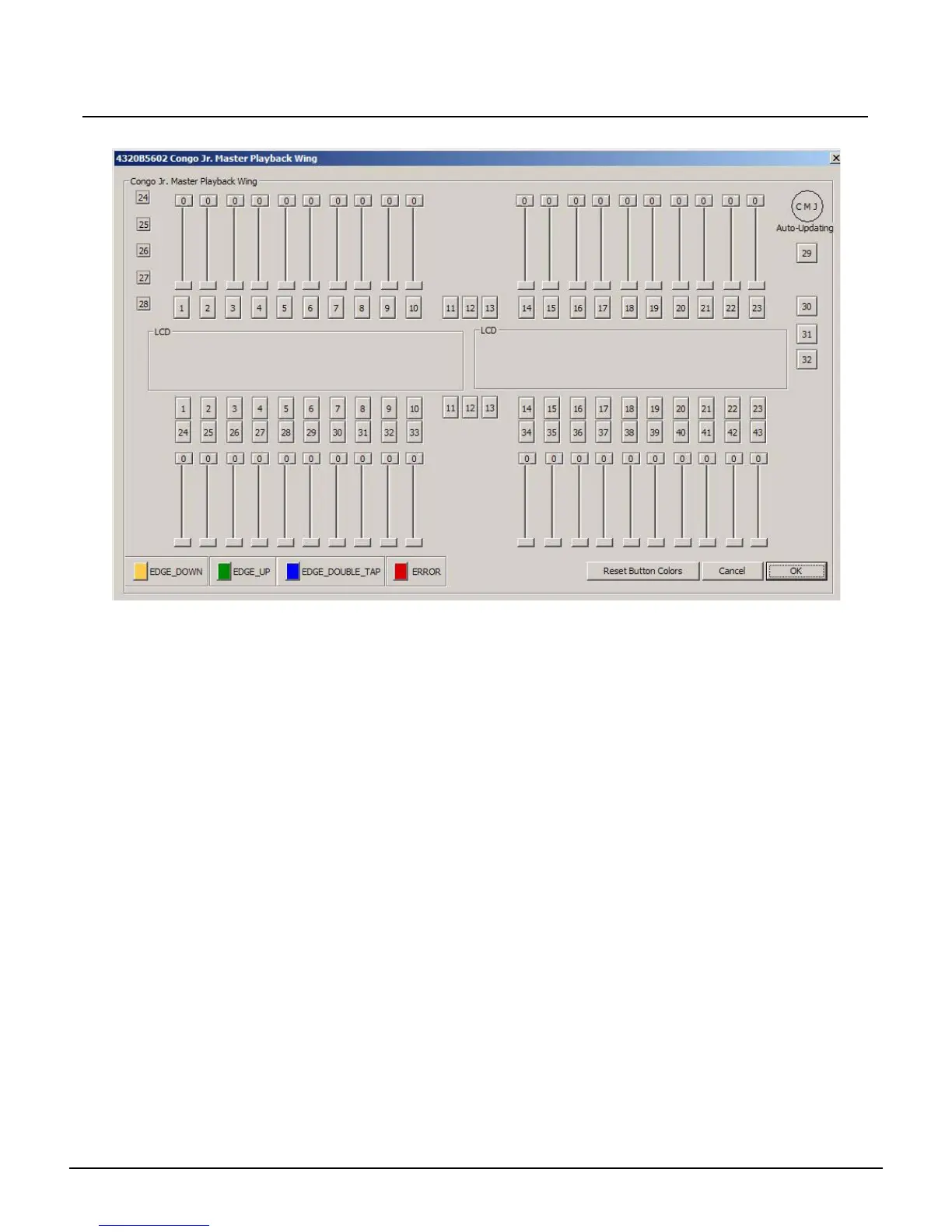
Step 13: The following window will pop up if you click the Congo JR. Wing button:
Step 14: Move every slider and press every button on the face panel/master wing. Each button
will change color to indicate that the hardware is functional.
Step 15: Every slider move will indicate a range from 0-255.
Step 16: When each button and slider tests out ok; close the window and power the Congo jr
down.



 To Next Page