13
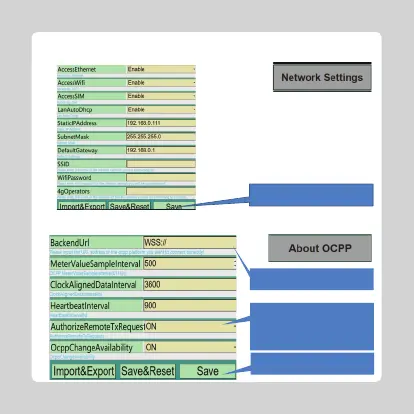
Step2:setupthenetworksystemyouaregoingtoaccess
Step3:SetuptheparametersaboutOCCPbackground'sconnection.
Iftheparametersarecompleted,
pleaseclickthisbutton.
Iftheparametersarecompleted,
pleaseclickthisbutton.
WhenyouchooseON:Onlyatthesituation
whenthechargingpilewithoutnetwork
andOCCPbackgroundisnotavaliableto
authorize.IftheTagIDyouusedcannotbe
foundonthelocallist,butthedevicehas
yourusingrecord,itwillfindtheTagIDinthe
cache.Whenbothtwomatchthenthe
chargingwillbeavaliabletostart.
EntertheUrlofOCCPbackgroundwhich
youwanttoaccessathere.BothWSlink
orWSSlinkareavaliabletouse.



 To Next Page