Need help?
Do you have a question about the ETEKCITY MSR-A2000 and is the answer not in the manual?
Explains the multimeter's safety rating (1000V, CAT III, CAT IV).
Defines CAT I, CAT II, CAT III, and CAT IV measurement categories.
Explains terms like Warning/Caution and symbols used on the product.
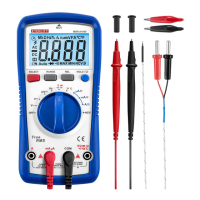
Lists the included accessories with the multimeter.
Initial steps to check the multimeter before use.
Step-by-step guide for installing the multimeter's battery.
How to adjust tilt stand, power on/off, and manage sleep mode.
Using backlight, flashlight, and selecting measurement ranges.
How to measure AC and DC voltage using the multimeter.
Procedures for measuring resistance and performing continuity tests.
Steps for testing diodes and measuring capacitance.
How to measure frequency and temperature.
Using features for live wire detection and non-contact voltage detection.
Steps for measuring DC and AC current accurately.
How to freeze readings and capture max/min values.
Explains the audible buzzer alerts for various functions.
Detects incorrect test lead connections to prevent damage.
Instructions for cleaning the multimeter's exterior and terminals.
Details the product warranty terms, coverage, and exclusions.
 General
| Type | Digital Multimeter |
|---|---|
| Display | LCD |
| Temperature Range | -20°C to 1000°C |
| Safety Rating | CAT III 600V |
| Measurement Functions | AC/DC Voltage, AC/DC Current, Resistance, Capacitance, Frequency, Temperature |
| DC Voltage Accuracy | ±(0.5% + 2) |
| DC Current Accuracy | ±(1.0% + 2) |
| Resistance Range | 200Ω/20MΩ |
| Capacitance Range | 20nF/200μF |
| Frequency Range | 10Hz/10MHz |

 To Next Page