6
EchoMATE Eternal Lighting Updated: 03/31/2016
o Color – Pre-set colors (1-50), after color 50 is AUTO change (Speed 1-8). After AUTO, is
Custom Color A – E; Enter make a custom color. You can make 5 custom colors that will be
saved under A through E.
o Sound – Sound 1 (auto change colors when hears sound). Sound 2 (Strobe effect when
hears sound).
o Fade – Color Fade 1 through 10. Fast (1) to slow (10).
Boot Time and Work Time – Current operating time and total run time (Note: Hours indicate
Charging and run time, The EchoMATE will add hours while it is plugged in charging using AC
Power).
Battery Capacity – Indication of Percentage left on the battery
LCD Display Time – Choose to have the Display back lit Full On/10sec-60sec
IR INFA – Enable or Disable (This will activate the ability to use the IR Remote Plus with the
EchoMATE.)
How to use the Wireless Receiver: Turn the wireless Receiver button to the ON position. There is a
Wireless Indicator that illuminates the colors in the ID Code Selector.
ID Code Selector – (ID Groups) Red (1), Green (2), Yellow (3), Blue (4), Purple (5), Cyan (6), White (7).
To change to ID Code Selector colors, press the small clickable button next to the ID Code Selector. Choose
a color, for example Blue (4), and do the same for your EchoMATE and the lights you have connected as
slave must be on the same ID Group.
Helpful Trick: To Master Reset to Factory setting your EchoMATE, press Menu and Enter button at the
same time and hold for 5 seconds. The light will go into the following factory settings. Color 1 RED, DMX
Address back to 001, Channel mode back to 6CH Mode, Master Mode, IR Enabled, Display on for 60
Seconds, Manual Colors back to 255, and put all custom colors (A-E) back to 0 color settings on all
RGBWA+UV.
Infrared remote control:
To use the IR Remote Plus control on the EchoMATE, first be sure it is ENABLE in the IR INFA mode
located in the MENU selection. Also, turn the fixture into a MASTER. To control the EchoMATE you must
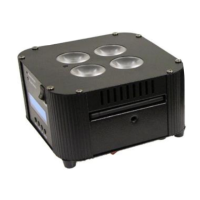
aim the IR Remote Plus at one of the multiple infrared sensors located on the Bottom, the input side, the
output side, the display side of the EchoMATE.



 To Next Page