9ENGLISH
CLEANING
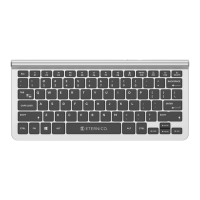
Keep the keyboard clean.
Useonly cleaners designed for cleaning and maintaining this type of electronicsand acces-
sories to cleanthe keyboard.
Warning:
Under nocircumstances wash the keyboard in water or any other liquid. Forcleaning, do not
use harsh cleaning products, gasoline, solvents, chemicals, etc.
SAFETY INFORMATION
• Use thekeyboardonly according to instructions in this manual.
• Keep out of the reach of children.
• Do not place any heavy objects on the keyboard.
• Do not disassemble the keyboard. It does not contain any parts serviceable by the user.
Have all repairs carried out by an authorized service center.
• Protect the keyboardfrommoisture, dust, falls, and shocks.
• Do not expose the keyboard to dripping or splashing water. Do not immerse the keyboard
in water or any other liquid. Do not place containers filled with water, such as vases, on
the keyboard.
• Do not place the keyboard near an open flame, such as candles, heaters, or other heat
sources.
• If you experience unusual keyboard overheating or other signsof malfunction, stopus-
ingit and contact an authorized service center.
• Keep thekeyboard clean. Useonly cleaners designed for cleaning and maintaining this
type of electronicsand accessories to cleanthe keyboard.
• Do not insert any objects into the keyboard inputs.
• Do not force the USB connector into the input port.
• The original version is in Czech language.


 To Next Page