8 ENGLISH
Mode selection
If the keyboard is connected todifferent devices, select the correct mode according to the
device to use the keyboard with. The corresponding indicator light will illuminate.
1. Press the Fn+
keys to select the USB mode.
2. Press Fn+ to select Bluetooth mode 1.
3. Press Fn+ to select Bluetooth mode 2.
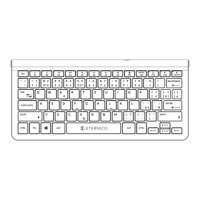
Description of multimedia keys
Fn + F1 Reduce screen brightness
Fn + F2
Increase screen brightness
Fn + F3
Previous track
Fn + F4
Play/Pause
Fn + F5
Next track
Fn + F6
Mute
Fn + F7
Lower the volume
Fn + F8
Increase the volume
Fn + F9
Keyboard lock
Fn + F10 PRTSC Screenshot
Fn + F11
USB mode selection
Fn + F12
Bluetooth mode 1
Fn + DEL
Bluetooth mode 2


 To Next Page