15 Reset Wi-Fi
16 Restore Admin Code
If you want to connect the alarm to your APP or change the network
of the alarm, you need reset the Wi-Fi to factory settings to enable
the function.
Operation : power on your alarm and waiting for 10seconds for
start. Disarm the system then type Admin Code:123456+connection
button, after a few seconds the Wi-Fi LED start fast blinks, now your
alarm is ready for network setting.
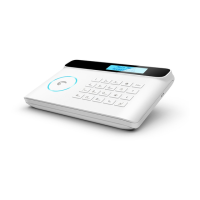
Turn the control panel on. Press the tamper switch at the back of
the control panel 5 times within 5 seconds after having turned it on.
The Admin code will be restored to the factory settings:123456.
This operation is only for user forgot his admin code, The stored
phone numbers, system settings and connected accessories will
not be changed.
Warning
ATTENTION
RISK OF ELECTRIC
SHOCK
DO NOT OPEN
CAUTION: TO REDUCE THE RISK OF ELECTRIC SHOCK, DO NOT
REMOVE COVER (OR BACK). NO USER SERVICEABLE PARTS INSIDE,
REFER SERVICING TO QUALIFIED SERVICE PERSONNEL.
This symbol is intended to alert the user to the
presence of uninsulated “dangerous voltage” within
the product’s enclosure that may be of sufficient
magnitude to constitute a risk of electric shock to
persons.
On your smartphone (with a SIM card in the control panel)
- The control panel sends an SMS notification to every SMS number saved.
- The control panel calls every Phone number saved. If you take that call,
you can decide to stop the siren, disarm the system or other functions
as listed below, by dialing the corresponding code in Table1.


 To Next Page