EN 14
INSTALLATION AND CONNECTION
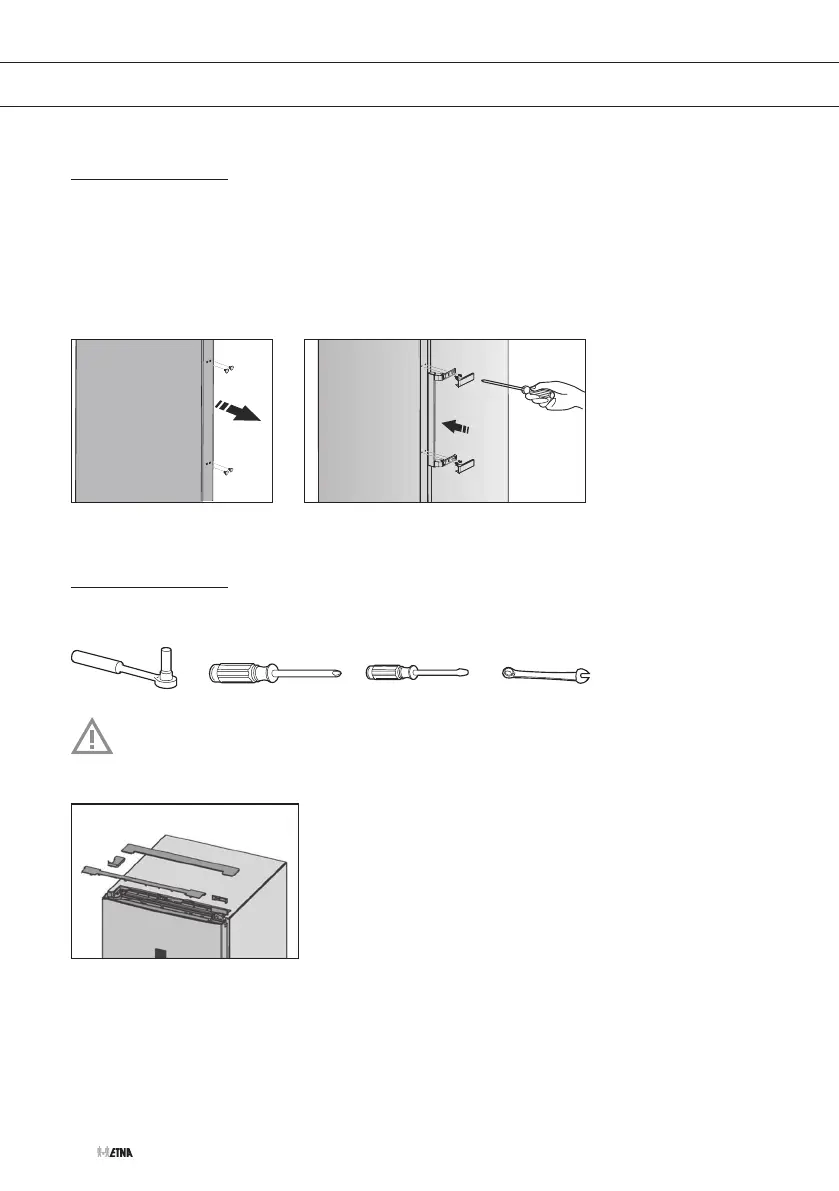
Door handle installation
1. Remove the screw cover plates from the door.
2. Take the handle, the screws and the handle cover plates out of the bag.
3. Position the door handle on the correct side of the door.
4. Tighten the door handle with the screws.
5. Put the handle cover plates in place.
Changing the side on which the door opens
Tools
Switch off the appliance and disconnect it from the mains.
1. Remove the cover plates “S”, “T”, “U” and “V”.


 To Next Page