EN 14
4. Touch the program key Auto to select the proper setting according to your using habits.
The settings will change in the following sequence: D1->D2->D3->D4->D5->D1. The
factory setting is D3.
5. Press the On/Off button to confirm the setting and to end the setting mode.
Setting Amount of rinse aid (ml)
D1 1.2
D2 2.4
D3 3.6
D4 4.8
D5 6.0
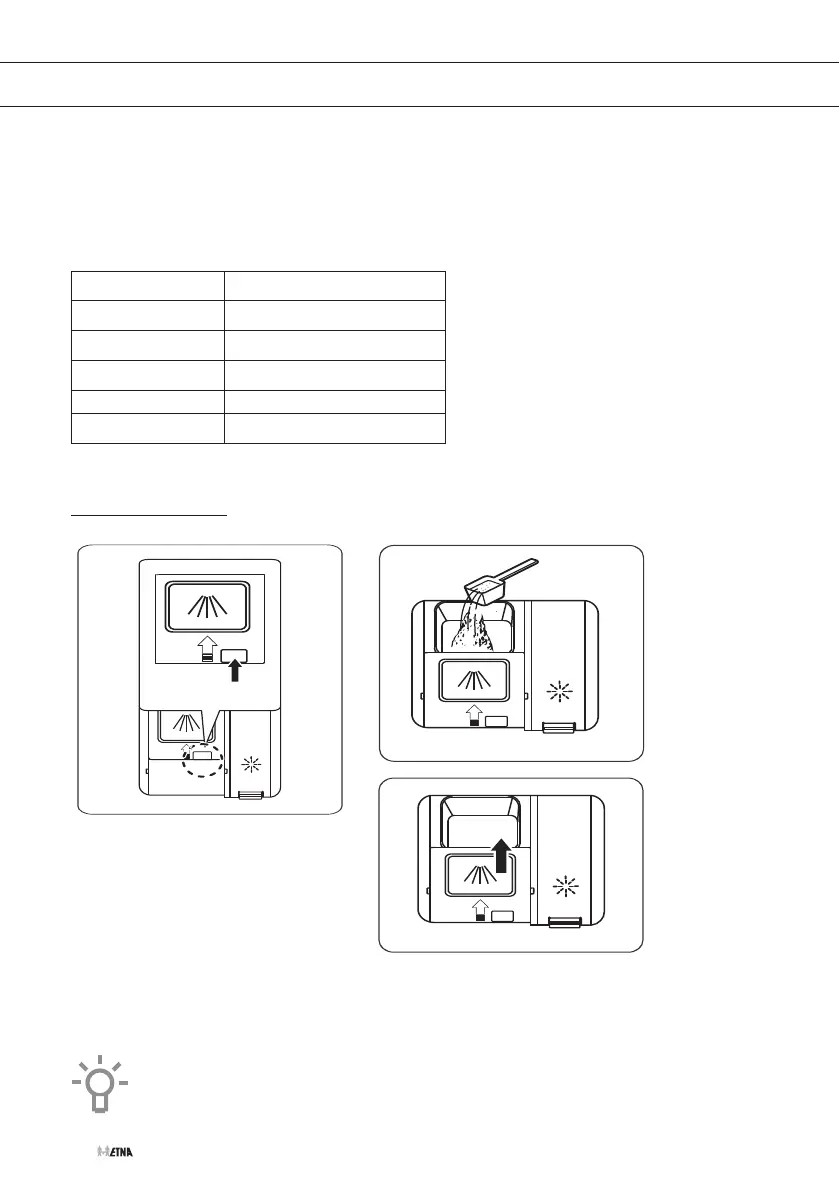
Filling the detergent dispenser
1. Open the flap; press the button.
2. Add detergent into the cavity for the main wash cycle.
3. Close the flap by sliding it and press until it locks.
Note: Be aware that depending on the soiling of water, setting may be different.
Please observe the manufacturer's recommendations on the detergent packaging.
USING YOUR DISHWASHER



 To Next Page