EasyManua.ls Logo

Eton FIELD BT - Changing Tuning Steps; Using the SW RF Gain Knob; Changing Tuning Speed

Eton FIELD BT
21 pages
Print Icon
To Next Page IconTo Next Page
To Previous Page IconTo Previous Page
Loading...
FIELD
BT
OWNER
'S
MANUAL
CHANGING
THE
TUNING
STEPS
(9kHz
or
1OkHz)
MW,
or
medium
wave
stations,
known
as
AM
stations
in
North
America,
range
from
520
to 1710KHz
in
North
America
and
from 522 to 1620KHz
in
other parts of the
world.
In
North
America
they tune
in
10KHz steps
and
in
other parts of the world they
may
tune
in
9
KHz
steps.
The
radio
is
set
up
for
10
KHz
tuning
by
default, but to
change
the steps to 9
KHz,
With
the
radio
off,
long
press
th-e
PRESET
button to select.
Long
press
to switch
9K
or
1
OK,
the
LCD
displays
9K
or
10K
.
USING
THE
SW
RF
GAIN
KNOB
When
listening
to
SW
broadcast stations, this
control
knob
should
be
dialed
to
or
near
position
5.
If
you
are
listening
to a
weak
station,
increase
the
gain,
when
listening
to
extremely strong stations,
decrease
the
gain.
For
listening
to Shortwave stations,
place
this
control
to
maximum
gain
and
decrease
the
gain
as
necessary.
CHANGING
THE
TUNING
SPEED
USING
THE
TIMER
A I
TUNING
STEP
BUTTON
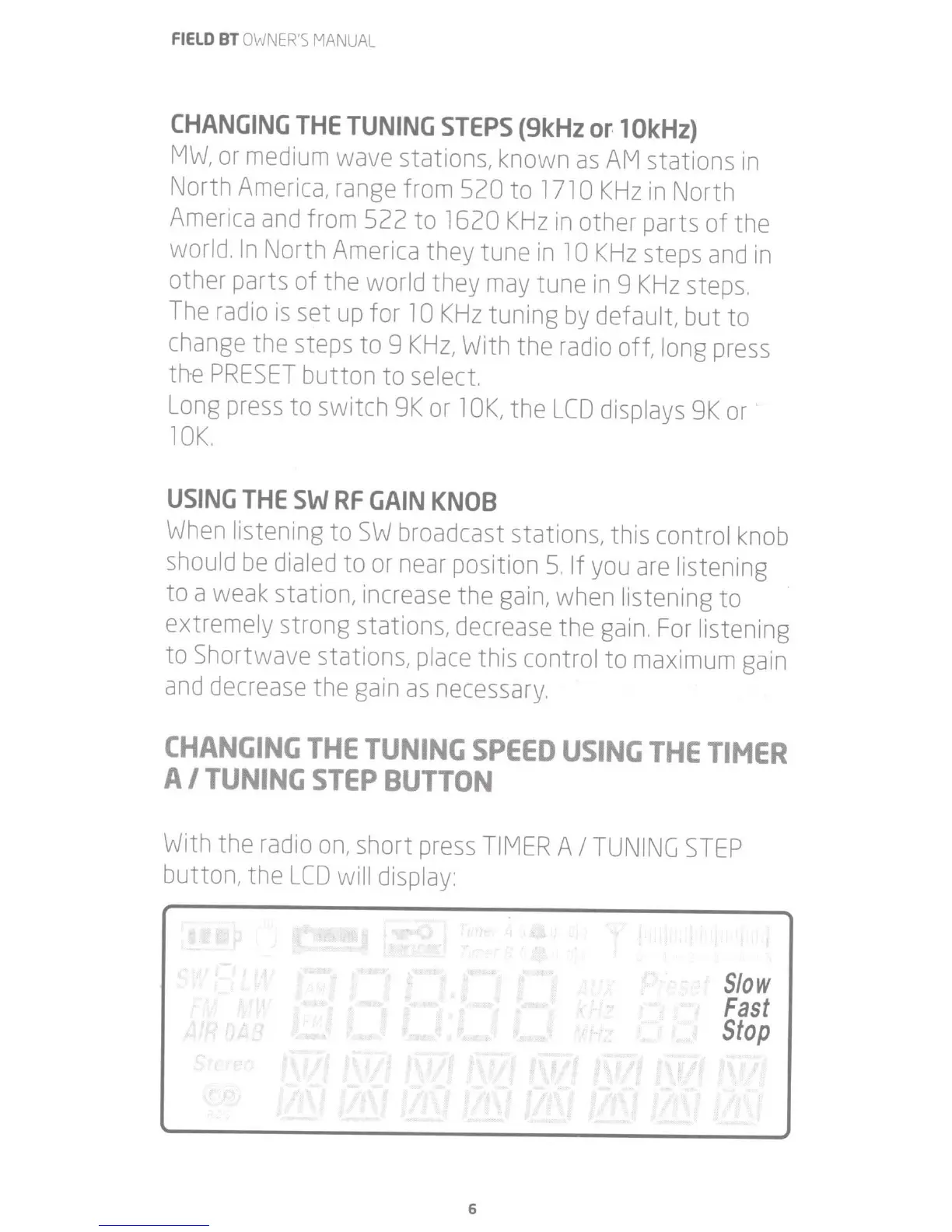
With
the
radio
on,
short
press
TIMER
A I
TUNING
STEP
button, the
LCD
will
display:
6
Slow
Fast
Stop

Related product manuals