EasyManua.ls Logo

Eton FIELD BT - Antenna DX;Local Switch; Tuning in SW (Shortwave) Stations

Eton FIELD BT
21 pages
Print Icon
To Next Page IconTo Next Page
To Previous Page IconTo Previous Page
Loading...
FIELD
BT
OWNER'S
MANUAL
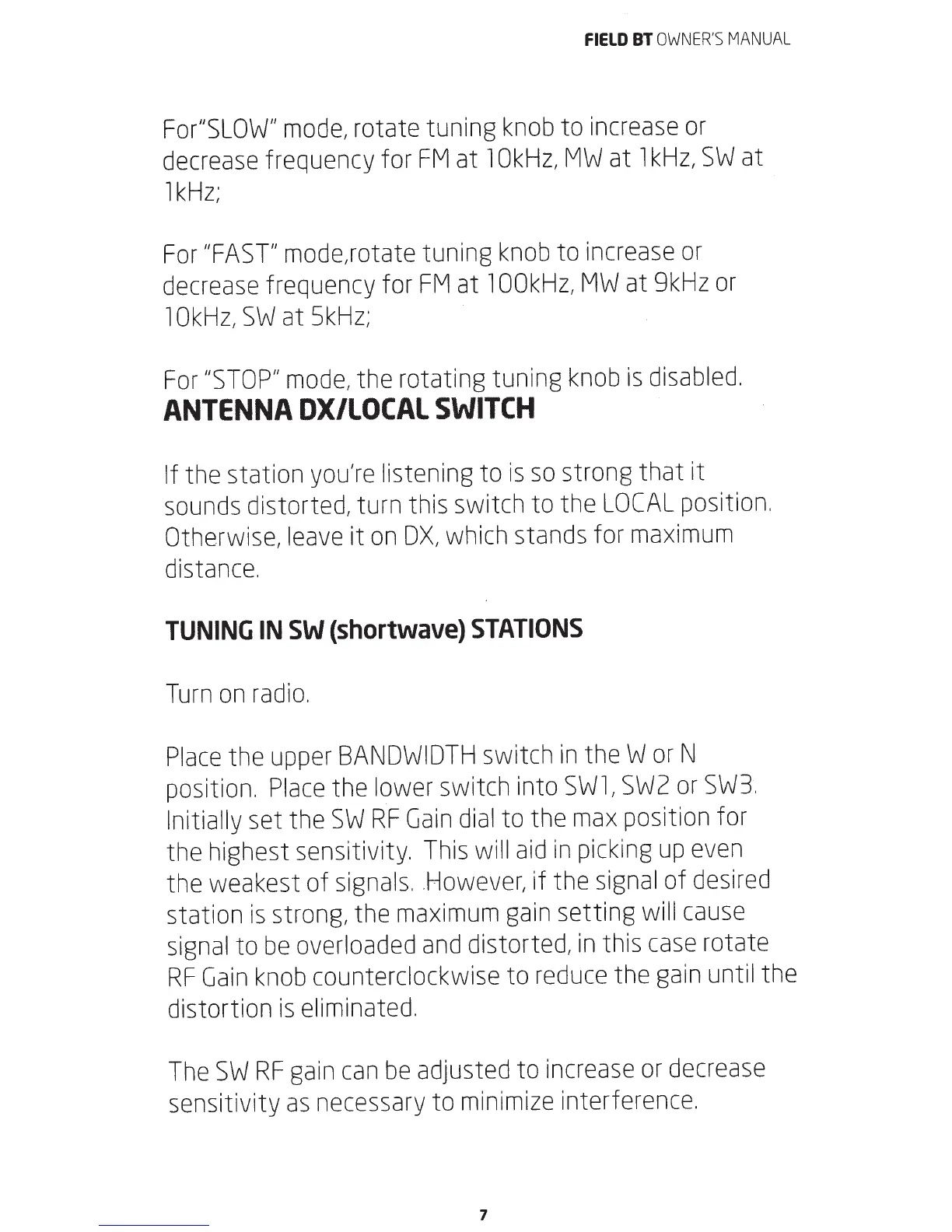
For"SLOW"
mode,
rotate tuning
knob
to
increase
or
decrease
frequency for
FM
at
1OkHz,
MW
at
1kHz,
SWat
1kHz;
For
"FAST"
mode,rotate tuning
knob
to
increase
or
decrease
frequency for
FM
at
1OOkHz,
MW
at
9kHz
or
1OkHz,
SWat
5kHz;
For
"STOP"
mode,
the rotating tuning
knob
is
disabled.
ANTENNA
OX/LOCAL
SWITCH
If the station
you're
listening to
is
so
strong that it
sounds
distorted, turn this switch to the
LOCAL
position.
Otherwise,
leave
it
on
OX,
which
stands for
maximum
distance.
TUNING
IN
SW
(shortwave}
STATIONS
Turn
on
radio.
Place
the
upper
BANDWIDTH
switch
in
theW
or
N
position.
Place
the
lower
switch into
SW1,
SW2
or
SW3.
Initially
set the
SW
RF
Gain
dial
to the
max
position for
the highest sensitivity.
This
will
aid
in
picking
up
even
the weakest of
signals
. .
However,
if the
signal
of
desired
station
is
strong, the
maximum
gain
setting
will
cause
signal
to
be
overloaded
and
distorted,
in
this
case
rotate
RF
Gain
knob
counterclockwise to
reduce
the
gain
until the
distortion
is
eliminated.
The
SW
RF
gain
can
be
adjusted to
increase
or
decrease
sensitivity
as
necessary
to
minimize
interference.
7

Related product manuals