ZONEGUARD OWNER’S MANUAL
10
SETTING THE ALARM
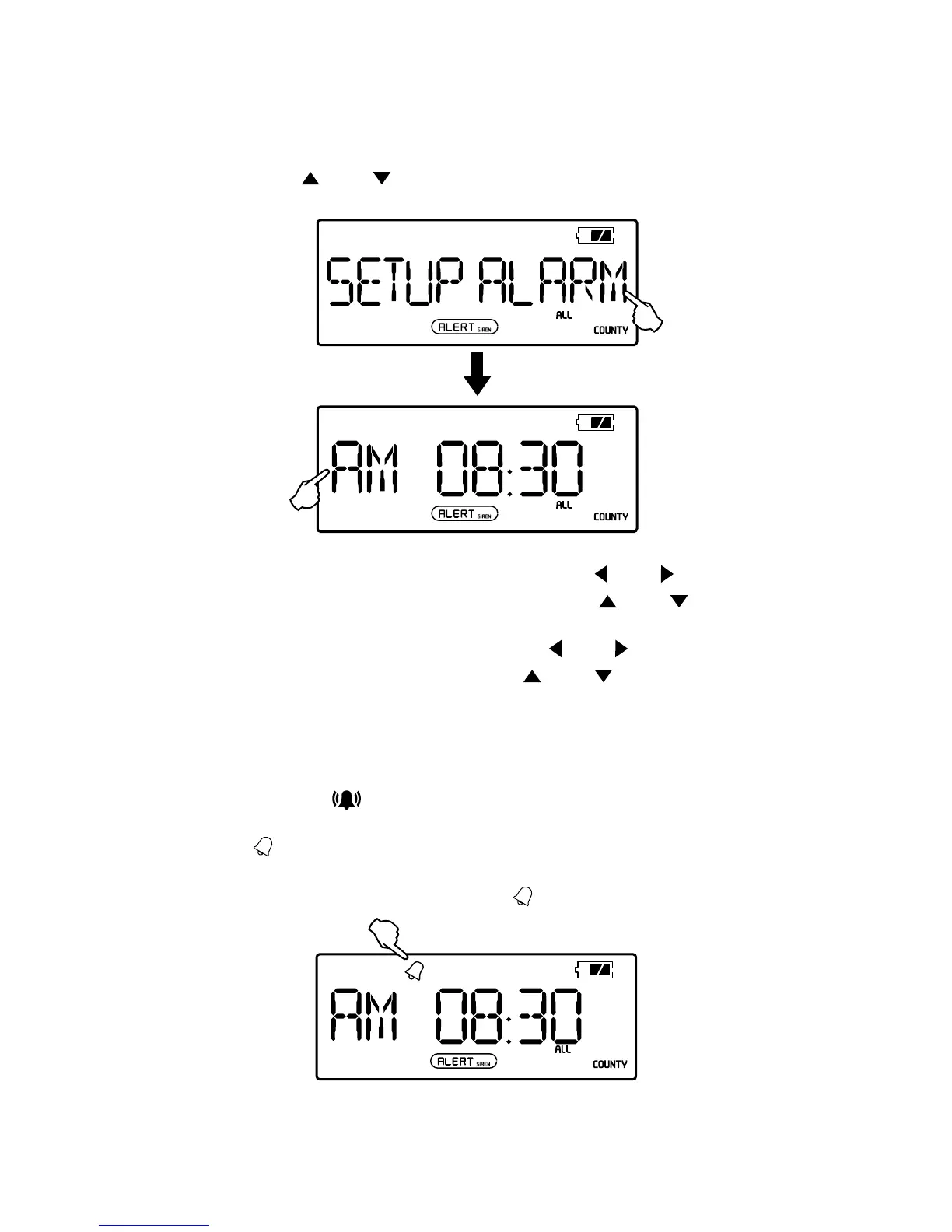
Setting The Alarm Time
1. In radio OFF mode, press the <MENU> button, then press
the <
> or < > button to enter <SETUP ALARM>
mode.
2. In the <SETUP ALARM> mode, press the < > or < >
button. When the hour ashes, press the <
> or < >
button the adjust the hour.
3. After adjusting the hour, press the <
> or < > button,
when the minute ashes, press <
> or < > to adjust
the minute.
4. Press the <MENU> button to conrm.
Activating and deactivating the alarm
Press the < > button to activate or deactivate
the alarm. If the alarm function is activated, the symbol
<
> will show on the display. When the alarm time is
reached, the unit will set off a beep. If the alarm function
is deactivated, the alarm symbol <
> will disappear.


 To Next Page