ZONEGUARD OWNER’S MANUAL
13
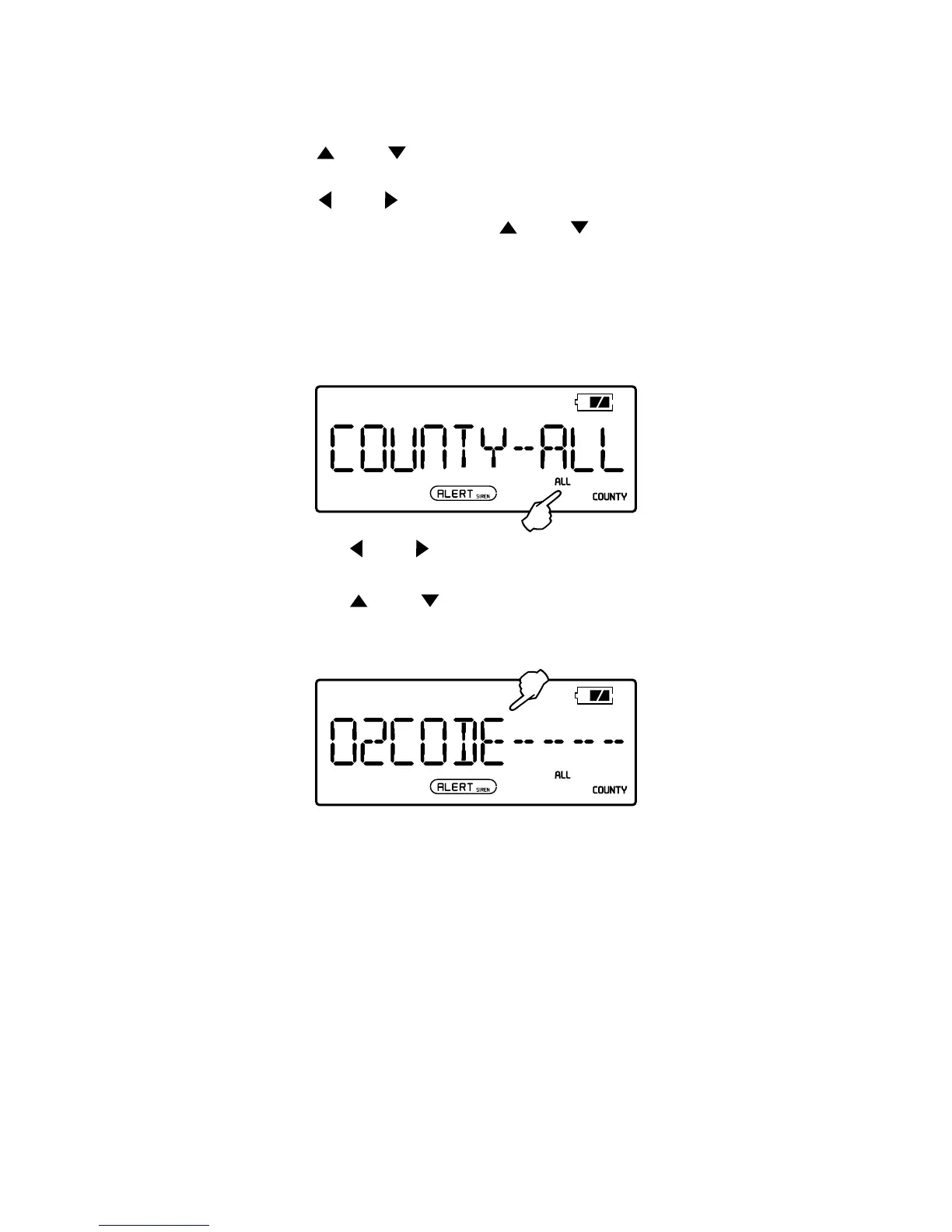
SELECT THE COUNTY
1. In the radio off mode, press <MENU> button and then
press <
> or < > to enter to <COUNTY – ALL/SINGL/
MULTI> mode.
2. Press <
> or < > button with <ALL>, <SINGL> or
<MULTI> ashes, then press <
> or < > button
repeatedly to select from the three.
Select <SINGL> if you want to enter a code for a single area.
Select <MULTI> if you want to enter mutiple codes for
different areas.
Select <ALL> if you do not know the local code.
3. Press the < > or < > button to start inputting
county code.
4. Press the <
> or < > button to set rst code digit.
5. Repeat step 3 and 4 until all other digits are set.
6. Press the <MENU> button to conrm and exit the menu.



 To Next Page