EasyManua.ls Logo

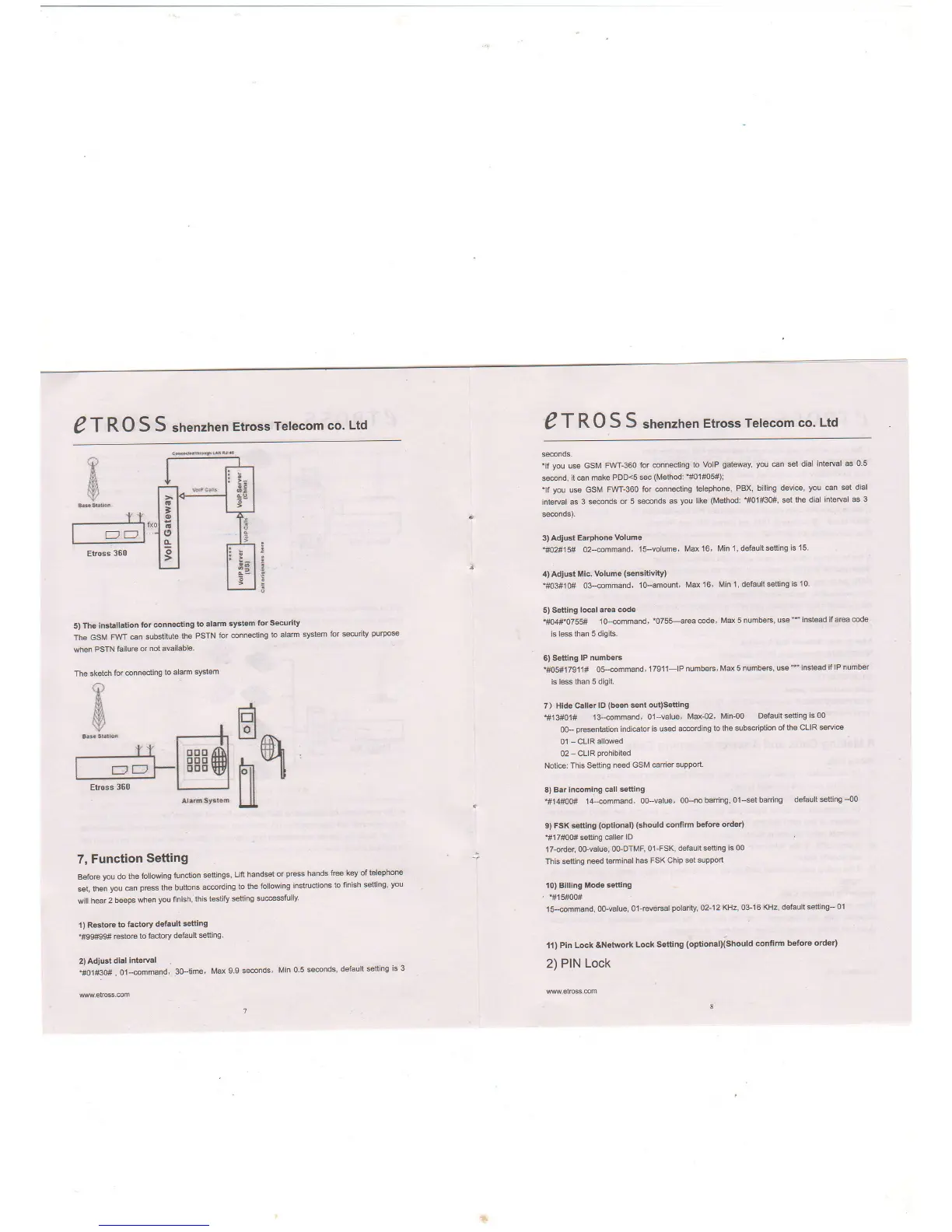
Etross ET-360 - Function Setting; Restore Factory Default; Adjust Dial Interval; Adjust Earphone Volume

Etross ET-360
5 pages
Print Icon
To Next Page IconTo Next Page
To Previous Page IconTo Previous Page
Loading...
g
T RO
S S
snenztren
EtrossrTelecom
co.
Ltd
g
T RO
S S
srrenznen
Etross
Telecom
co.
Ltd
s@nos.
*lf
you
use GSM
FIrVT-360
for @nnec{ing
to
VolP
gaterey, you
€n
set diai
interval as 0'5
s@nd,
it @n make
PDD<s
sec
(Method:
'rrc1#Cs#);
tlf
you
u* GSM
FWf-360
ior @nnecting
t€lephone,
PBX,
billing devi@,
you @n set dial
interyal as
3 s@nds
or 5 se@nds
as
you
like
(Method:
*#01#30#,
st
the dial
interual as 3
s@nds).
3)
Adiust
Eaphone
Volume
'tO2#15#
o2{mmand,
15-volum6,
Ma 16, Min
l' defaultsetting
is'15.
il)
AdlGt
llic.
votume
($nsitivity)
'#03#10#
0&€mmand,
lo-amount,
Md
16, Min 1, default
sfiing
is 10.
5) Settlng
to@t aFa code
'#04#$755#
1o4mmand,'0755+rea
@de,
Md 5 numbe6,
u$
"*'
instead if area
@de
is less
than 5 digib.
6)
Setting lP
numbeF
'ffi*17g11#
Os-@mmand,
179'1l-lP
numbeF, Ma
5 numbeF, u*
"'
instead
if lP
number
is less than
5 digit.
7) Hide Galler
lD
(b€s
*nt out)Setting
'#13#01#
13{mmand,
o'l-value,
Md42' Min-00
Default
$tting
is 00
0O-
pEsentation indi€tor
is used a@rding
to the
subsqiption
of th€ CLIR
seNi@
01
-
GLIR
allowed
02
-
CLIR Drchibited
Notie:
This Setting
need
GSM €rie,
support.
8) Bar
In@ming @ll
stting
*#1,1#00#
14emmand,
o0-value,
00-no baning,
01-set baring
default
selting
-00
9)
FSK setting
(opdonal)
{should
confim befote
oder)
'#1
7#00#
setting €ller
lD
17{rder
oo-Elue,
oo-DTMF,
01-FSK,
default setting
is 00
This stting n@d
teminal
has FSK
Chip st support
10) Bllllng
Mod€ $tting
'
-#15#00#
1s{mmand,
0Gvalue,
0'l-€v66alpolarity,
02-12
KHz, 03-16
KHz, default
stting-
01
ll) Pin
Lock &Network
Lock
Setting
(optiona[[snould confim
before
orderl
2) PIN
Lock
a
$
Elross
360
I
t
5) The
installatlon
for @nngcting
to
alam
systsm
for Security
The
GSM
FWT
€n substitute
the
PSTN
for connsting
to dam
sysiem
for
scurity
purpos
when
PSTN
failuE
or
not available-
The
sketch
for @nnecting
to
alam
system
%
7,
Function
Setting
Before
you
do the
following
funclion
settings,
Lii
handsl
or
pre$
hands
free
key of
telephone
st, lhen
you
@n
pGss the buttons
a@rding
to the
folltring
instructions
to
finish setting'
you
will
hea( 2 b€ps
when
you
finish,
lhis
t$tify
$tting
su@sstully'
l) R€tore
to tactory
defsult
sotting
1#99#99#
rstore
to
factory
deiault
$tting.
2) Adiusi
dial
tnteryal
.#01#30#
,
014mma!d,
3o-time,
Md
9.9 s@nds'
Min 0
5 se@nds'
default
setting
is 3
H
m

Related product manuals