09
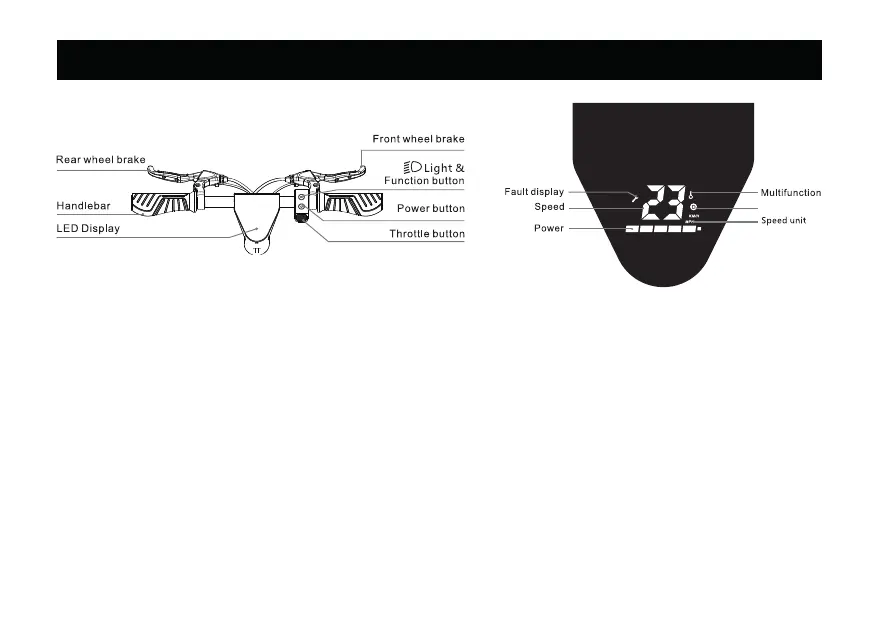
5. Button Instructions & Dashboard
Riding Mode
LED Display
1. Power Button: Long press the power button to turn ON/OFF.
2. Accelerate: Gradually press the throttle button.
3. Brake: Release the throttle button, press the brake lever and/or step on the rear fender brake.
4. Short press the function button to select the riding mode:
- No “D” icon: Speed limit mode (minimum power/speed).
- White “D” icon: Standard mode (moderate power/speed).
- Red “D” icon: Sport mode (maximum power/speed).
5. Head & Tail Light: Short press the function button twice to turn ON the lights. Short press the button again to turn
OFF the lights.
NOTE: The electric throttle will deactivite while pressing the brakes.



 To Next Page