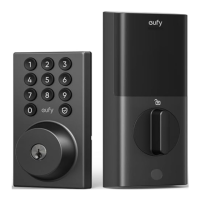
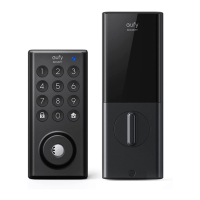
This document outlines the installation and setup of the eufy Smart Lock C30, a security device designed for residential doors. The lock features both a keypad for code entry and a traditional keyway for manual access.
Function Description
The eufy Smart Lock C30 is a smart deadbolt lock that offers multiple methods of entry, including a keypad for numerical codes, a traditional keyway, and smart control via the eufy Security app. It is designed to enhance home security by providing convenient and secure access management. The lock integrates with the eufy Security ecosystem, allowing users to add the device to their existing smart home setup and manage it remotely.
Important Technical Specifications
The lock is compatible with standard US doors, requiring specific door dimensions for proper installation.
- Backset: 2 3/8 inches (60 mm) or 2 3/4 inches (70 mm). The deadbolt is adjustable to accommodate both backset lengths.
- Cross Bore Diameter: 1 1/2 inches (38 mm) to 2 1/8 inches (54 mm).
- Door Hole Diameter: 1 inch (25 mm).
- Door Thickness: 1 3/8 inches (35 mm) to 2 1/6 inches (55 mm).
- Power Source: 4 AA batteries.
- Connectivity: The lock connects to the eufy Security app via a Serial Number & QR Code for initial setup and management.
The exterior assembly includes a keypad with numbered buttons (1-9, 0) and dedicated "eufy" and "lock" buttons, along with a keyway. The interior assembly features a battery compartment, a SYNC button, a thumbturn for manual locking/unlocking, and a screw hole for securing the assembly.
Usage Features
The eufy Smart Lock C30 offers several user-friendly features:
- Keypad Entry: Users can program and use numerical codes for keyless entry.
- Keyway Access: A traditional keyway provides a reliable mechanical backup for entry.
- Smart Control: Through the eufy Security app, users can:
- Add the Smart Lock C30 to their device list.
- Pair the lock by pressing and holding the SYNC button for 2 seconds.
- Reset the lock by pressing and holding the SYNC button for 10 seconds.
- Manage access codes and monitor lock activity.
- Easy Installation: The installation process is designed to be completed in approximately 20 minutes, with clear instructions provided. It is recommended to keep the door open during installation and not close it until the batteries are inserted.
- Adjustable Deadbolt: The deadbolt can be adjusted to fit either 2 3/8 inch (60 mm) or 2 3/4 inch (70 mm) backsets by rotating the faceplate 180 degrees.
- Visual Indicators: The deadbolt has a "TOP" marking to ensure correct orientation during installation.
- Thumbturn: The interior thumbturn allows for quick manual locking and unlocking from inside the home.
Maintenance Features
- Battery Replacement: The lock is powered by 4 AA batteries, which are easily accessible in the interior assembly's battery compartment. Users are advised to install batteries with correct polarity and to complete the system setup in the app before putting on the battery cover.
- Troubleshooting: The manual provides guidance for common installation issues, such as checking door dimensions and adjusting the deadbolt. For further assistance, users can visit support.eufy.com.
- Reset Functionality: The SYNC button allows for a factory reset of the lock by holding it for 10 seconds, which can be useful for troubleshooting or reconfiguring the device.
- Optional Strike Plate Installation: If the latch hole on the door frame is too deep, a provided plastic separator can be used with the strike plate to ensure proper calibration and functionality.
- Secure Mounting: The mounting plate is secured with screws, and an additional screw is provided if the plate is not fastened tightly to the door, ensuring a stable installation.
- Wire Management: During installation, it is crucial to tuck both wires into the cabin on the back of the interior assembly to prevent damage and ensure proper operation.

 Need help?
 General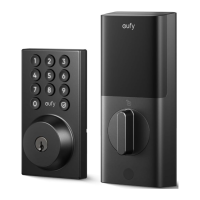

 To Next Page