Need help?
Do you have a question about the EUFY SoloCam S340 and is the answer not in the manual?
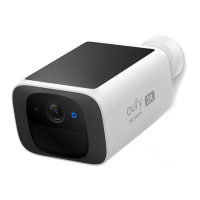
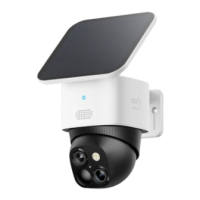
If the camera is blocked, install the solar panel independently and use the provided USB-C extension cable to get strong solar power. The camera can be mounted on a wall or on the ceiling.
If the camera is not blocked, install the solar panel directly on the top of the camera.
This device complies with Part 15 of the FCC Rules and provides information on its operation and potential interference.
This device complies with Industry Canada licence-exempt RSS standards and provides operational conditions.
Ensures compliance with RF exposure requirements and provides disposal/recycling information.
 General
| Resolution | 3K (2880x1620) |
|---|---|
| Night Vision | Color Night Vision |
| Two-Way Audio | Yes |
| Smart Detection | Human, Pet, Vehicle Detection |
| Power Source | Solar panel or rechargeable battery |
| Connectivity | 2.4GHz Wi-Fi |
| Local Storage | 8 GB |
| Field of View | 135° |
| Battery Life | Up to 3 months (varies with usage) |
| Zoom | 8x Hybrid Zoom (3x optical zoom and 2x digital zoom) |

 To Next Page