English
07
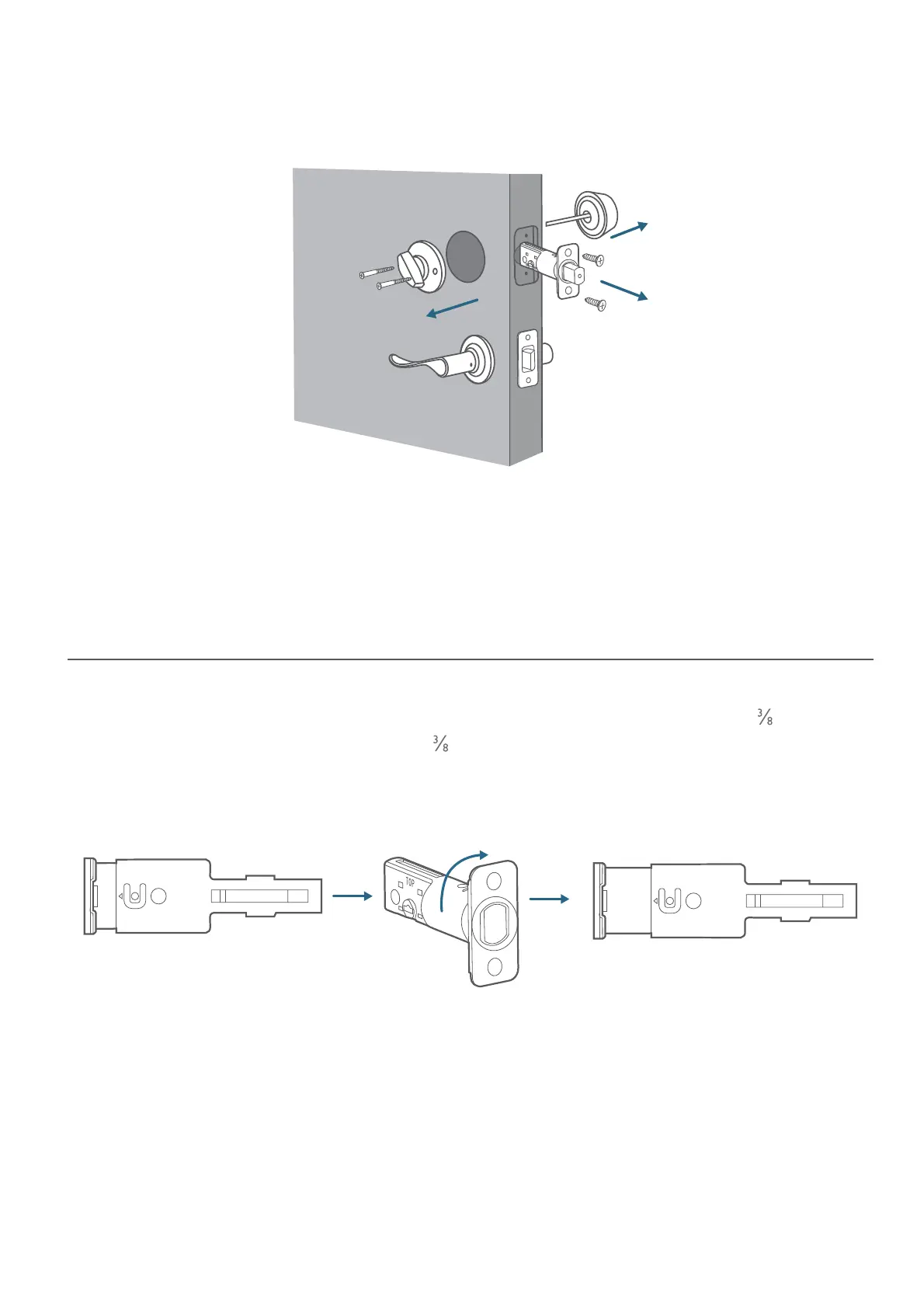
3. If you have an existing lock, remove it, including the bolt.
INSTALLING THE SMART LOCK WI-FI
Step 1
:
Install the Deadbolt
To install the deadbolt:
1. Measure your door’s backset dimension: whether it is 2¾'' / 70 mm or 2
'' / 60 mm.
2. If your door’s backset dimension is 2 '' / 60 mm, use the provided deadbolt to install.
If your door’s backset is 2¾'' / 70 mm, turn the faceplate 180° and pull to extend
simultaneously until the deadbolt locks in position as the illustration shows below.
2-3/8
2-3/4
180°
3. Insert the deadbolt into the doorframe and make sure the word “TOP” faces up as
indicated on the deadbolt.
4. Screw into the doorframe with a screwdriver (not provided).


 To Next Page