7 Functionalities
7.1 Get the current status
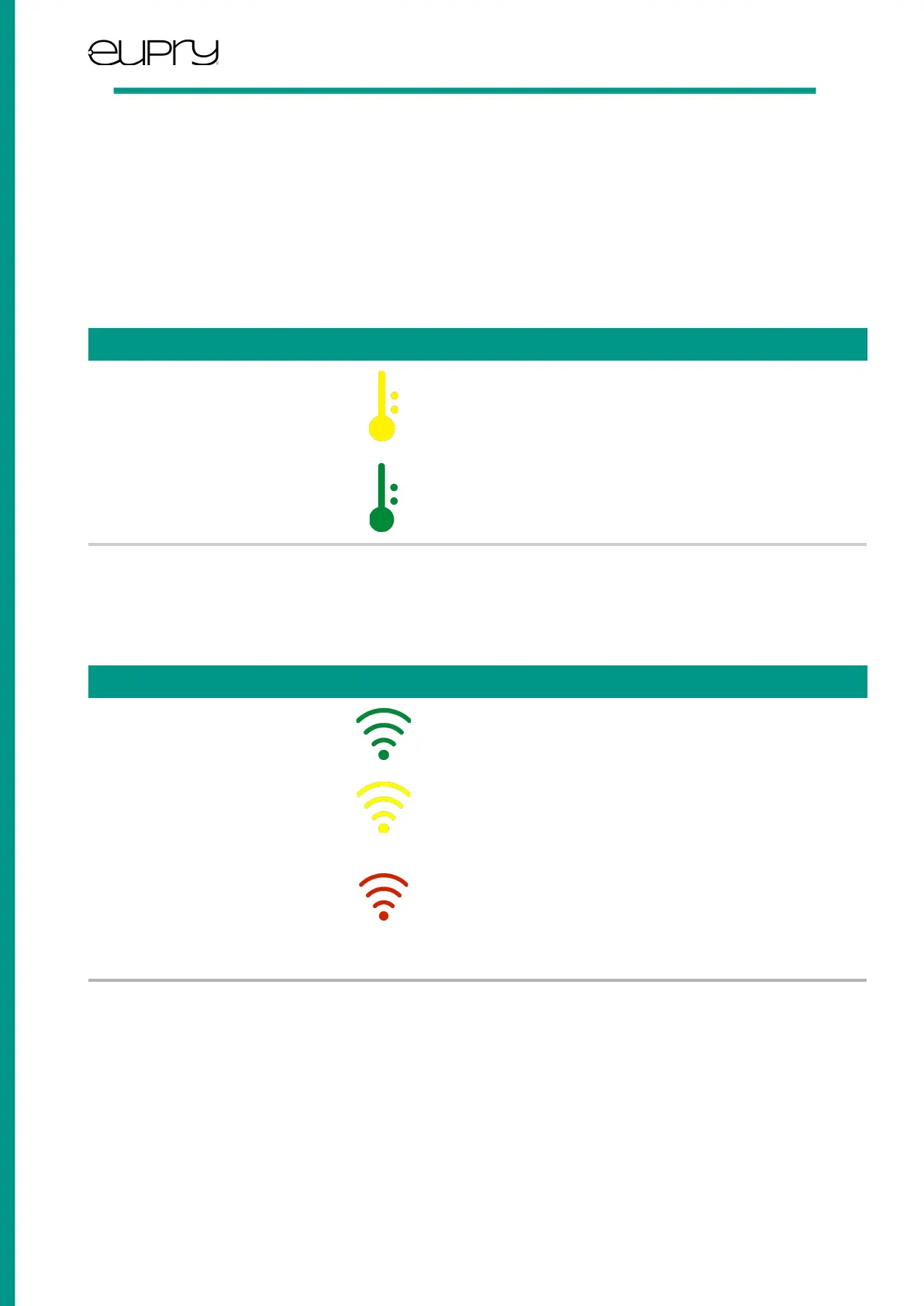
You can get the current status of temperature and Wi-Fi connection by pushing the ‘e’ button once shortly. The last blink will
indicate the status.
Temperature
Indicates that a temperature alarm is currently
ongoing. Check the Eupry Monitoring web platform
to see the alarm details.
Indicated that the measured temperatures are within
limits.
Note: If a probe is installed, the status will show the probe temperature instead of the internal Wi-Fi Data Logger
temperature.
Wi-Fi
Indicates that the Wi-Fi Data Logger is connected to
Wi-Fi without any problems.
Indicates that the Wi-Fi Data Logger is connected to
the Wi-Fi, but not to the internet. Check the internet
connection for any issues.
Indicates that the Wi-Fi Data Logger is not connected
to the Wi-Fi network. Either connect the Wi-Fi Data
Logger using the procedure for “Connecting to your
Wi-Fi network,” or check that the supplied basestation
is connected to power and is powered on.
User Guide: Eupry Wi-Fi Data Logger
Rev. 0.10 - June 2023 Page 7 of 10
Eupry ApS | www.eupry.com/ | +45 53 51 77 00 | support@eupry.com



 To Next Page