16
How to set up App, connect the device and use App
NOTE:
If the wireless network in your home is unstable, it may cause
issues with the operation of the Eureka Robot App.
The content of the Eureka Robot App may change when the
version is updated. Please refer to the Eureka Robotic
Vacuum interface for details. This interface will be upgraded
later, this interface is for reference only.
NOTE:
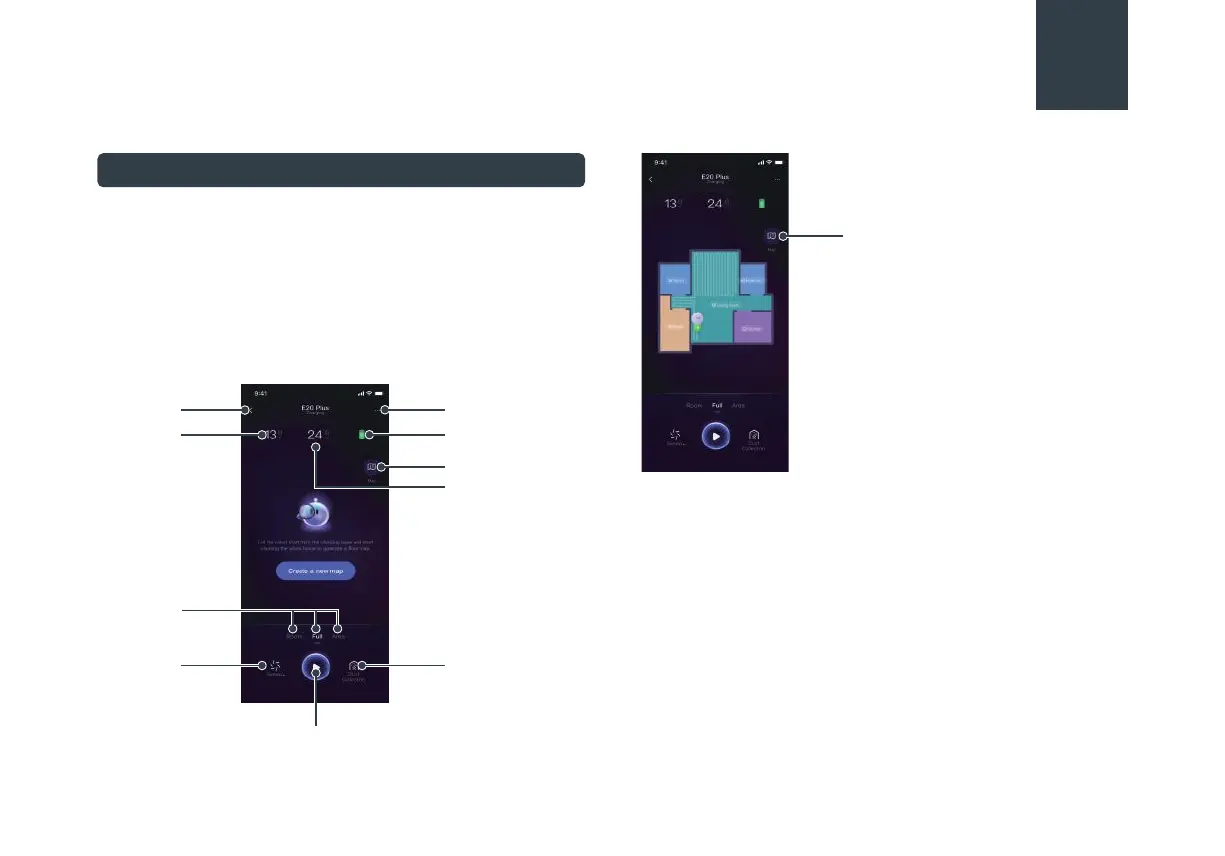
When you start clean, the machine automatically scans and
creates a map.
Back to
previous
page
Robotic Vacuum
settings
Map edit
Battery
Map edit
Cleaning area
Go back to charge
Pause
Dust collection
Start cleaning
Cleaning
time
Cleaning
mode
Cleaning
preferences
Using Eureka Robot App





 To Next Page