24
EN
5.2 MAIN MENU
To access the main menu, press (O) on the home screen.
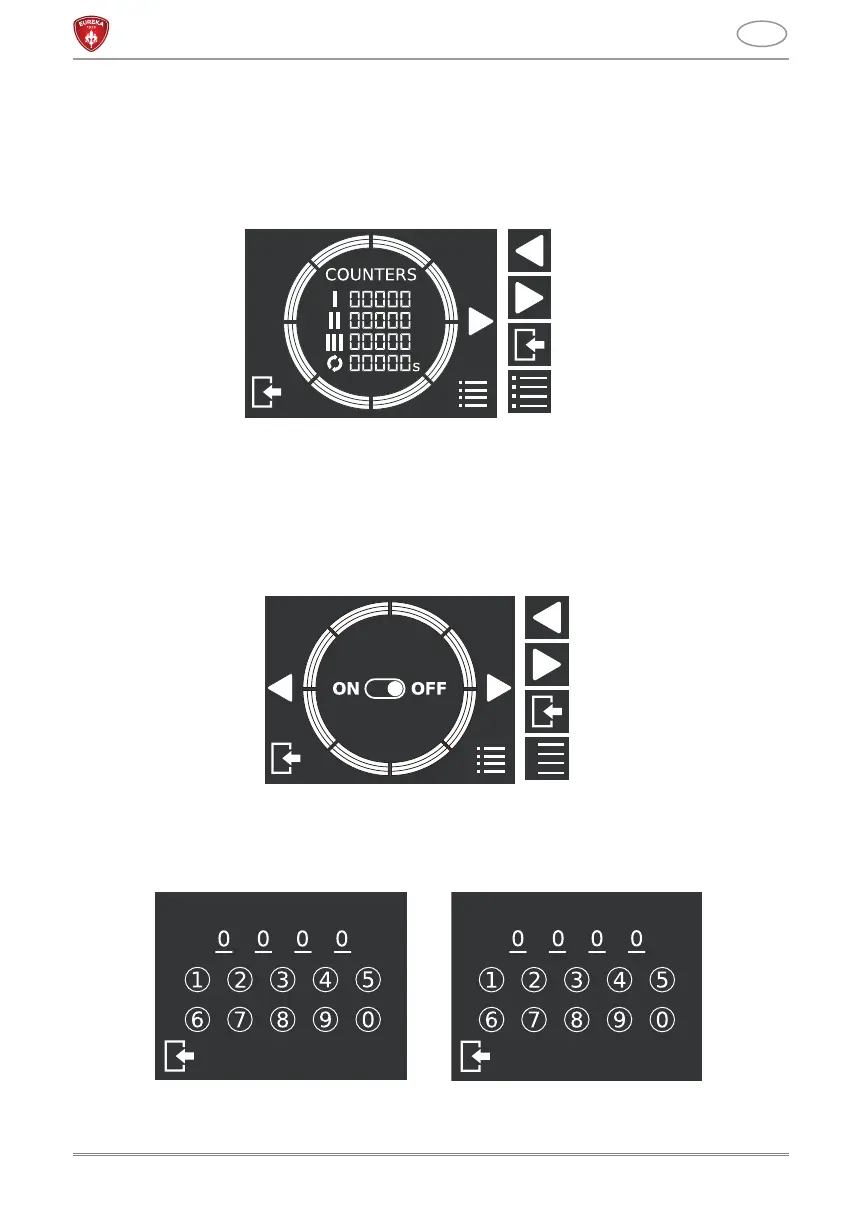
5.2.1 COUNTERS
The screen displays the overall counters (not resettable) for each dispensed dose.
5.2.2 PASSWORD
This screen displays to set the password of the grinder. When on, the password is
mandatory to access the technical menu, to lock/unlock dose regulation and disable the
password.
• ON: password on.
• OFF: password off.
To set the password, it’s necessary press ON and insert a 4-numbers code. After having
pressed CONFIRM, you need to type it again and press SAVE. .
To change the password, press SETTING. It is necessary to digit before the password
previously set. After having pressed NEXT, it will be possible to digit and confirm the new
Previous page
Next page
Menu exit
Technical menu access
PASSWORD
Previous page
Next page
Menu exit
Technical menu access
CONFIRM
SAVE
NEW PASSWORD CONFIRM PASSWORD



 To Next Page