EasyManua.ls Logo

Eureka NER J12 Ultra - User Manual

Eureka NER J12 Ultra
132 pages
Print Icon
To Next Page IconTo Next Page
Loading...
Please read the manual before use.
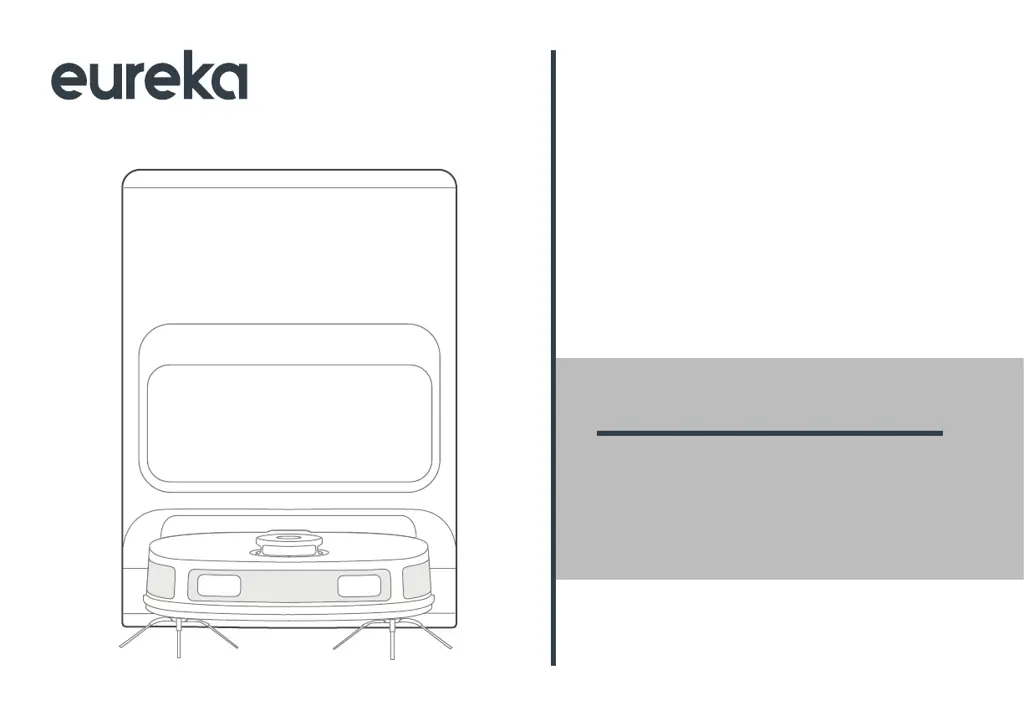
NER J12 Ultra
ROBOT VACUUM CLEANER
INSTRUCTION MANUAL

Table of Contents

Questions and Answers

  • M
    mark11Aug 3, 2025
    How to fix no sound on Eureka Vacuum Cleaner?
    • V
      Vincent KlineAug 3, 2025
      If your Eureka Vacuum Cleaner has no sound, the sound may be muted or set to a low volume, or the robot vacuum might be in 'Do Not Disturb Mode'. To resolve this, turn up the volume and turn off 'Do Not Disturb Mode'.
  • M
    michael78Aug 8, 2025
    Why does the Eureka Vacuum Cleaner app show that the connection is disconnected?
    • E
      Eddie QuinnAug 8, 2025
      The Eureka Vacuum Cleaner app might show a disconnected status because of several reasons: - Your phone may not be properly connected to the network. - The router might not be working correctly. - The robot vacuum may not be powered on. - The wireless network information on the device may have been cleared. - The wireless network password or network may have been changed. To resolve this, please try the following: - Reconnect your phone to the network. - Restart the router. - Turn on the power switch of the robot vacuum. - Add a new appliance in the app. - After the system starts, press the wireless network pairing button for 3 seconds until you hear a beep, then release it. - Add the device again according to the instructions on your phone.
  • K
    Kristen NelsonAug 12, 2025
    Why does the Eureka Vacuum Cleaner app operation response delay?
    • L
      Lance WhiteAug 12, 2025
      The Eureka Vacuum Cleaner app might experience delayed responses due to: - A busy network. - Poor wireless network signal reception on your phone. - Insufficient network bandwidth. To address these issues, try the following: - Restart your router and reduce the number of users accessing it. - Check your phone's network settings. - Increase your network bandwidth.
  • N
    Nicole BuckleyAug 16, 2025
    What to do if the Eureka Vacuum Cleaner returns to the self-cleaning base, but the mopping cloth is not washed automatically?
    • A
      Amanda GordonAug 16, 2025
      If the mopping cloth isn't automatically washed when the Eureka Vacuum Cleaner returns to the self-cleaning base, it could be due to: - The clean water tank being empty. - The used water tank being full. To fix this: - Take out the clean water tank and refill it with water. - Take out the used water tank and empty it.
  • B
    Brenda RichAug 21, 2025
    Why does the Eureka NER J12 Ultra app show that the connection is abnormal and requires reconnection?
    • G
      gdiazAug 21, 2025
      The Eureka Vacuum Cleaner app might display an abnormal connection and require reconnection because the robot vacuum is disconnected from the self-cleaning base. To resolve this, simultaneously press the two buttons (referenced as ' ' in the manual) on the self-cleaning base for 5 seconds. The ' ' light will flash while the robot vacuum connects. A beep and a steady light on the base indicate a successful connection.
  • M
    Mark YuAug 25, 2025
    What to do if Eureka NER J12 Ultra moves backward?
    • C
      Caroline CookAug 26, 2025
      If your Eureka Vacuum Cleaner is moving backward, here are a few possible reasons and solutions: - The protective cover of the navigation module might be stuck. Gently tap the protective cover and remove any small objects. - There might be an obstacle ahead. Remove the obstacle. - The front bumper could be stuck. Gently tap the front bumper to remove any foreign matter. - Dust may have accumulated in the cliff sensors. Clean the dust from the surface of the cliff sensors.
  • H
    Herbert RomeroAug 29, 2025
    Why does dust leak from Eureka NER J12 Ultra Vacuum Cleaner during operation?
    • L
      Luis HowardAug 29, 2025
      Dust may leak from the Eureka Vacuum Cleaner during operation if the inlet of the dust bin is blocked by small objects. Remove any small objects from the inlet to resolve this issue.

Summary

SAFETY INSTRUCTIONS

Warning for the machine

Safety precautions for operating the main robot vacuum unit, covering usage by children and general handling.

Warning for docking station

Safety guidelines specific to the self-cleaning docking station and its power connection.

Warning for battery

Crucial safety information regarding the handling, charging, and disposal of the robot's battery.

TECHNICAL DATA

IN THE BOX

Components in Package

Lists all items included in the product box, aiding verification upon unboxing.

Introduction to Parts of Robot Vacuum

Identifies and explains the various components and sensors of the robot vacuum itself.

Introduction to Self-Cleaning Base

Details the different parts and features of the self-cleaning docking station.

PREPARATIONS BEFORE USE

Placement of the Self-Cleaning Base

Instructions on where and how to position the self-cleaning base for optimal performance.

Installation of Side Brush to Robot Vacuum

Step-by-step guide on attaching the side brushes to the robot.

Installation of the Mopping Cloth

Instructions on how to correctly attach the mopping cloth to the mopping holder.

Power on & Charging

Guide on how to initially power on the robot and place it on the base for charging.

Environmental Requirements

Specifies the necessary conditions and cleared space around the robot for safe operation.

Preparations of the Water Tank

Instructions for filling the clean water tank and emptying the dirty water tank.

Setting Up App

Steps for downloading, installing, and configuring the companion mobile application.

Using Eureka Robot App

Overview of the mobile app's functionalities for controlling the robot.

GETTING STARTED

Start; Pause; Resume

How to begin, temporarily stop, and continue cleaning cycles using the robot's controls or app.

SPOT Cleaning

Guide to initiating a focused cleaning of a small, specific area.

Recharge

How to manually send the robot back to the base for charging.

Emptying

Explains the automatic self-emptying process and its settings.

Washing the Mopping Cloth

Details the process of the robot washing its mopping cloth and manual options.

Mop Drying

Information about the automatic mop drying function after washing.

Status Indicators of Robot Vacuum

Explains the meaning of different LED lights and their corresponding robot statuses.

Self-Cleaning Base Buttons

Describes the functions of buttons located on the self-cleaning base.

Status Indicators of Self-Cleaning Base

Explains the meaning of indicator lights on the self-cleaning base.

MAINTENANCE

Maintenance of Dust Bin (Clean as needed)

Procedures for cleaning the robot's dust bin and filter.

Dust Bag Replacement

Instructions for replacing the disposable dust bag in the self-cleaning base.

Maintenance of Main Brush (Weekly cleaning is recommended)

Guide on cleaning the robot's main brush.

Cleaning of Side Brush (Weekly cleaning is recommended)

Instructions for cleaning the robot's side brushes.

Cleaning of Driving Wheel (Weekly cleaning is recommended)

Steps for cleaning the robot's driving wheels.

Cleaning of the Base Station

Procedures for cleaning the self-cleaning base, including the mop cleaning tray.

Declaration of Conformity (DoC)

Eureka NER J12 Ultra Specifications

General IconGeneral
BrandEureka
ModelNER J12 Ultra
CategoryVacuum Cleaner
LanguageEnglish

Related product manuals