This document is an Owner's Guide for the Eureka NES210 series stick vacuum cleaner, designed for household use. It provides essential information for assembly, usage, maintenance, and troubleshooting, along with warranty details.
Function Description:
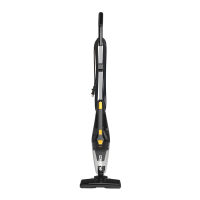
The Eureka NES210 series is a versatile stick vacuum cleaner primarily designed for dry household cleaning. It functions as both a full-size stick vacuum and a detachable hand vacuum, offering flexibility for various cleaning tasks. The device utilizes suction to pick up dust, dirt, and debris from surfaces. Its design emphasizes ease of use, with features like a quick-release button for converting to a hand vacuum and a removable floor nozzle for wider surface cleaning. The vacuum operates without a traditional dust bag, instead using a dust cup and filters for debris collection, which are designed for easy maintenance.
Important Technical Specifications:
While specific power ratings (e.g., wattage, voltage) are not explicitly detailed in the provided pages, the manual indicates that the appliance uses a polarized plug, meaning one blade is wider than the other, to reduce the risk of electric shock. This implies it operates on standard household AC power. The motor is permanently lubricated and sealed, requiring no oiling. The vacuum features a washable filter and a pre-motor filter, both crucial for maintaining suction and cleaning performance. The model and serial numbers are located on the middle back side of the vacuum cleaner, which are important for registration, ordering parts, and service.
Usage Features:
- 2-in-1 Design: The vacuum easily converts from a stick vacuum to a handheld vacuum by pressing a quick-release button on the hand vacuum grip and detaching the handle. This allows for cleaning floors, as well as elevated surfaces, upholstery, and tight spaces.
- Easy Assembly: The manual provides clear, step-by-step instructions for assembly, including attaching the crevice tool and holder to the handle, inserting the handle into the hand vacuum, and securing the floor nozzle to the dust cup. The power cord can be wrapped around upper and lower cord wraps for tidy storage.
- Operation: To use, the power cord is plugged into an outlet, and the power switch on the front of the hand vacuum is turned on. For floor cleaning, the user steps on the nozzle and tilts the vacuum to release it from its upright position.
- Versatile Cleaning:
- Hand Vacuum: The hand vacuum can be used independently for targeted cleaning.
- Floor Nozzle: The removable floor nozzle can be attached to the hand vacuum to clean wider surfaces, making it suitable for floors.
- Crevice Tool: A crevice tool is included to extend the reach of the hand vacuum, allowing access to narrow gaps and corners.
- Maneuverability: The hand vacuum can be turned 180 degrees to facilitate cleaning under furniture, enhancing reach and flexibility.
- Cord Management: The power cord can be wrapped around designated cord wraps on the back of the vacuum for convenient storage, and the plug can be clipped onto the cord.
- Customer Support: A dedicated HELPLINE (1-800-282-2886) is provided for customer service, questions, and assistance with shipping damage or troubleshooting. Online registration is also available at www.eureka.com.
Maintenance Features:
- Dust Cup Emptying: The vacuum features a dust cup that is easy to empty. To remove dirt, the vacuum is held vertically, and the dust cup latch is pressed to release it. The dust cup contents are then emptied into a waste container.
- Filter Maintenance:
- Washable Filter: The main filter can be gently removed and, if needed, cleaned with warm water and a mild detergent.
- Pre-motor Filter: The pre-motor filter should be regularly removed and inspected to optimize suction and cleaning performance. If cleaning is required, it can be washed with warm water and a mild detergent.
- Drying: After washing, the pre-motor filter must be air-dried for 24 hours before being placed back into the vacuum to ensure proper function and prevent damage.
- Reassembly: After emptying the dust cup and cleaning filters, the filter is replaced, and the dust cup is attached back to the vacuum, ensuring it is correctly secured.
- Troubleshooting: A "Problem Solving" section provides common issues and their solutions, such as the motor not starting (check plug, outlet, circuit breaker) or ineffective vacuuming (check for clogged/dirty filters, full dust cup). It also addresses dust blowing out of air vents (ensure filters are properly secured).
- Parts and Accessories: The manual lists specific part numbers for common accessories and replacement parts, including the filter (N0101), pre-motor filter (N0102), crevice tool (N0103), handle (N0104), dust cup (N0105), nozzle (N0106), and crevice tool holder (N0107). This facilitates easy ordering of replacements.
- Eureka Clean Promise: The product is backed by Eureka's "Clean Promise" seal, emphasizing performance, quality, and value, with more information available on their website.
- Warranty: A one-year limited warranty covers defects in material and workmanship under normal household usage, provided the product was purchased from authorized Eureka resellers. The warranty outlines what is covered (repair or replacement of defective parts) and what is not (normal wear and tear, damages from improper use or maintenance, unauthorized alterations). It also details how to obtain warranty service, including contacting the Eureka Service Team and providing proof of purchase. Shipping charges for warranty service are also explained.

 Need help?
 General




 To Next Page