This document describes a 40cm desk fan with remote control, designed for indoor household use. It is a Class II double-insulated appliance, meaning it does not require a safety connection to electrical earth. The fan is intended to provide air circulation and cooling in domestic environments.
Function Description
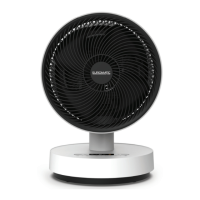
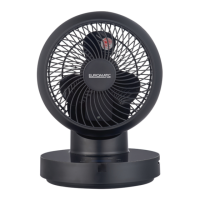
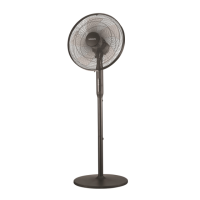
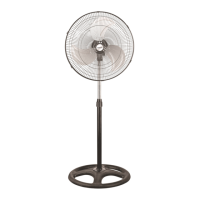
The Euromatic 40cm Desk Fan is an electrical appliance designed to generate airflow for personal comfort. It features a fan head with blades enclosed within safety guards (grilles), mounted on a stand post and a stable base. The fan offers three speed settings (Low, Medium, High) and an oscillation function to distribute air over a wider area. It also includes a timer function, allowing users to set an automatic shut-off time for up to 18 hours. The fan can be operated via a control panel located on the unit's stand post or through a supplied remote control.
Usage Features
The fan is designed for ease of use and convenience.
- Assembly: The fan is shipped partially assembled to minimize packaging waste. Users need to assemble the base, stand post, and fan head components. Detailed instructions are provided for securing the stand post to the base, attaching the back grille, fan blade, blade cap, and finally the front grille with a clamping ring. It is crucial not to plug the fan into an electrical outlet until it is fully assembled.
- Placement: The fan should be placed on a dry, flat, and stable surface to prevent overturning. It is not suitable for outdoor use or in areas with high humidity without proper ventilation, such as bathrooms or laundry areas.
- Power On/Off: After plugging the fan into an appropriate electrical socket and switching on the power at the outlet, the fan enters standby mode. Pressing the POWER button on either the control panel or remote control will turn the fan on, starting in default mode (medium speed). Pressing the button again will set the fan to standby.
- Speed Control: The fan offers three speed settings: Low, Medium, and High. These can be selected by pressing the SPEED button on the control panel or remote control.
- Oscillation: To activate the oscillation function, which moves the fan head from side to side to distribute air more widely, press the SWING button. Pressing it again will stop the oscillation.
- Timer Function: The fan features an 18-hour timer.
- Remote Control Timer: To set the timer using the remote control, press the TIMER button. The off-time can be set in 1-hour increments up to a maximum of 18 hours.
- Control Panel Timer: To set the timer from the control panel, press and hold the SWING button for 3 seconds until the timer indicator on the display screen starts flashing. Then, set the off-time as described for the remote control. The selected timer setting will flash three times on the panel before reverting to show the selected speed.
- Once the set time runs out, the fan will automatically shut off.
- Fan Head Tilt Adjustment: The fan head can be manually tilted slightly upwards or downwards to direct airflow. To adjust, grip the motor housing and carefully tilt the fan head. Users are cautioned not to tilt the fan head beyond its intended range to prevent damage.
- Remote Control: The fan comes with a remote control for convenient operation from a distance. The remote control is powered by a CR2025 3V lithium button cell, which is pre-installed. Before first use, an insulation film needs to be pulled out from the bottom end of the remote control. When using the remote, it should be pointed towards the LED display at the front of the fan, ensuring no obstructions.
- Safety Precautions: Users are advised to read all safety instructions thoroughly before use. Key precautions include:
- Ensuring outlet voltage matches the appliance rating label.
- Protecting against fire and electric shock by not immersing the fan, cord, or plug in water or other liquids, and keeping hands dry when handling.
- Regularly checking the power cord for damage and not operating the fan if damaged.
- Protecting the power cord from coiling, twisting, kinks, heated surfaces, and traffic areas.
- Not using extension cords, plug adaptors, external timers, or separate speed control devices.
- Unplugging the fan when not in use, before cleaning, servicing, moving, or storing.
- Ensuring the fan is disconnected from the power supply before removing guards.
- Avoiding contact with moving parts and never inserting fingers or objects through the grilles.
- Keeping hair and loose clothing away from the fan.
- Ensuring nothing blocks air outlet and intake.
- Not using the fan near open flames, hot burners, ovens, or other high heat sources, on soft surfaces where it might tip over, or in areas with flammable gases or substances.
- Supervising children to ensure they do not play with the fan.
- Not leaving the fan unattended during use.
- Not placing anything on top of the fan.
- Ensuring proper assembly before operation.
Maintenance Features
Regular cleaning and proper storage are essential for maintaining the fan's performance and longevity.
- Pre-Maintenance Safety: Before any cleaning, maintenance, or moving of the fan, and before removing any guards, the fan must be switched off and unplugged from the wall outlet.
- Cleaning Restrictions: The fan should never be immersed in water or other liquids, sprayed with liquids, or have water drip into the motor housing. Harsh chemicals such as petrol, solvents, abrasive, or alkaline cleaners should not be used.
- Dusting: Periodically clean the fan by lightly running a vacuum cleaner nozzle (soft brush) over the front and rear guards to remove accumulated dust and dirt. Alternatively, a soft, dry cloth can be used for dusting.
- Stubborn Stains: For stubborn stains, use a slightly damp, soapy cloth, ensuring it is not too wet. Exercise caution around the motor housing to prevent water exposure to electrical components.
- End of Season Cleaning: At the end of the season, wipe off any dust. For a thorough clean, disassemble the front grille (following the assembly instructions in reverse order), and carefully clean the blade and guards using a mild detergent and a damp cloth. Ensure all parts are thoroughly dry before reassembly or storage.
- Storage: When storing the fan during the off-season, it should be disassembled and cleaned first. Store the fan in a safe, dry location, protected from dust. The original carton is recommended for storage. If storing fully assembled, cover the appliance with a large plastic bag or material for dust protection.
- Service/Repair: The appliance does not contain user-serviceable parts, and users should not attempt to take the motor housing apart or repair/modify the fan. If the power cord or plug is damaged, or if the fan is malfunctioning, contact the after-sales support centre for advice on repair or replacement. Ensure the fan is properly assembled and connected to the power supply before contacting support.
- Battery Replacement (Remote Control): The remote control battery (CR2025) needs replacement when depleted. To replace it, remove the screw at the back of the device with a Phillips screwdriver, push the locking tab to one side, and pull out the battery holder. Remove the old battery and insert a new one, matching the polarity, then push the holder back and secure with the screw.
- Battery Safety: The remote control contains a coin/button cell battery, which can be dangerous if swallowed. Keep batteries out of reach of children. If swallowed, immediately call a poisons information centre. Dispose of used batteries responsibly, not in household waste, and in accordance with statutory regulations. Do not mix different types of batteries, and never throw batteries into fire or subject them to high temperatures. Leaking or damaged batteries can cause burns on contact with skin. The battery compartment cover is secured with a screw or mechanical fastener to prevent access by young children.

 Need help?
 General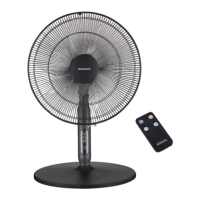

 To Next Page