EasyManua.ls Logo

EUROSTER 4040 Smart - User Manual

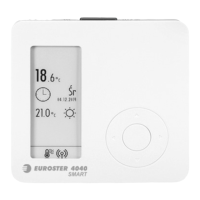
EUROSTER 4040 Smart
12 pages
Print Icon
To Next Page IconTo Next Page
Loading...
EUROSTER 4040 Smart INSTALLATION AND OPERATION MANUAL 1
EUROSTER 4040 Smart
Wireless, programmable thermostat for all types of heating and air-conditioning
devices featuring remote control with a smartphone or tablet.
MANUFACTURER: P.H.P.U. AS, Chumiętki 4, 63-840 Krobia, Poland
In order to take full advantage of thermostat capabilities please read this installation and
operation manual carefully.
This manual is intended for the 26.08.2021 version of the thermostat.
1. THERMOSTAT APPLICATION
Euroster 4040 Smart is a state-of-the-art wireless thermostat used to control the
temperature inside living and utility rooms. It is used to control the operation of the CH boiler
and other heating system components. It controls electrical equipment, floor heating, and air-
conditioning systems. Sensors used in Euroster 4040 Smart enable temperature read-out
and programming accuracy of 0.1 °C. The thermostat operates with two temperature levels:
comfort (day ) temperature and economical (night ) temperature. Each temperature is
modifiable within the range of 5 °C...35 °C. The thermostat is programmable in seven-day
cycles with an accuracy of 0.5 hour, therefore it enables 48 temperature changes in 24 hours.
It is possible to program different time ranges for each day of the week. The remote control
feature enables the control of the thermostat from anywhere around the world.
The Android application may be downloaded from Google Play Store and the iOS
application from App Store. The application configuration and operation manuals are
available at http://www.euroster.pl.
2. BASIC THERMOSTAT FUNCTIONS
does not require leading cable connections between the thermostat and the controlled
device
Control through dedicated mobile applications for iOS and Android systems
Remote access by a user-friendly application in Polish
Integrated Wi-Fi no need to use gateways
User-friendly thermostat enabling easy control of temperature in living and utility rooms
Bidirectional radio communication ensures high operational reliability
and resistance to interference
Information on radio and Wi-Fi signal strength
Clear, back-lit E-Ink display
Two temperature levels: comfort and reduced
0.5-hour accuracy of range programming
Simultaneous display of current and preset temperature value
Thermostat interlock with a selectable 4-digit code
Numerous useful functions: temporary temperature setting, constant temperature, va-
cation mode, discharged batteries indication
Temperature read-out accuracy of 0.1 °C
Possibility to switch the thermostat off with an active frost protection temperature after
the heating season
Temperature reading correction
Surface mounting
Question and Answer IconNeed help?

Do you have a question about the EUROSTER 4040 Smart and is the answer not in the manual?

Summary

1. Thermostat Application

2. Basic Thermostat Functions

3. Thermostat Visible Elements

3.1. Body Components

Details the physical parts and controls on the thermostat's main unit.

3.2. Display Elements

Describes the information and indicators shown on the thermostat's screen.

4. Receiver Visible Elements

5. Installation

5.1. Safety Rules

Essential safety precautions and warnings to follow before and during installation.

5.2. Selecting Thermostat Installation Location

Guidelines for choosing the optimal placement of the thermostat for accurate readings.

5.3. Receiver Installation

Instructions for correctly installing the Wi-Fi receiver unit.

5.4. Battery Insertion and Replacement

Procedure for powering the thermostat using batteries and when to replace them.

5.5. Sample Connection Diagrams

Illustrative diagrams showing typical connection setups for the thermostat and receiver.

6. User Settings

6.1. Switching Thermostat Off

Procedure to turn off the thermostat and its temporary standby state.

6.2. Battery Saving ECO Mode

Enables a power-saving mode to extend battery life during heating operation.

6.3. Manual Temperature Override

Temporarily change the set temperature without altering the programmed schedule.

6.4. Temperature Level Modification

How to adjust the comfort and economical temperature settings.

6.5. Weekly Program Setup

Guide to programming daily temperature schedules for the entire week.

6.6. Constant Temperature Mode

Maintains a fixed temperature, overriding the weekly program.

6.7. Vacation Mode

Sets a specific temperature for periods when the property is unoccupied.

6.8. Thermostat Settings Menu

Access and configure advanced settings like date, language, and interlock.

Date and Time Configuration

Setting the correct date and time for accurate scheduling and operation.

Weekday Language Selection

Choosing the display language for weekdays.

Hysteresis and PWM Control

Configuring heating/cooling algorithms for precise temperature maintenance.

Heating in Advance Feature

Enables heating to start earlier to reach the target temperature on time.

Thermostat Interlock (Code)

Securing settings with a four-digit code to prevent unauthorized changes.

6.9. Service Settings

6.9.1. Air Conditioning Mode Configuration

Setting up the thermostat for air conditioning operation.

6.9.2. Temperature Sensor Selection

Choosing internal, external, or dual sensor operation and correction.

6.9.3. Wi-Fi Module Information

Accessing the Wi-Fi module's MAC address.

6.9.4. Pairing Mode Setup

Establishing radio connection between thermostat and receiver.

6.9.5. Test Mode Operations

Checking system parameters like receiver operation and signal strength.

6.9.6. Factory Settings Reset

Restoring the thermostat to its original factory default configuration.

7. Error Indication

8. Receiver Settings

8.1. Establishing Thermostat-Receiver Connection

Procedure for pairing the thermostat with the RX Smart receiver.

8.2. Selecting Receiver Operating Mode

Choosing between normally open (NO) and normally closed (NC) output modes.

9. First Start and Operation

9.1. Radio Signal Strength Indicator

How to interpret signals indicating the strength of the radio connection.

9.2. Troubleshooting No Radio Communication

Resolving issues related to lost communication between thermostat and receiver.

9.3. Manual Heating Device Operation

Operating the heating device manually via the receiver's MAN function.

10. Maintenance

11. Dimensions

12. Technical Data

13. Kit Contents

14. Declaration of Conformity

15. Electronic Waste Management

Summary

1. Thermostat Application

2. Basic Thermostat Functions

3. Thermostat Visible Elements

3.1. Body Components

Details the physical parts and controls on the thermostat's main unit.

3.2. Display Elements

Describes the information and indicators shown on the thermostat's screen.

4. Receiver Visible Elements

5. Installation

5.1. Safety Rules

Essential safety precautions and warnings to follow before and during installation.

5.2. Selecting Thermostat Installation Location

Guidelines for choosing the optimal placement of the thermostat for accurate readings.

5.3. Receiver Installation

Instructions for correctly installing the Wi-Fi receiver unit.

5.4. Battery Insertion and Replacement

Procedure for powering the thermostat using batteries and when to replace them.

5.5. Sample Connection Diagrams

Illustrative diagrams showing typical connection setups for the thermostat and receiver.

6. User Settings

6.1. Switching Thermostat Off

Procedure to turn off the thermostat and its temporary standby state.

6.2. Battery Saving ECO Mode

Enables a power-saving mode to extend battery life during heating operation.

6.3. Manual Temperature Override

Temporarily change the set temperature without altering the programmed schedule.

6.4. Temperature Level Modification

How to adjust the comfort and economical temperature settings.

6.5. Weekly Program Setup

Guide to programming daily temperature schedules for the entire week.

6.6. Constant Temperature Mode

Maintains a fixed temperature, overriding the weekly program.

6.7. Vacation Mode

Sets a specific temperature for periods when the property is unoccupied.

6.8. Thermostat Settings Menu

Access and configure advanced settings like date, language, and interlock.

Date and Time Configuration

Setting the correct date and time for accurate scheduling and operation.

Weekday Language Selection

Choosing the display language for weekdays.

Hysteresis and PWM Control

Configuring heating/cooling algorithms for precise temperature maintenance.

Heating in Advance Feature

Enables heating to start earlier to reach the target temperature on time.

Thermostat Interlock (Code)

Securing settings with a four-digit code to prevent unauthorized changes.

6.9. Service Settings

6.9.1. Air Conditioning Mode Configuration

Setting up the thermostat for air conditioning operation.

6.9.2. Temperature Sensor Selection

Choosing internal, external, or dual sensor operation and correction.

6.9.3. Wi-Fi Module Information

Accessing the Wi-Fi module's MAC address.

6.9.4. Pairing Mode Setup

Establishing radio connection between thermostat and receiver.

6.9.5. Test Mode Operations

Checking system parameters like receiver operation and signal strength.

6.9.6. Factory Settings Reset

Restoring the thermostat to its original factory default configuration.

7. Error Indication

8. Receiver Settings

8.1. Establishing Thermostat-Receiver Connection

Procedure for pairing the thermostat with the RX Smart receiver.

8.2. Selecting Receiver Operating Mode

Choosing between normally open (NO) and normally closed (NC) output modes.

9. First Start and Operation

9.1. Radio Signal Strength Indicator

How to interpret signals indicating the strength of the radio connection.

9.2. Troubleshooting No Radio Communication

Resolving issues related to lost communication between thermostat and receiver.

9.3. Manual Heating Device Operation

Operating the heating device manually via the receiver's MAN function.

10. Maintenance

11. Dimensions

12. Technical Data

13. Kit Contents

14. Declaration of Conformity

15. Electronic Waste Management

Overview

The Euroster 4040 Smart is a wireless, programmable thermostat designed for controlling various heating and air-conditioning devices, offering remote control capabilities via a smartphone or tablet. Manufactured by P.H.P.U. AS in Poland, this device aims to provide precise temperature management and energy efficiency for living and utility rooms.

Function Description:

The Euroster 4040 Smart serves as a central control unit for CH boilers, other heating system components, electrical equipment, floor heating, and air-conditioning systems. It operates wirelessly, eliminating the need for cable connections between the thermostat and the controlled device. The thermostat features built-in sensors for accurate temperature read-out and programming with a precision of 0.1 °C.

It supports two temperature levels: comfort (day) and economical (night), both adjustable within a range of 5 °C to 35 °C. The thermostat is programmable in seven-day cycles with a 0.5-hour accuracy, allowing for up to 48 temperature changes within 24 hours. Different time ranges can be programmed for each day of the week.

A key feature is its remote control capability, enabling users to manage the thermostat from anywhere in the world via dedicated mobile applications for iOS and Android. These applications are available on Google Play Store and App Store, with configuration and operation manuals accessible online.

The device utilizes integrated Wi-Fi, eliminating the need for external gateways, and employs bidirectional radio communication for high operational reliability and resistance to interference. It provides information on both radio and Wi-Fi signal strength.

Key Features:

  • Wireless Operation: No leading cable connections required between the thermostat and the controlled device.
  • Mobile Application Control: Dedicated iOS and Android applications for remote access and control.
  • Integrated Wi-Fi: No gateways needed for network connectivity.
  • User-Friendly Interface: Easy temperature control in living and utility rooms.
  • Bidirectional Radio Communication: Ensures high operational reliability and interference resistance.
  • Signal Strength Indicators: Displays radio and Wi-Fi signal strength.
  • Clear E-Ink Display: Back-lit for easy readability.
  • Two Temperature Levels: Comfort (day) and economical (night), adjustable from 5 °C to 35 °C.
  • Programmable Schedules: Seven-day cycles with 0.5-hour accuracy, allowing up to 48 temperature changes per day.
  • Simultaneous Display: Shows current and preset temperature values.
  • Thermostat Interlock: Selectable 4-digit code to prevent unauthorized setting changes.
  • Useful Functions: Temporary temperature setting, constant temperature mode, vacation mode, and discharged batteries indication.
  • Temperature Accuracy: Read-out accuracy of 0.1 °C.
  • Frost Protection: Ability to switch off the thermostat with active frost protection after the heating season.
  • Temperature Reading Correction: Allows for adjustment of temperature readings.
  • Surface Mounting: Designed for easy installation.
  • Battery Saving ECO Mode: Reduces battery consumption by not displaying date/time and extending application response time.
  • Manual (Temporary) Temperature Change: Allows for temporary temperature adjustments without altering the programmed schedule.
  • Hysteresis/PWM Control: Two operational options for heating/cooling algorithms. Hysteresis activates based on temperature difference, while PWM (Pulse Width Modulation) is an advanced method for underfloor heating, limiting room temperature fluctuations. PWM parameters include CPH (cycles per hour), CON (cycle duration period), and PB (control bandwidth).
  • Heating in Advance: Activates heating earlier to reach the preset temperature at the desired time, using an advanced algorithm that learns room heat-up times.
  • Thermostat Interlock: A four-digit code can be set to prevent unauthorized changes to settings.
  • Air Conditioning Mode: Switches the device on when temperature increases above preset level, with the operation mode switch toggling between heating and cooling.
  • Temperature Sensor Selection: Allows selection between internal sensor, external (cabled) sensor, or both (internal sensor for control, external for temperature limit, e.g., floor temperature limit).
  • Temperature Sensor Correction: Adjusts read-out within +/- 5 °C to compensate for thermostat placement in warmer/cooler areas.
  • Pairing Mode: Establishes radio connection between the thermostat and the receiver.
  • Test Mode: Allows checking main parameters like program version, relay operation, sensor measurements, backlight, light sensor, and radio signal strength.
  • Factory Reset: Restores thermostat to factory settings.
  • Error Indication: Displays error codes for no sensor, sensor short-circuit/damage, discharged batteries, no radio communication, and no Wi-Fi signal.
  • Receiver Operating Modes: Normally open (COM – NO) and normally closed (COM – NC) modes, selectable during receiver setup.
  • Continuous Operation (MAN) Mode: Allows manual switching of heating/cooling in case of system damage.

Important Technical Specifications:

  • Controlled Device: Heating / air-conditioning systems.
  • Supply Voltage: Thermostat: 3 V (2 pieces of alkaline AAA batteries); Receiver: 230 V 50 Hz.
  • Receiver Output: Relay, voltage-free type, SPST.
  • Maximum Load: 5 A 230 V 50 Hz.
  • Temperature Measurement Range: 0 °C to +100 °C.
  • Temperature Adjustment Range: +5 °C to +35 °C.
  • Temperature Adjustment Accuracy: 0.1 °C.
  • Temperature Reading Accuracy: 0.1 °C.
  • Hysteresis Range: 0.2 °C to 10 °C (step of 0.1 °C) or PWM mode.
  • Visual Signalization: Back-lit E-Ink display.
  • Operation Temperature: +5 °C to +40 °C.
  • Storage Temperature: -10 °C to +50 °C.
  • Ingress Protection Rating: IP20.
  • Color: White/gray.
  • Mounting Method: Thermostat: stand; Receiver: 230 V 50 Hz socket.
  • Weight: Thermostat (without batteries): 115 g; Receiver: 185 g.
  • Warranty Period: 2 years.
  • Frequency of Radio Operation: 868 MHz.
  • Maximum Power of Transmission: < 25 mW.
  • Thermostat Class: IV (PWM mode).
  • Thermostat Contribution to Seasonal Energy Efficiency of Room Heating: 2% (PWM mode).
  • Wi-Fi Parameters: 2.4 GHz 802.11 b/g/n, WPA and WPA2 encryption.
  • Dimensions: Thermostat: 102 mm (W) x 97 mm (H) x 26 mm (D); Receiver: 82 mm (W) x 83 mm (H) x 45 mm (D).

Usage Features:

  • Installation: The thermostat is designed for indoor installation and can be placed anywhere due to its wireless nature. It should be located approximately 1.5 m above the floor, away from direct sunlight, heating/cooling devices, doors, windows, and areas with poor air circulation or high humidity. The receiver plugs into a 230 V power socket, ideally close to the controlled device and within Wi-Fi signal range.
  • Battery Insertion/Replacement: Use only alkaline AAA batteries, observing correct polarity. Rechargeable batteries are not recommended due to lower voltage and shorter effective time. Battery replacement is recommended before each heating season.
  • User Settings: Basic parameters and functions are set via the central button and arrow buttons. Changes are stored automatically.
  • Switching Off: Hold the central button for 5 seconds to switch off the thermostat, which indefinitely holds temperature control. Hold again for 5 seconds to restore.
  • Weekly Program: Allows setting different temperature schedules for each day of the week, with 0.5-hour programming increments.
  • Constant Temperature Mode: Maintains a preset temperature regardless of the weekly program.
  • Vacation Mode: Sets a desired temperature for a specified vacation period to reduce energy consumption.
  • Thermostat Settings Menu: Includes options for Date/time, Weekday language (Polish, English, or universal symbols), Hysteresis/PWM, Heating in advance, and Thermostat interlock.
  • Service Settings Menu: Accessible by holding the central and right buttons for 5 seconds. This menu allows configuration according to the system type, including Air conditioning mode, Selection of temperature sensor (internal, cabled, or both with limit), Wi-Fi module MAC address, Pairing mode, Test mode, and Reset to factory settings. Exercise caution when modifying these settings to avoid improper system functioning or damage.
  • Pairing Procedure: To establish connection between the thermostat and receiver, enter service settings, select pairing mode, insert receiver into power socket, press receiver button 3 times (blue LED lights up), and confirm. Pairing mode is available for 10 minutes after receiver insertion. Factory-established pairs are pre-paired but can be repeated if necessary.
  • Receiver Operating Mode Selection: While holding the receiver button, insert it into the power socket. Pressing the button cycles between normally open (COM – NO, default) and normally closed (COM – NC) modes, indicated by green or red LED.
  • Radio Signal Strength Indication: Green LED flashes (three for very strong, two for good, one for sufficient connection).
  • No Radio Communication: If communication is interrupted for 60 minutes, the receiver enters anti-frost mode (heating device on for 20 minutes every 3 hours). Green diode flashes fast.
  • Manual Operation (MAN): Moving the switch on the RX receiver to MAN position enables continuous heating (red LED flashing fast) or cooling (blue LED flashing fast) in case of system damage.

Maintenance Features:

  • Cleaning: Do not use solvents or aggressive detergents to clean the thermostat, as they may damage the housing and display. Clean with a soft cloth.
  • Battery Replacement: Recommended before each heating season to ensure continuous operation.
  • Troubleshooting: In case of problems with thermostat operation, contact a technician or the manufacturer. Error indications help diagnose issues like sensor problems, discharged batteries, or communication failures.
  • Safety Rules: Prior to installation, read the manual carefully. De-energize heating/cooling systems before mounting/dismantling. Only qualified technicians should install the thermostat due to hazardous voltages. Ensure electrical connections and cables are adequate for loads. Avoid installing in humid areas. Do not install damaged units. The thermostat is not a safety component; additional protection devices may be needed for critical systems. Not for use by children.
  • Power System Compatibility: The Euroster 4040 RX Smart Receiver and the heat-emitting device must be powered from the same phase of the power system.

EUROSTER 4040 Smart Specifications

General IconGeneral
BrandEUROSTER
Model4040 Smart
CategoryThermostat
LanguageEnglish

Related product manuals