2
FIREWARE UPGRADE
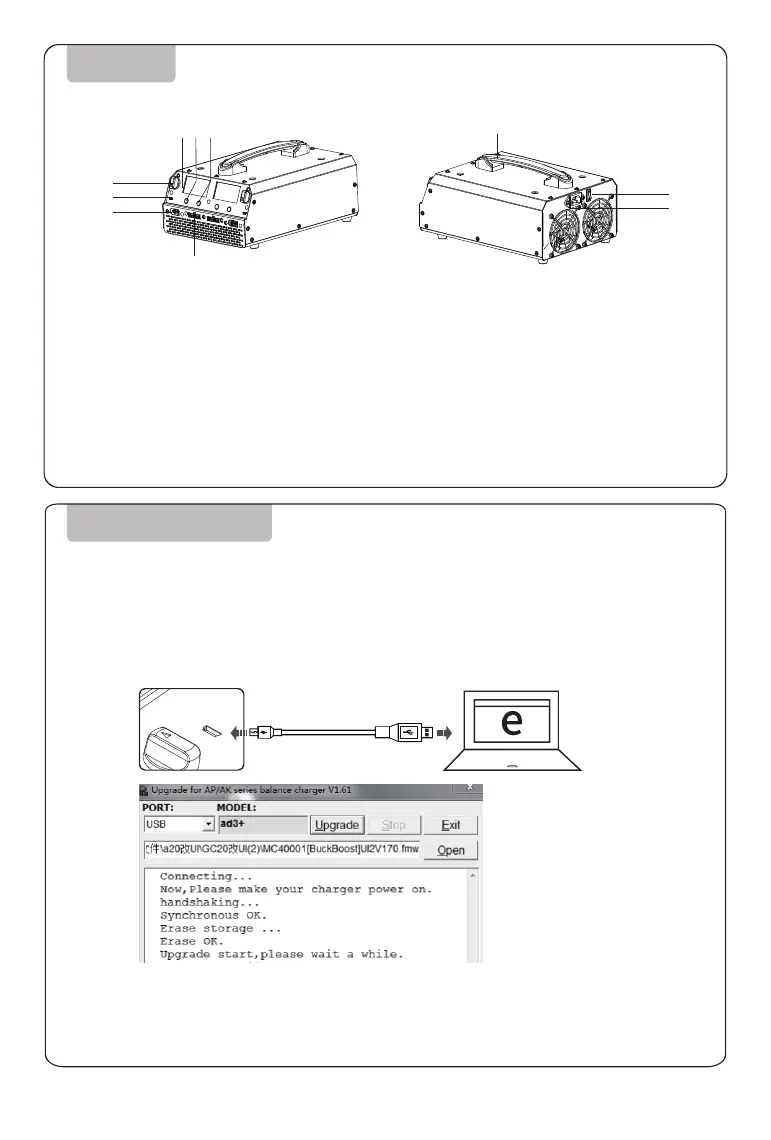
DIAGRAM
Current Switch
Micro USB
Power Supply
Balance Port
LCD Display
①
②
③
④
⑤
Charge
Storage
Handle
Main Switch
AC Input
⑥
⑦
⑧
⑨
⑩
Please visit EV-PEAK official website to upgrade firmware if needed and follow
the steps as below:
1. Visit EV-PEAK official website www.ev-peak.com
2. Connect the charging manager UB4 to power supply, and the Mini USB cable connect the charging
manager to computer to upgrade.
3. Run the firmware and click “Upgrade” button to upgrade.
4. After upgrade completed, the equipment will restart.
5. If failure to upgrade, please restart steps as above.
①
②
③
⑤⑥⑦
④
⑨
⑩
⑧



 To Next Page