1. Startup and Self-Test
2. Operation Modes
3.Setting of Working Current
4.Charging
4
U4 is a dual channel charger with independent output, and with
independent operation interface on each channel, the following takes
one of the channels as example:
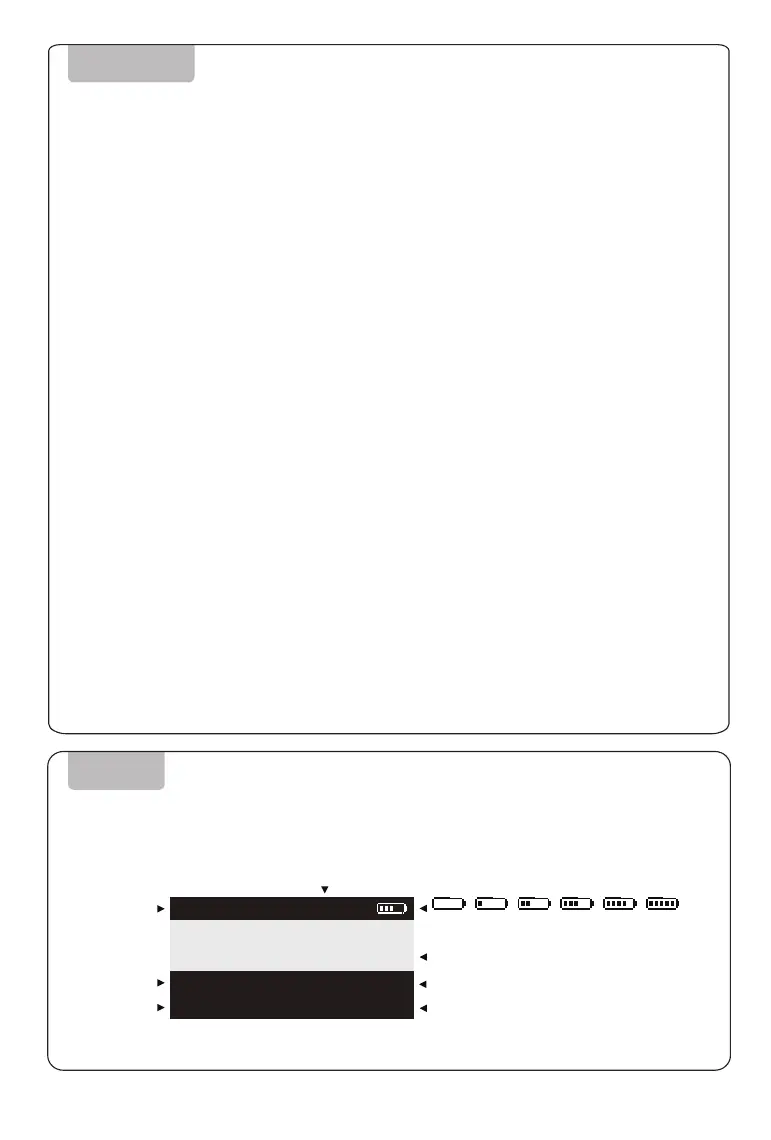
If the charging manager is working, the display will
show the charging channel; if the charging manager is
not working, no information displayed.
Charging/Storage
Standby/Error
Real-time charging
maintenance current
Real-time charging
maintenance voltage
Charging/maintenance time
Battery pack single-cell voltage display
The icon blinks half a second during charging or
maintenance and indicates the ratio of capacity.
When the capacity exceeds 999mAh, the unit of
capacity will be converted to "Ah"
OPERATING
SCREEN
0% 20% 40% 60% 80% 100%
The interface displayed as below:
MODE:CHARGE
CURRENT:
VOLTAGE:
19.9A
50.4V
TIME:
CAPACITY:
25:58
999mAh
1:
5:
9:
0.00
0.00
0.00
0.00
0.00
0.00
0.00
0.00
0.00
0.00
0.00
0.00
NO.12 S
Be sure to connect all the cables correctly, and switch on and LCD display lights up, and the buzzer is
on, the charger completes startup and self-test process after the buzzer sounds.
The charger has both charging and discharging mode. Users choose appropriate and different modes based
on different needs. After the charging manager connected, the main charger automatically detect and
switch to working mode. The charger works coordinately with the charger manager to any command.
Working Mode: Under working mode, battery can be balance charging quickly.
Maintenance Mode: While the battery is in idle for a long time, it is recommended to run maintenance
(based on specification of the battery) every 15 days; During daily use, to run maintenance if battery life
significantly declines or cell balance is more than 50mV; Under maintenance mode, the charger balance
charges or discharges battery with a small current to adjust cell voltage to 3.84~3.86V.
Continuous Working Mode: After the charging manager connected, the charger automatically detect and
switch to continuous working mode.
Tips: Under continuous working mode, the charger automatically run a series of
operations, which come from intelligent instructions of the charger without
manual intervention, including stopping, testing, switching and so on.
Turn the current switch to do the current setting based
on battery capacity and practical needs.
Long press charge button more than 2 seconds to charging mode.
1. Red light on, the charger is charging battery, and LCD display indicates real time charging status.
2. Green light on, charging finished.
3. Press any key to stop charging.



 To Next Page
 Loading...