quest_manual_final_single.indd 16 09/06/2017 19:55
12
Step 2 Attach Front Fender
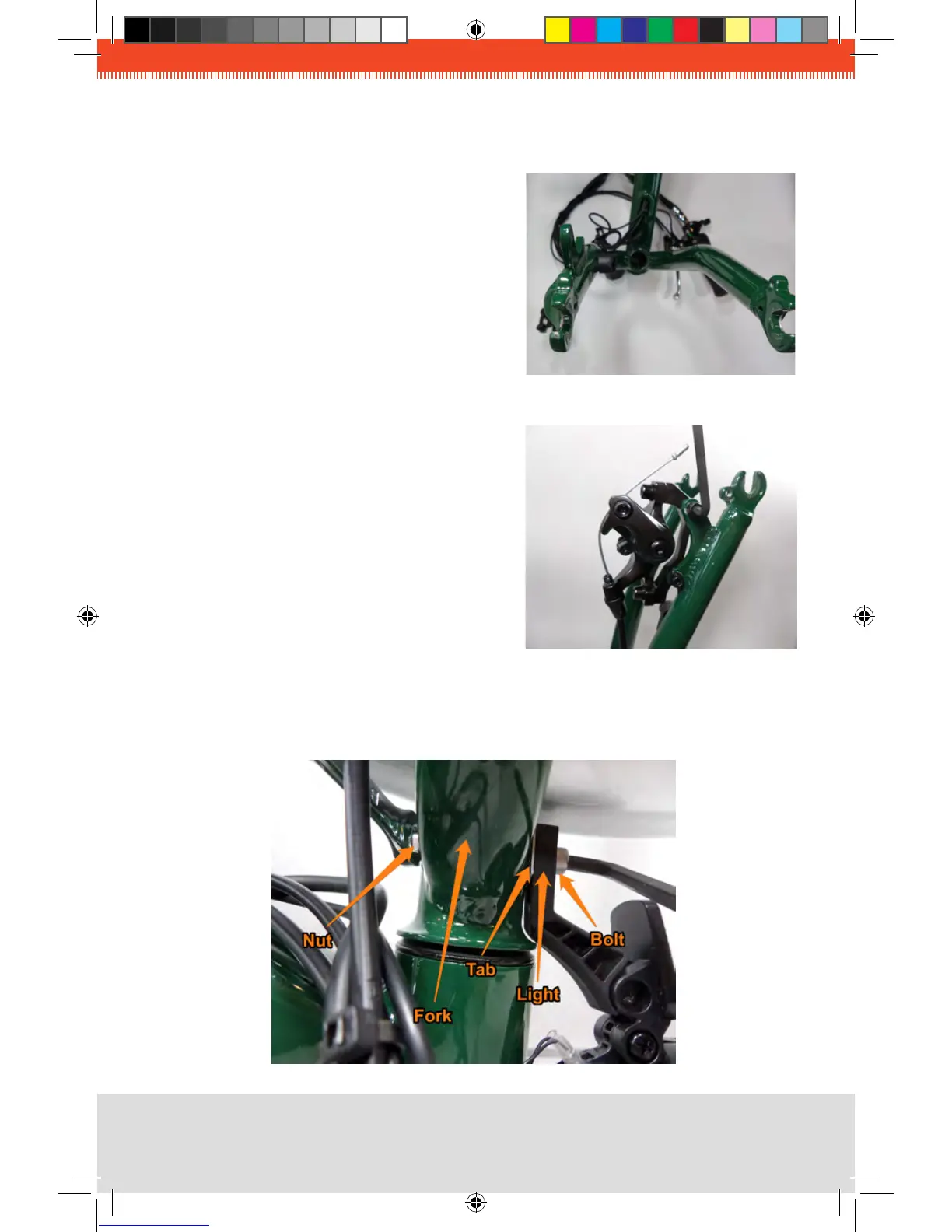
1. Rotate the front fork so that it faces forward.
The brake mount should be on the left side
(as viewed from the riding position if the
trike were right-side-up. The blades of the
fork should curve forward. The wires and
cables should not wrap around the frame.
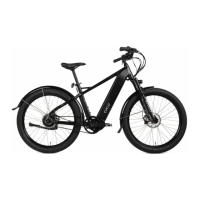
2. Attach brake caliper using the two bolts as
shown. The caliper should be on the
inside of the fork leg, and the bolts should
be very tight.
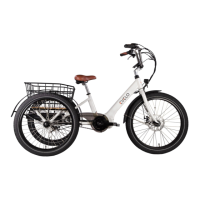
3. Attach the headlight and front fender tab using the following sequence: insert the bolt
from the front through the headlight bracket, the fender tab, the fork, and install the nut.
Tighten securely.


 To Next Page