8
1.1.
WINDOW DISPLAY
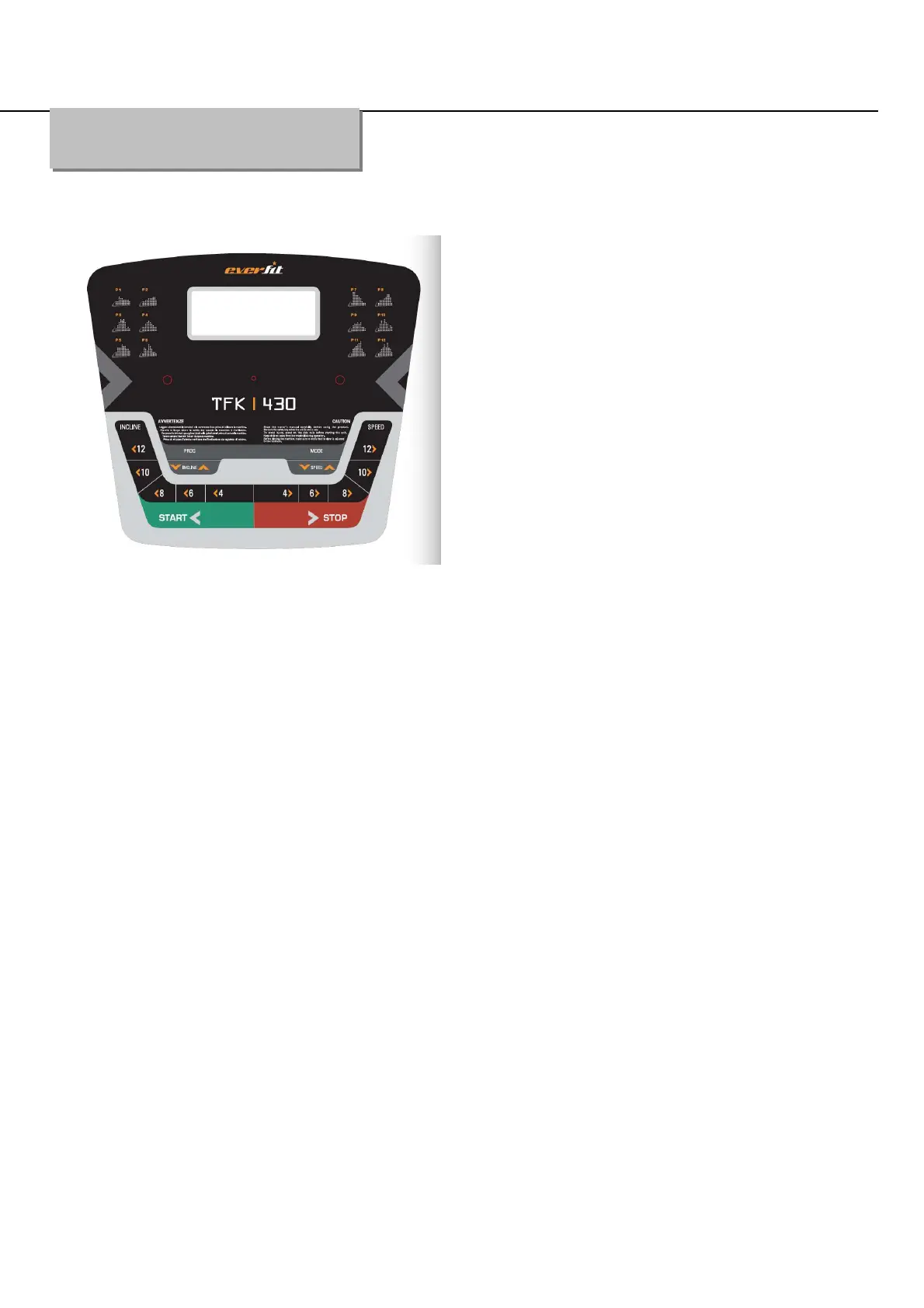
1.1. Console
1.2. START
Normal start after 5 seconds countdown
1.3 PROGRAM
12 pre-set programs, 1 body fat program , 3 countdown function
1.4. SAFETY LOCK FUNCTION
The window shows"---" when take away the safety lock and the treadmill will stop quickly with "didi"
alarm noise. And put the safety lock on, the computer will display for 2 seconds and the date count
down to “0”
1.5.BUTTON FUNCTION
1.5.1. START/STOP
“START”--When the treadmill is not running, press this button to start, speed is “0.8”
“STOP”--When the treadmill is running, press this button to stop, then set program default and then
return to manual mode after stopped.
1.5.2 “PROGRAM” BUTTON
Operation Guide


 To Next Page