ECD900 eZ.HD Mini Dome Camera
8
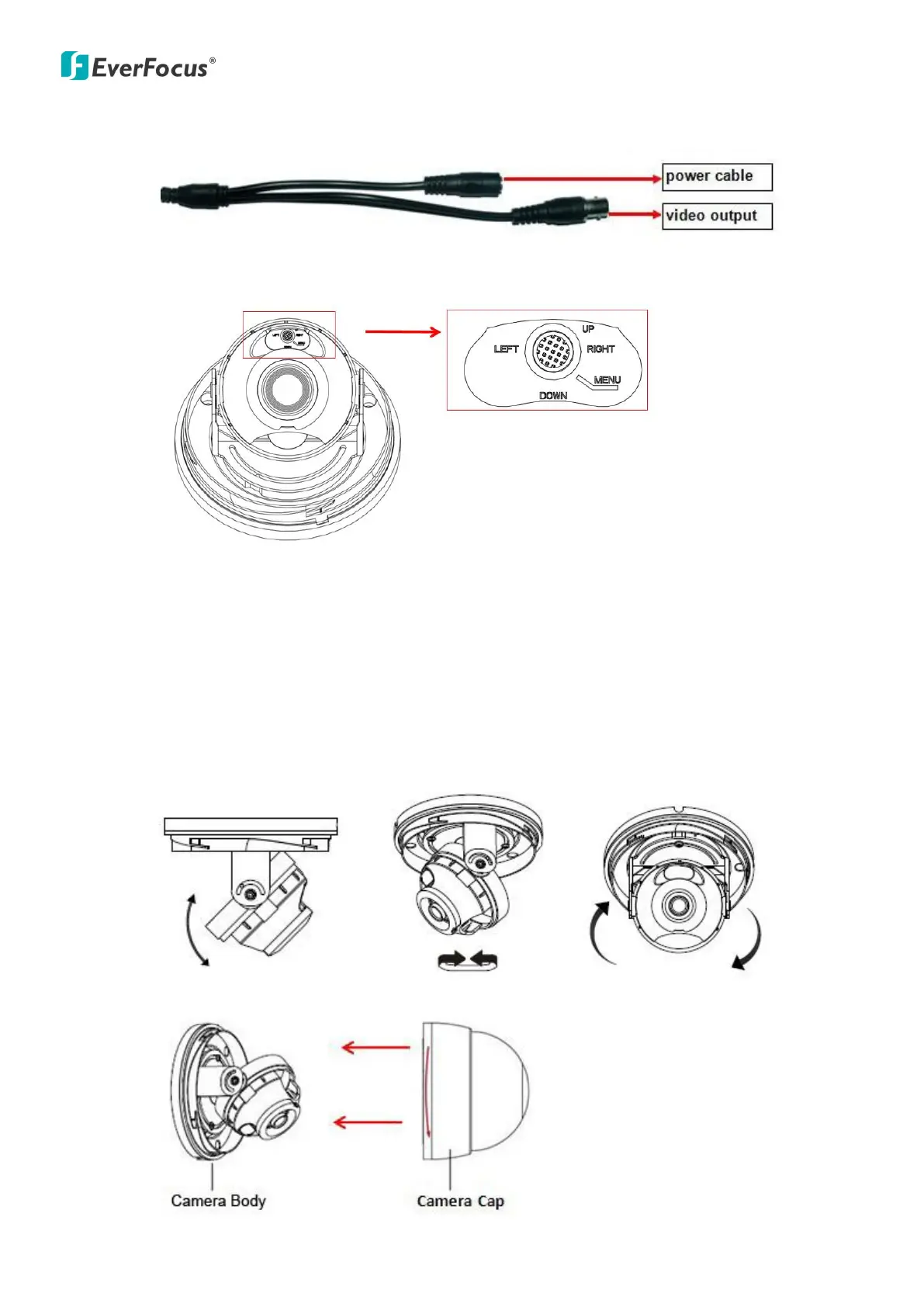
6. Connect the camera to the 12VDC power source and an AHD DVR or monitor.
7. Configure the OSD Menu, using the function button.
Note: The function button is not only for direction control, but also for switching Video
format and Video output. Please follow the detailed instruction as below:
Press the "down" button key over 5s to switch video format from PAL to NTSC.
Press the "left" button key over 5s to switch video output from 720p to 960H
(720p is the default).
Press the "right" button key over 5s to switch video output from 960H to 720p.
8. Adjust the camera angles, simply tilt, pan or rotate the camera.
9. Secure the Camera Cap back to the Camera Body.


 To Next Page