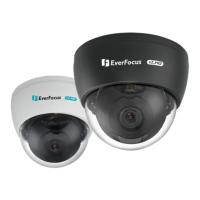
ECD900 eZ.HD Mini Dome Camera
9
4. Configuration in the OSD Menu
You can use the function buttons on the rear panel of the camera body to configure camera settings
in the OSD menu:
NTSC: 1/30, 1/60, FLK, 1/240, 1/480, 1/1000, 1/2000, 1/5000, 1/10000,
1/50000, X2, X4, X6, X8, X10, X15, X20, X25, X30, Auto*
PAL: 1/25, 1/50, FLK, 1/200, 1/400, 1/1000, 1/2000, 1/5000, 1/10000,
1/50000, X2, X4, X6, X8, X10, X15, X20, X25, X30, Auto*
X2, X4*, X6, X8, X10, X15, X20, X25,
X30
Area1*, Area2, Area3, Area4


 To Next Page