Return
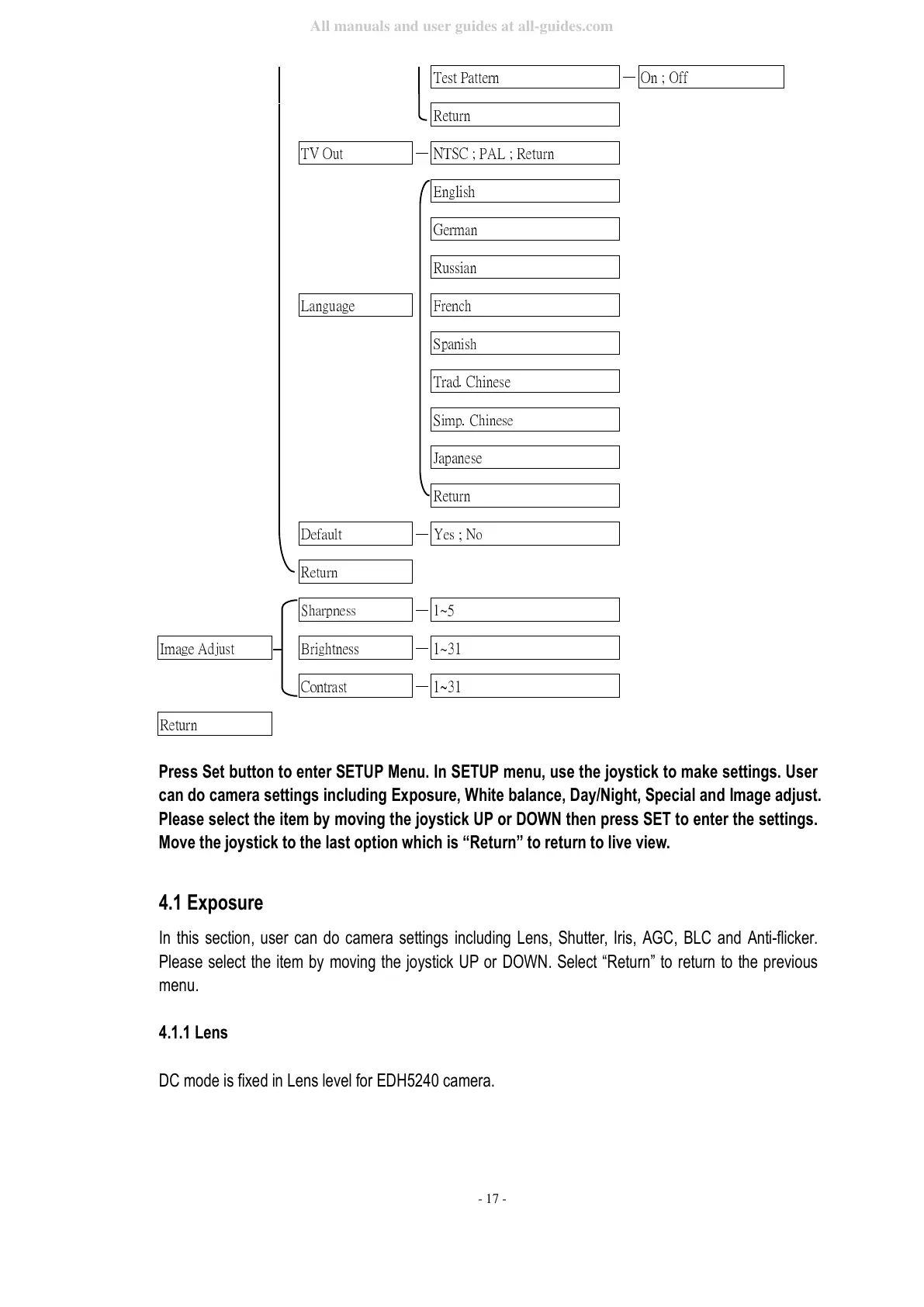
Press Set button to enter SETUP Menu. In SETUP menu, use the joystick to make settings. User
can do camera settings including Exposure, White balance, Day/Night, Special and Image adjust.
Please select the item by moving the joystick UP or DOWN then press SET to enter the settings.
Move the joystick to the last option which is “Return” to return to live view.
4.1 Exposure
In this section, user can do camera settings including Lens, Shutter, Iris, AGC, BLC and Anti-flicker.
Please select the item by moving the joystick UP or DOWN. Select “Return” to return to the previous
menu.
4.1.1 Lens
DC mode is fixed in Lens level for EDH5240 camera.



 To Next Page