- 8 -
4. INSTALLATION
An EDH5240 camera may be mounted in two ways: surface mount and flush mount. Select the one that
meets your needs.
Installation - Surface Mount
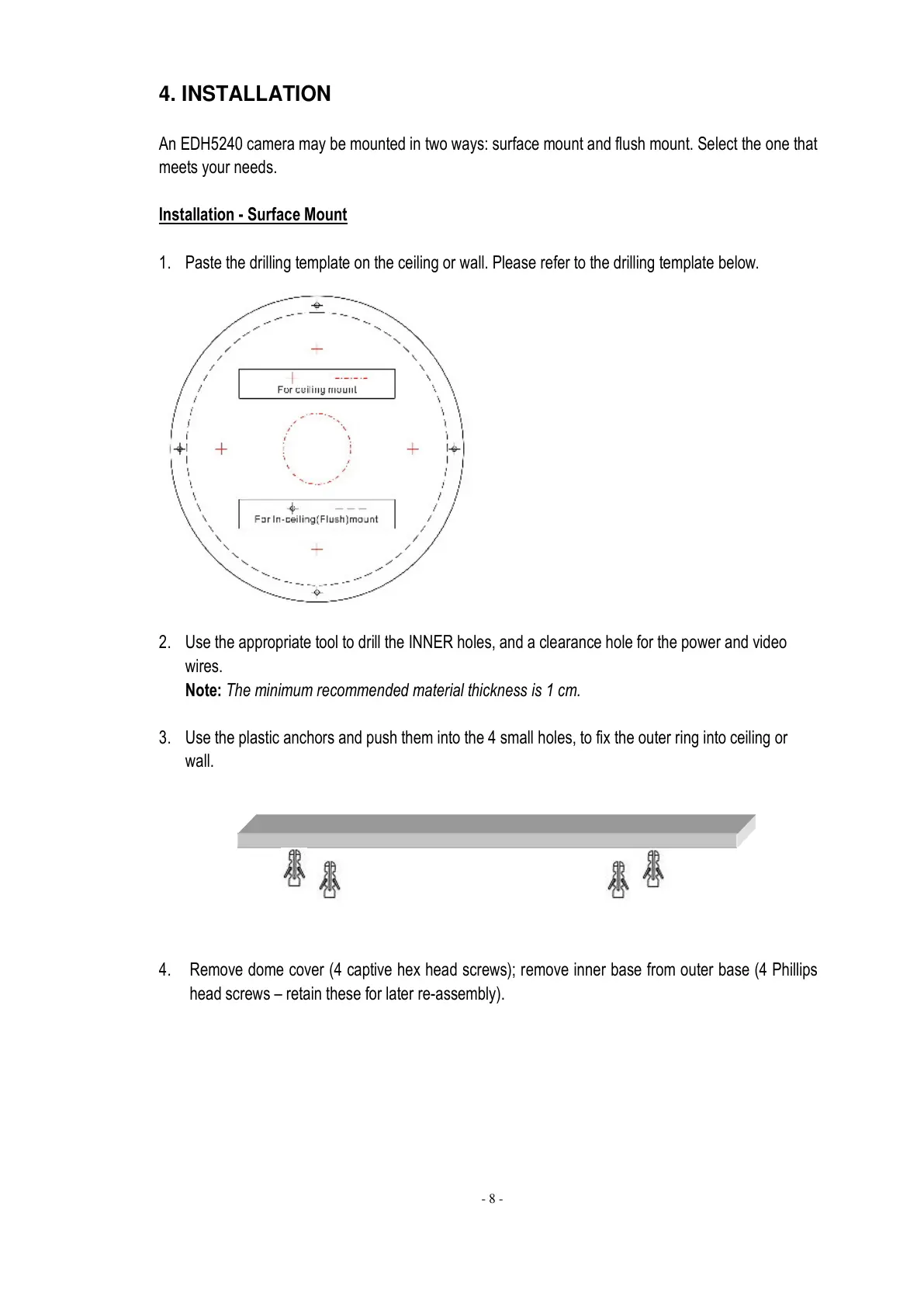
1. Paste the drilling template on the ceiling or wall. Please refer to the drilling template below.
2. Use the appropriate tool to drill the INNER holes, and a clearance hole for the power and video
wires.
Note: The minimum recommended material thickness is 1 cm.
3. Use the plastic anchors and push them into the 4 small holes, to fix the outer ring into ceiling or
wall.
4. Remove dome cover (4 captive hex head screws); remove inner base from outer base (4 Phillips
head screws – retain these for later re-assembly).



 To Next Page