Customer Service 1-888-707-1880
Or email customerservice@pincoffs.ca 14 Maurice Pincoffs Canada Inc.©2011
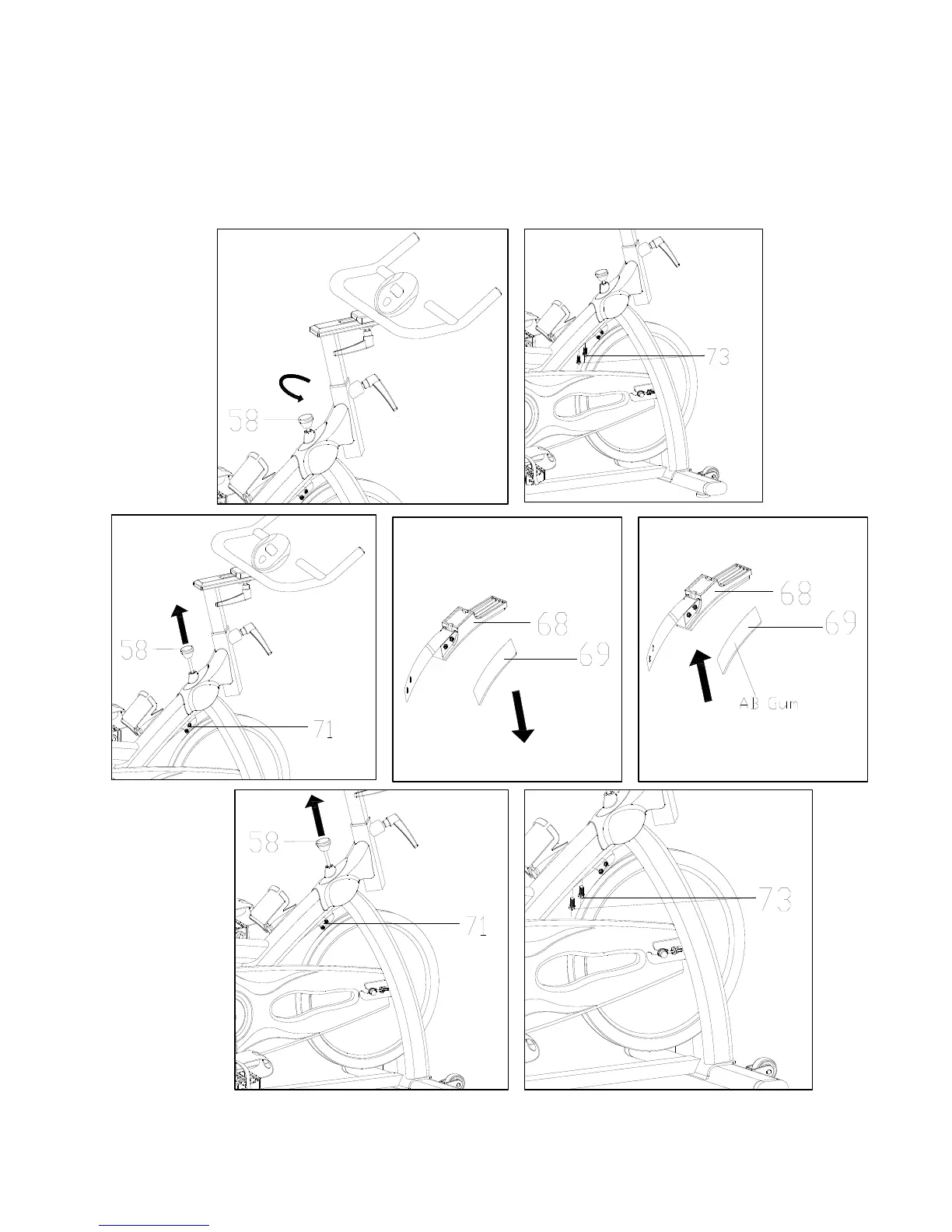
How to replace the brake pad
1. Turn the tension/brake knob (58) counter-clockwise to decrease the tension.
2. Remove the hex head bolt (73).
3. Pull up the tension/brake knob (58) to be able to remove the adjustable plate (71).
4. Remove the brake pads (69) from Brake holder (68) and replace with new brake pad using two way
tape. It will take a few hours to set.
5. Pull up the tension knob (58) to insert the adjustable plate (71).
6. Secure the hex head bolt (73) that you previously removed.


 To Next Page