13
Eversense 365 CGM System Quick Reference Guide
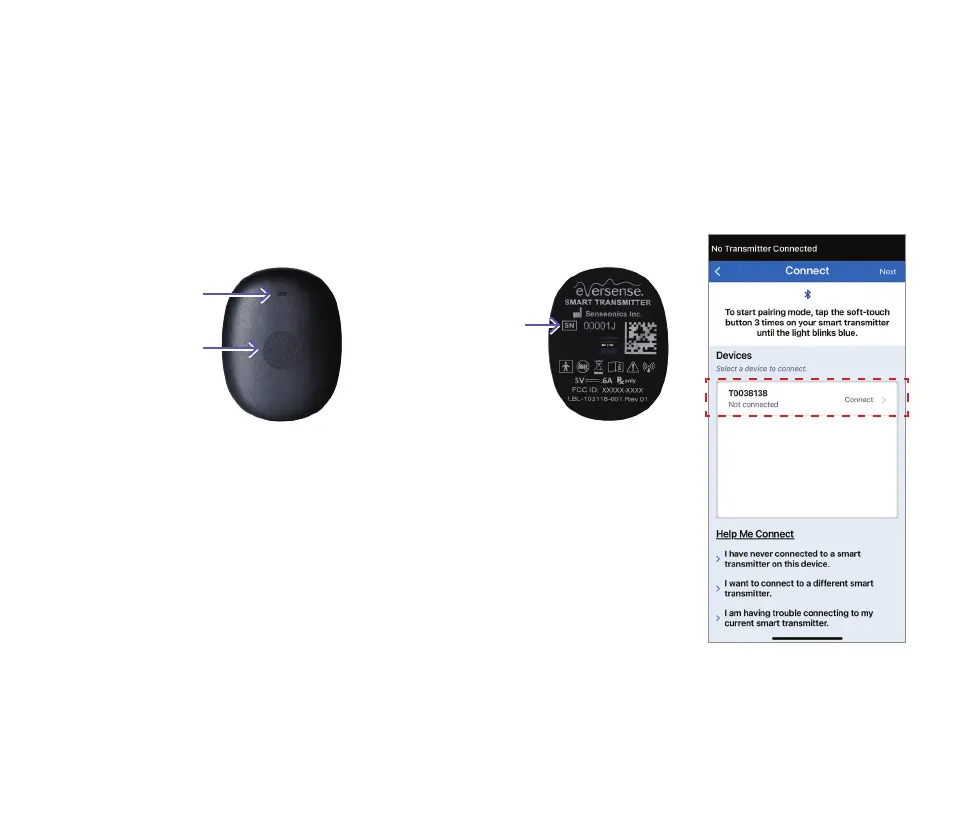
1. With the smart transmitter turned
on, tap the button three times to
start pairing mode:
The LED will blink blue to indicate the
smart transmitter is in pairing mode.
2. On the Connect screen, tap your smart
transmitter serial number. (Your smart
transmitter serial number can be found on
the back of the smart transmitter.)
Soft-touch
button
LED indicator
Top Back
Serial
Number
Note: Your mobile device must
be connected to the internet
in order to pair with the smart
transmitter. Internet is only
required at pairing.



 To Next Page