16
Eversense 365 CGM System Quick Reference Guide
1. Make sure your smart transmitter is turned ON
and that your mobile device has access to the
internet.
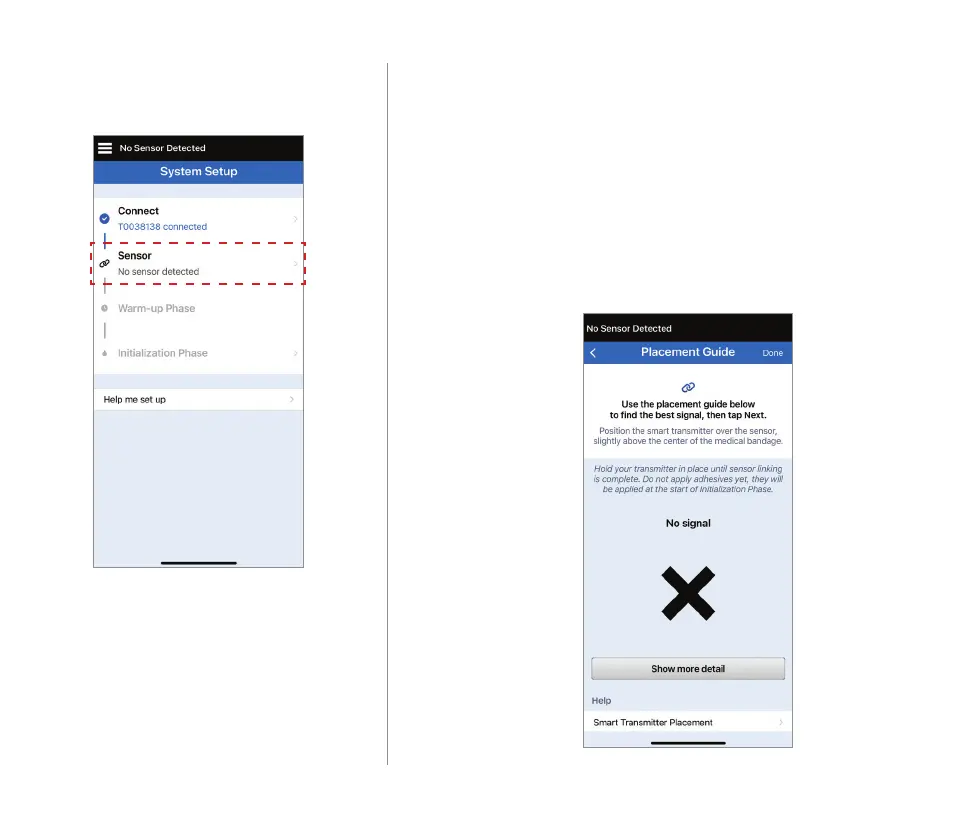
• Position the smart transmitter directly over the
inserted sensor until the Placement Guide in the
app shows some connection and keep in position
without applying pressure.
Place Smart Transmitter over Sensor
Tap Link sensor to display the
Placement Guide.



 To Next Page