6
Eversense 365 CGM System Quick Reference Guide
Getting Started Steps
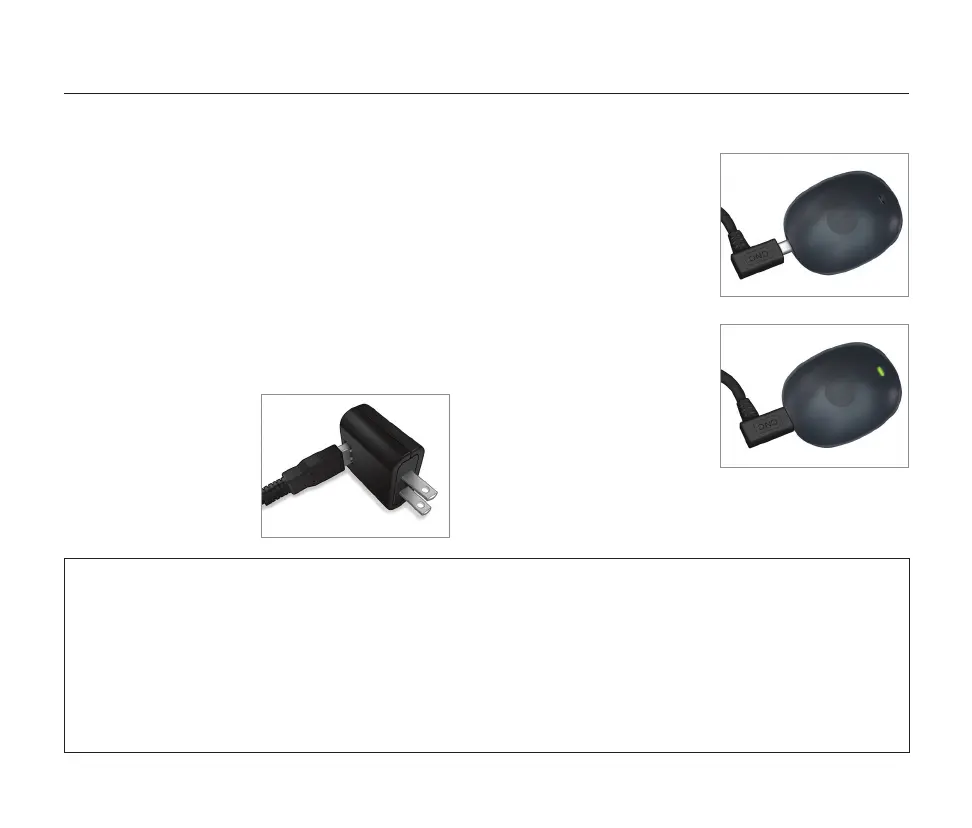
Charging the Smart Transmitter
1. Plug the standard
end of the USB
cable into the
adapter on the
wall plug.
2. Plug the micro end of
the USB cable into the
USB port of the smart
transmitter.
Once charged for about
15 minutes, a small
green light blinks on the
top side of the smart
transmitter. The blinking
green light means the
transmitter has about
24 hours of life. Remove
the USB cable from the
smart transmitter.
IMPORTANT: Use only the AC power adapter and USB cable provided with the smart
transmitter when charging the smart transmitter battery, and never stick any object other than
the charging cable into the USB port of the transmitter. Use of another power supply could
damage the smart transmitter, not allowing glucose readings to be received properly, create
the risk of fire, and could result in voiding your warranty. If your power adapter or USB cable
is damaged or lost, contact Customer Support for a replacement to ensure safe operation of
the device.
Before you begin, you need:
• A compatible mobile device.
For supported smart devices and
operating systems, go to
www.eversensediabetes.com/compatibility.
• Wireless internet connection.
• Fully charged Eversense 365 Smart
Transmitter.



 To Next Page