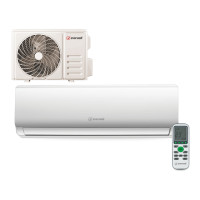
This document is a user and installation manual for the Everwell METH-16 air conditioner, providing comprehensive information on its operation, maintenance, and installation.
Function Description
The METH-16 is an air conditioning unit designed for domestic environments, offering cooling, heating, and dehumidifying functions. It features an auto-restart function that memorizes previous settings in case of power failure and automatically resumes operation when power is restored. The unit can be controlled via a remote controller, which allows users to adjust temperature, fan speed, mode of operation, and other settings. An emergency button on the indoor unit provides basic control if the remote controller is unavailable.
The air conditioner operates by drawing air through a filter, then cooling/dehumidifying or heating it via a heat exchanger before circulating it back into the room. Airflow direction can be adjusted through motorized flaps and manual deflectors.
Important Technical Specifications
The manual provides detailed specifications for various models, including fixed-speed and inverter types, with capacities ranging from 5k to 36k Btu/h.
- Refrigerant Pipe Diameter:
- Liquid pipe: 1/4" (Φ6) for most models, 3/8" (Φ9.52) for larger inverter models.
- Gas pipe: 3/8" (Φ9.52) for smaller models, up to 5/8" (Φ15.88) for larger models.
- Length of Pipe with Standard Charge: 3m to 4m, depending on the model.
- Maximum Distance Between Indoor and Outdoor Unit: 15m for all listed models.
- Additional Refrigerant Charge: 20g/m for smaller models, 30g/m for larger models.
- Max. Diff. in Level Between Indoor and Outdoor Unit: 5m for all listed models.
- Type of Refrigerant: R22 or R410A, depending on the model.
- Fuse Parameters:
- 220V 7K, 9K, 12K, 15K, 16K, 18K, 22K, 24K, 30K indoor unit: 50T, 3.15A.
- 110V 7K, 9K, 12K indoor unit: 50T, 3.15A.
- 125V 7K, 9K, 12K outdoor unit: 61T, 15A.
- 250V 18K, 22K, 24K outdoor unit: 65TS, 25A.
- Cable Wires Specification (sectional area):
- Power supply cable (N, L, E): Ranges from 1.0mm² (AWG18) to 4.0mm² (AWG12) depending on capacity and voltage.
- Connection supply cable (N, L, 1, 2, 3, ⏚): Ranges from 0.75mm² to 1.5mm² depending on capacity.
- Tightening Torque for Protection Caps and Flange Connection:
- 1/4" (Φ6): 15-20 N·m (wrist strength).
- 3/8" (Φ9.52): 31-35 N·m (arm strength).
- 1/2" (Φ12): 35-45 N·m (arm strength).
- 5/8" (Φ15.88): 75-80 N·m (arm strength).
- Service port nut: 7-9 N·m.
- Protection caps: 25-30 N·m.
Usage Features
- Remote Controller: The primary interface for controlling the unit. It features buttons for:
- TEMP UP/DN: Adjusts temperature and time settings.
- ON/OFF: Starts or stops operation.
- FAN: Selects fan speed (auto/low/mid/high).
- TIMER: Sets auto-off timer.
- SLEEP: Activates sleep mode for comfortable night operation.
- ECO: Adjusts temperature for energy saving (increases by 2°C in cooling, decreases by 2°C in heating).
- MODE: Selects operation mode (Cooling, Heating, Dry, Fan, Feel).
- SUPER or TURBO: Activates a super function for rapid cooling (16°C, high fan speed) or heating (31°C, high fan speed).
- SWING: Activates/deactivates movement of deflectors.
- CLOCK: Adjusts the time.
- DISPLAY: Switches LED display on/off.
- HEALTHY: Controls ionizer or plasma generator (model-dependent).
- 3D: Activates simultaneous horizontal and vertical vane swing.
- RESET: Restarts the remote controller.
- ANTI-MILDEW or Mute: Activates anti-mildew or mute function.
- Indoor Unit Display: Features LED indicators for POWER, SLEEP, TIMER, and RUN, along with a temperature/error code display.
- Emergency Function: Allows basic operation (forced cooling or heating) via a button on the indoor unit if the remote controller is not working.
- Auto-Restart Function: Preserves previous settings and automatically restarts the unit after a power failure. This function can be activated or deactivated.
- Operating Modes:
- COOLING MODE: Cools the room and reduces humidity.
- HEATING MODE: Heats the room. Includes an automatic defrost cycle in heat pump models.
- FAN MODE: Operates in ventilation only.
- DRY MODE: Reduces humidity with alternating cooling cycles and fan operation.
- FEEL MODE (Automatic): Automatically sets fan speed and temperature based on room temperature.
- SLEEP MODE: Automatically adjusts temperature for comfort during sleep, gradually increasing/decreasing by 2°C over 2 hours, then switching off after 10 hours.
- Protection Features: The unit is programmed with safety features that may come into effect under abnormal conditions, such as extreme outdoor or room temperatures. A 3-minute delay is observed after power-on or mode change for self-protection.
Maintenance Features
- Periodic Maintenance: Essential for efficiency. Always disconnect power before maintenance.
- Antidust Filters:
- Open the front panel.
- Remove and clean the air filter with water (not exceeding 45°C). If soiled with oil, use warm water.
- Allow to dry in a cool, dry place before reinserting.
- Electrostatic and Deodorant Filters (if installed): These cannot be washed or regenerated and must be replaced every 6 months.
- Heat Exchanger:
- Open the front panel fully and unhook it from hinges.
- Clean the indoor unit with a cloth, water (not higher than 40°C), and neutral soap. Avoid aggressive solvents.
- For the outdoor unit, remove leaves and debris, and clean dust with an air jet or water.
- End of Season Maintenance:
- Disconnect power.
- Clean and replace filters.
- Run the conditioner in ventilation mode for several hours on a sunny day to dry the inside completely.
- Replacing Batteries (Remote Controller):
- Remove the battery cover.
- Use 2 LR03 AAA (1.5V) batteries. Do not use rechargeable batteries.
- Replace old batteries when the display is no longer legible.
- Dispose of batteries in special collection points, not common rubbish.
- Troubleshooting: The manual includes a table of malfunctions, possible causes, and error signals (e.g., E1 for indoor temperature sensor fault, E2 for indoor pipe temperature sensor fault, E6 for indoor fan motor malfunction).


 To Next Page
 General