EasyManua.ls Logo

Everwell MRTH - User Manual

Everwell MRTH
29 pages
Print Icon
To Next Page IconTo Next Page
Loading...
MRTH - USER AND INSTALLATION MANUAL
July 2021
MRTH

Questions and Answers

Summary

Installer Safety Recommendations

User Safety Recommendations

Safety Rules and Prohibitions

Component Identification

Indoor Unit Parts

Lists and illustrates parts of the indoor unit, including filters, displays, and controls.

Outdoor Unit Parts

Lists and illustrates parts of the outdoor unit, including grilles, valves, and terminal covers.

Indoor Unit Display and Indicators

Display LED Functions

Explains the meaning and function of each LED indicator on the indoor unit display.

Emergency and Auto-Restart Functions

Auto-Restart Functionality

Describes the automatic restart feature after power failure and how to activate/deactivate it.

Emergency Operation Mode

Explains how to operate the unit using the emergency button when the remote is unavailable.

Remote Controller Operation

Button Functions and Operation

Details the purpose of each button on the remote controller for various operations.

Display Symbols Explained

Explains the meaning of various symbols shown on the remote controller's liquid crystal display.

Battery Replacement and Holder Use

Instructions for replacing remote controller batteries and recommendations for using the holder.

Operating Instructions

Airflow Direction Control (Swing)

Explains how to control the direction of airflow using the swing function and deflectors.

Operating Modes: Cooling and Heating

Cooling Mode Operation

Details how to operate the air conditioner in cooling mode, including temperature and fan speed adjustments.

Heating Mode Operation

Details how to operate the air conditioner in heating mode, including temperature and fan speed adjustments.

Operating Modes: Timer Functions

Timer On Functionality

Explains how to set the automatic switching-on time for the air conditioner.

Timer Off Functionality

Explains how to set the automatic switching-off time for the air conditioner.

Operating Modes: Fan and Dry

Fan Mode Operation

Describes how to use the fan-only ventilation mode and fan speed settings.

Dry Mode Operation

Explains how to use the dry mode to reduce humidity and improve comfort.

Operating Modes: Feel and Sleep

Feel Mode Operation

Details the automatic operation mode that adjusts settings based on room temperature.

Sleep Mode Operation

Explains the sleep mode which adjusts temperature for nighttime comfort and auto-off.

Protection Features and Climate Conditions

Climate Condition Protection (T1 Models)

Outlines protection features based on ambient temperatures for T1 climate models.

Climate Condition Protection (T3 Models)

Outlines protection features based on ambient temperatures for T3 climate models.

Installation Manual: Site Selection

Indoor Unit Installation Location

Guidelines for selecting the optimal location for installing the indoor unit.

Outdoor Unit Installation Location

Guidelines for selecting the optimal location for installing the outdoor unit.

Installation Manual: Indoor Unit Setup

Mounting Plate Installation

Steps for installing the mounting plate for the indoor unit.

Piping and Wall Hole Preparation

Instructions for drilling holes and preparing walls for piping.

Indoor Unit Electrical Connections

Details on making electrical connections for the indoor unit.

Installation Manual: Indoor Unit Piping and Drainage

Refrigerant Piping and Connections

Procedures for connecting refrigerant pipes and ensuring leak-free connections.

Indoor Unit Water Drainage System

Instructions for correctly setting up the condensed water drainage system for the indoor unit.

Installation Manual: Indoor Unit Final Assembly

Indoor Unit Securing and Cable Connections

Steps for securing the indoor unit to the mounting plate and connecting cables.

Installation Manual: Outdoor Unit Setup

Outdoor Unit Installation Procedures

Steps for securely installing the outdoor unit and fastening supports.

Outdoor Unit Water Drainage

Instructions for setting up the drain pipe for condensed water and ice from the outdoor unit.

Installation Manual: Outdoor Unit Connections and Bleeding

Outdoor Unit Electrical Connections

Procedures for making electrical connections to the outdoor unit.

Outdoor Unit Pipe Connections

Guidance on connecting refrigerant pipes to the outdoor unit, including tightening torque.

Refrigerant Circuit Bleeding

Steps for removing air and humidity from the refrigerant circuit using a vacuum pump.

Installation Manual: Operation Testing

Indoor Unit Test Procedures

Checks to perform on the indoor unit to ensure proper operation after installation.

Outdoor Unit Test Procedures

Checks to perform on the outdoor unit for noise, vibration, and leaks.

Installation Manual: Technical Specifications

Refrigerant Pipe and Unit Capacities

Technical data on pipe diameters, distances, refrigerant types, and capacities for different models.

Flange Connection Tightening Torque

Recommended torque values for flange connections and service port nuts.

Installation Manual: Cable Specifications

Cable Wire Specifications

Table detailing recommended cable wire sizes for different unit capacities and types.

Maintenance Procedures

Indoor Unit Filter Maintenance

Instructions for cleaning and maintaining the anti-dust filters of the indoor unit.

Heat Exchanger Cleaning

Steps for cleaning the indoor and outdoor unit heat exchangers.

End of Season Maintenance

Recommended procedures for maintaining the unit at the end of the cooling/heating season.

Remote Controller Battery Replacement

Guide on how and when to replace batteries in the remote controller.

Troubleshooting and Error Codes

Common Malfunctions and Causes

Lists common appliance malfunctions and their potential causes for diagnosis.

Display Error Codes and Solutions

Explains error codes displayed on the unit and their corresponding troubleshooting actions.

Overview

This document is a user and installation manual for the Everwell MRTH air conditioner. It covers safety precautions, parts identification, operating instructions, installation procedures, maintenance, and troubleshooting.

Function Description:

The Everwell MRTH is an air conditioning unit designed for domestic environments. It offers cooling, heating, dehumidifying, and fan-only operation modes. The unit is equipped with a remote controller for convenient operation and includes features like an auto-restart function, emergency operation, and various fan speed settings. The air conditioner aims to provide comfortable living conditions by regulating room temperature and humidity.

Important Technical Specifications:

The manual provides detailed technical specifications for different models, categorized by fixed-speed and inverter types, and further by capacity (Btu/h).

  • Refrigerant Piping: Specifications include liquid pipe diameter (e.g., 1/4" (Φ6), 3/8" (Φ9.52)), gas pipe diameter (e.g., 3/8" (Φ9.52), 1/2" (Φ12), 5/8" (Φ15.88)), length of pipe with standard charge (3m or 4m), maximum distance between indoor and outdoor units (15m), and maximum difference in level between indoor and outdoor units (5m).
  • Refrigerant Charge: Additional refrigerant charge is specified as 20g/m or 30g/m, depending on the model.
  • Refrigerant Type: Models use either R22 or R410A refrigerant.
  • Electrical Connections: Cable wire specifications are provided for power supply and connection supply cables, detailing sectional areas (e.g., 1.0mm², 1.5mm², 2.5mm², 4.0mm²) and AWG ratings (e.g., AWG18, AWG16, AWG14, AWG12). Fuse parameters are also listed:
    • 220V 7K, 9K, 12K, 15K, 16K, 18K, 22K, 24K, 30K indoor unit fuse: 50T, 3.15A
    • 110V 7K, 9K, 12K indoor unit fuse: 50T, 3.15A
    • 125V 7K, 9K, 12K outdoor unit fuse: 61T, 15A
    • 250V 18K, 22K, 24K outdoor unit fuse: 65TS, 25A
  • Tightening Torque: Torque values for protection caps and flange connections are given in N·m, along with corresponding stress levels for different pipe diameters.

Usage Features:

  • Remote Controller: The remote controller features buttons for temperature adjustment (TEMP UP/DN), ON/OFF, FAN speed (auto/low/mid/high), TIMER, SLEEP, ECO, MODE, SUPER/TURBO, SWING, CLOCK, DISPLAY, HEALTHY, 3D, RESET, and ANTI-MILDEW/Mute.
  • Display: The indoor unit features an LED display showing temperature, error codes, and indicators for POWER, SLEEP, TIMER, and RUN. The remote controller's liquid crystal display shows symbols for various modes (FEEL, COOLING, DEHUMIDIFYING, FAN ONLY, HEATING), signal reception, timer settings, fan speeds (AUTO, LOW, MIDDLE, HIGH), SLEEP mode, COMFORTABLE SLEEP, FLAP SWING, SUPER, HEALTHY, ECO, ANTI-MILDEW, BATTERY, and CLOCK.
  • Operating Modes:
    • COOLING Mode: Cools the room and reduces humidity. Temperature, fan speed, and airflow direction can be adjusted.
    • HEATING Mode: Heats the room. Temperature, fan speed, and airflow direction can be adjusted. Includes an automatic defrost cycle for heat pump models.
    • FAN Mode: Operates the fan only for ventilation. Fan speed can be set to LOW, MEDIUM, HIGH, or AUTO.
    • DRY Mode: Reduces humidity in the room. Activates alternating cooling cycles and air fan.
    • FEEL Mode (Automatic): Automatically sets fan speed and temperature based on room temperature (sensed by the indoor unit).
    • SLEEP Mode: Automatically adjusts temperature for comfortable sleep. In cooling/dry mode, temperature rises by 2°C over 2 hours. In heating mode, temperature decreases by 2°C over 2 hours. The unit switches off automatically after 10 hours.
  • Airflow Control: Motorized flaps control vertical airflow, and manual deflectors control horizontal airflow. The SWING function activates automatic movement of deflectors.
  • Emergency Function & Auto-Restart:
    • Auto-Restart: Memorizes settings before a power failure and restarts with those settings when power is restored. Can be activated/deactivated via the emergency button.
    • Emergency Operation: Allows forced COOLING (one press of emergency button) or HEATING (two presses within 3 seconds). Unit switches off with a long press. After 30 minutes in forced operation, it defaults to 23°C cooling mode with auto fan speed.
  • Protection Features: The unit is programmed to operate within specific ambient temperature ranges for cooling, heating, and dry modes. It includes a 3-minute self-protection delay after power on/off or mode change.

Maintenance Features:

  • Periodic Maintenance: Essential for efficiency. Disconnect power before maintenance.
  • Indoor Unit Antidust Filters:
    • Open the front panel.
    • Remove and clean filters with water (up to 45°C).
    • Dry filters in a cool, dry place and reinsert.
    • Electrostatic and deodorant filters (if installed) are not washable and must be replaced every 6 months.
  • Cleaning the Heat Exchanger:
    • Open the front panel fully and unhook it from hinges.
    • Clean the indoor unit with a cloth, water (up to 40°C), and neutral soap. Avoid aggressive solvents.
  • Outdoor Unit Maintenance: Remove leaves, waste, and dust from the outdoor unit with an air jet or water.
  • End of Season Maintenance:
    • Disconnect power.
    • Clean and replace filters.
    • Run the conditioner in ventilation mode for several hours on a sunny day to dry the inside.
  • Replacing Batteries (Remote Controller):
    • Slide off the battery cover.
    • Replace with 2 LR03 AAA (1.5V) batteries, observing polarity. Do not use rechargeable batteries.
    • Dispose of old batteries properly at collection points.
    • If the remote controller is adjusted for cooling-only mode, it will not activate heating functions in heat pump units; batteries must be removed and the programming procedure repeated.

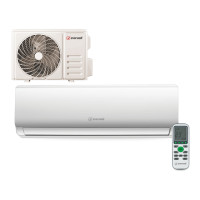
Everwell MRTH Specifications

General IconGeneral
BrandEverwell
ModelMRTH
CategoryAir Conditioner
LanguageEnglish

Related product manuals