
 Need help?
Do you have a question about the Everybot EDGE RS350 and is the answer not in the manual?
Prepare the mop by wetting and wringing it to remove excess moisture.
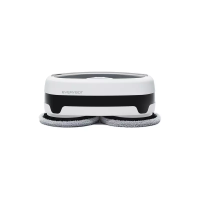
Securely attach the mop to the rotating panel at the bottom of the robot.
Detach, fill, and reattach the water tank to the main unit.
Open cover, press power button, then press start/pause button to begin cleaning.
Detach the mop and wash it with a neutral detergent.
Detach and wash the water tank, ensuring it is fully dry.
Regularly wash the water tank attachment point to prevent contamination.
Lightly wipe the sensor with a soft fabric to maintain detection capacity.
Follow guidelines for power source, plug, cable handling, and charger usage.
Avoid direct sunlight, impact, and ensure proper supervision for users with disabilities.
Remove objects, tidy surroundings, and secure cables to prevent malfunctions or damage.
Avoid flammable substances, heat sources, ensure children/pets safety, and specific floor conditions.
Do not disassemble, handle batteries responsibly, and clean sensor windows.
Use designated battery, avoid disassembly, fire, or short circuits.
Store indoors, dispose safely, and switch off before separation.
Manual copyright belongs to Everybot; copying requires permission.
Content may vary; Everybot not liable for damage from non-compliance.
Lists main unit, charging adaptor, remote control, and batteries.
Lists mother yarn mop, microfiber mop, and instruction manual.
Details the characteristics and suitability of mother yarn and microfiber mops.
Identifies buttons and sensors on the robot's top surface.
Identifies the power switch and water tank inside the robot.
Explains functions of start/pause, auto, intensive, edge, 50-min, water control buttons.
Explains direction, focused, step cleaning, and water drainage buttons.
Details how to separate the cover, insert batteries, and close the cover.
Connect the charging adaptor to the robot's jack.
Specifies charging time (150 min) and usage time (120/200 min).
Explains LED indicators for battery status during charging.
Attach the mop to the center of the rotating panel.
Avoid leaving wet mops attached; wring sufficiently; use neutral detergent.
Use the groove to open the cover and detach the water tank.
Fill the tank to the inlet, close lid, and attach to the main unit.
Use water control button to adjust water level for the mop.
Do not use hot water or non-tap water; spray sound is normal.
Open cover, press power button for at least three seconds.
Close cover and press start/pause button on main unit or remote.
Basic automatic cleaning and repeated movements for meticulous cleaning.
Cleaning along walls and intensive cleaning of nearby space.
Timed cleaning and side-to-side advancing cleaning.
Use direction buttons to manually control the robot in standby mode.
Regular draining prevents odor; not operational while charging.
Separate and empty the water tank after cleaning.
Press the Water Drainage button on the remote to discharge water for 20 seconds.
Wash with neutral detergent, wring, and dry in sunlight.
A mop-washing silicon brush (sold separately) simplifies cleaning.
Avoid tumble dryers; rinse thoroughly; wash separately if using a machine.
Empty remaining water and fully dry the tank in a well-ventilated area.
Regularly wash the attachment point to prevent contaminant entry.
Do not use flammable or organic solvents for cleaning; it may damage the product.
Remove rubber packing, separate, and wash the water filter.
Reinsert rubber packing and water filter correctly, ensuring filter points upwards.
Wipe sensor window with a soft fabric to prevent collision or fall issues.
Understand error alerts and check basic power/battery status for operation issues.
Address noises, remote issues, mop panel, collisions, and movement/cleaning performance problems.
Troubleshoot water spray, battery drain, falling, and mop odor concerns.
Resolve issues related to floor dirtiness and product contamination.
Details product type, model, dimensions, weight, speed, noise, power, adaptor, battery, tank capacity, times.
Details product name, dimensions, weight, and battery type for the remote control.
Lists company name, device name, and certification number.
Product is under warranty for 1 year; servicing at customer center.
Incurs charges if product is not malfunctioning; read manual.
Lists malfunctions due to non-compliance, handling, unapproved items, unqualified repairs.
Lists malfunctions due to after-sale requests, external environment, or initial installation.
Covers malfunctions due to natural disasters or expiry of disposable components.
Details damage types like major repairs within 10 days/1 month, component failure.
Outlines product replacement, refund, or paid repair within the warranty period.
Outlines compensation (refund, paid repair) after the warranty period expires.
 General
| Brand | Everybot |
|---|---|
| Model | EDGE RS350 |
| Category | Steam Cleaner |
| Language | English |

 To Next Page