EasyManua.ls Logo

Everybot EDGE RS350 - Water Drainage Procedure; Drainage Purpose and Requirements; Emptying the Water Tank; Activating Water Drainage

Everybot EDGE RS350
24 pages
Print Icon
To Next Page IconTo Next Page
To Previous Page IconTo Previous Page
Loading...
16
Draining the water









1
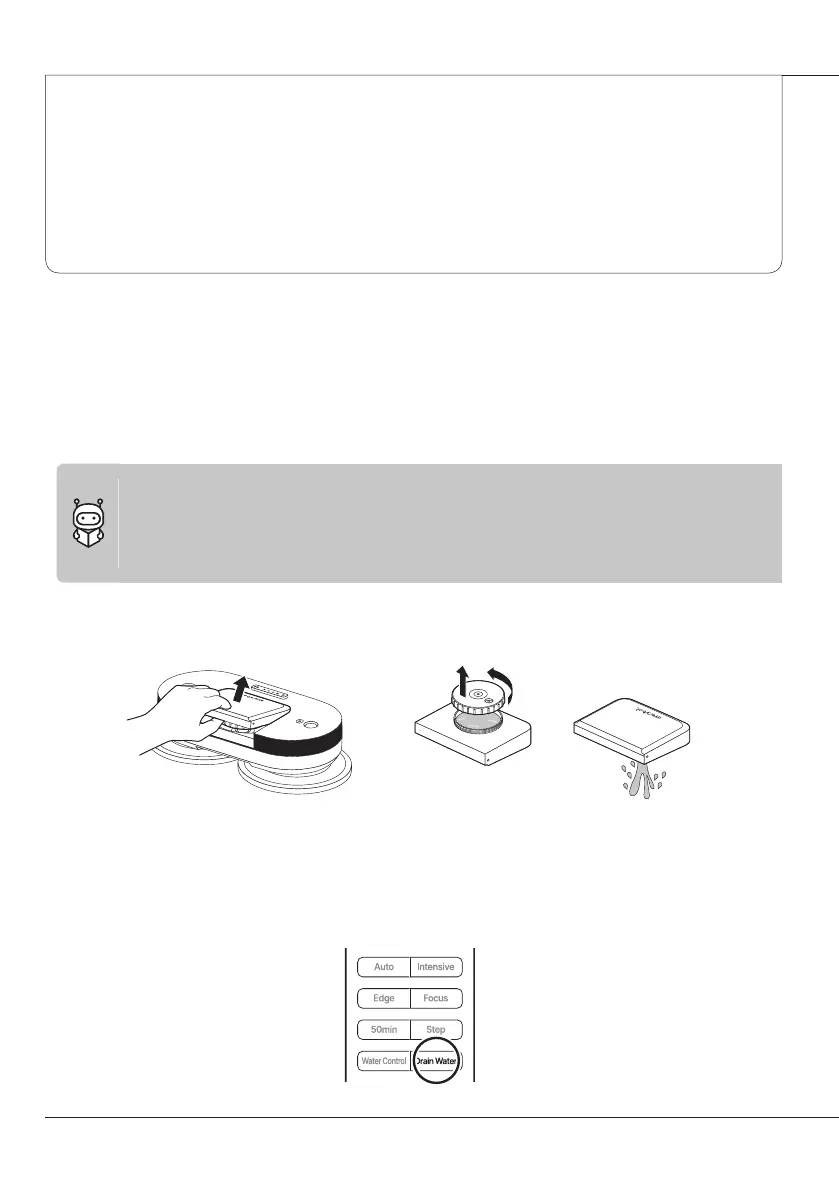
When finished cleaning, separate the water tank and empty out the water.
2
Since water may splash in the vicinity, place the robot on the floor while the mop is still
attached and press the Water Drainage button on the remote control. It will then discharge
water from inside the product for about 20 seconds.

Maintenance