5 6
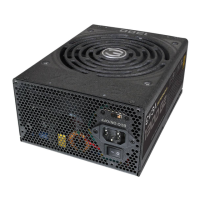
Q: I see there are more than 4 screw holes on the back of the power supply, but the packaging only offers (4)
screws, are some missing?
A: Nothing is missing; you will only need to attach the EVGA power supply to the case with 4 screws. The power
supply offers more than (4) holes to provide optimal compatibility for today’s varied case designs.
Q: My EVGA Power Supply includes (2) EPS cables for my motherboard, do I need to connect up both?
A: Motherboards only require (1) 4+4 or 8Pin EPS connection, on some models, an additional 4+4Pin or 8Pin
connection on the motherboard may be found for dual CPU configurations or for extreme over clocking. If your
motherboard support dual 4+4Pin EPS connections, please refer to your motherboard manufactures manual for
details on the proper function and power if the EPS connections.
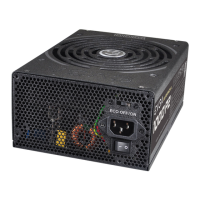
Q. What is the ECO Thermal Control System?
A. The ECO Thermal Control System, when enabled, allows the fan on your EVGA power supply to shut off
during low to moderate operation loads. The EVGA power supply’s fan will automatically turn back on when
needed, based on the temperature the power supply reaches. The fan will also increase in RPM when needed,
based on the load operation being requested from the components connected. This prevents unnecessary
rotation, reduces ambient noise levels and will increase the life span of the fan due to the fan not spinning when
not required.
Please Note: If the ECO Thermal Control is disabled the fan will always spin, even at low loads. The fan will also
increase in RPM as needed automatically, based on the power draw from attached components.
Q. What if I want to use power adapters for my video card(s)/motherboard/peripherals?
A. EVGA always recommends the use of direct power connections from the power supply to power the video
card(s), motherboard connections and other auxiliary power connections for optimal power distribution.
Q. Does it matter which end of the cable I plug into the power supply?
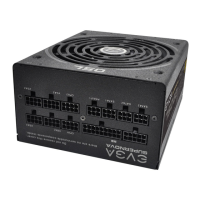
A: Yes, the connections going to the power supply, will not have “break downs” like the EPS (CPU) has 4+4 on one
side and full 8-Pin on the other. Another example is the 24-Pin cable, you can see on the PSU side it is a total of
28 Pins, where the 24-Pin connection will go to the motherboard directly. Check each cable as it is labeled
appropriately to match the power supply side and connect only the same ‘‘matching” cable directly to the power
supply as referenced on each connector.
Q. If I have an issue or a question, can I get support?
A. ALL EVGA products are backed by tom tier warranties as well as 24/7 technical support. Support can be
reached for your power supply at 888-881-3842 option 1, option 3. or contact us via email at support@evga.com.
Q&A SuperNOVA 650P2 Cable Configuration
SuperNOVA 750/850P2 Cable Configuration
Modular Connector Cables Cable Color
MB 1 x ATX 24-Pin
Black
CPU1 1 x EPS/ATX12V 8(4+4)-Pin x 2
VGA1
2 x PCI-E 6-Pin + 8(6+2)-Pin
VGA2
SATA1
3 x SATA 5-Pin x 3SATA2
SATA3
PERIF 2 x Molex 4-Pin x 3
FDD 1 x Molex to FDD Adapter
Modular Connector Cables Cable Color
MB 1 x ATX 24-Pin
Black
CPU1
2 x EPS/ATX12V 8(4+4)-Pin
CPU2
VGA1
2 x PCI-E 8(6+2)-Pin
2 x PCI-E 6-Pin + 8(6+2)-Pin
VGA2
VGA3
VGA4
SATA1
2 x SATA 5-Pin x 3
1 x SATA 5-Pin x 4
SATA2
SATA3
PERIF 1 x Molex 4-Pin x 4
FDD 1 x Molex to FDD Adapter
650W / 750W / 850W PLATINUM Power Supply User Manual 650W / 750W / 850W PLATINUM Power Supply User Manual
EnglishEnglish




 To Next Page