2
3
8
8
2
3
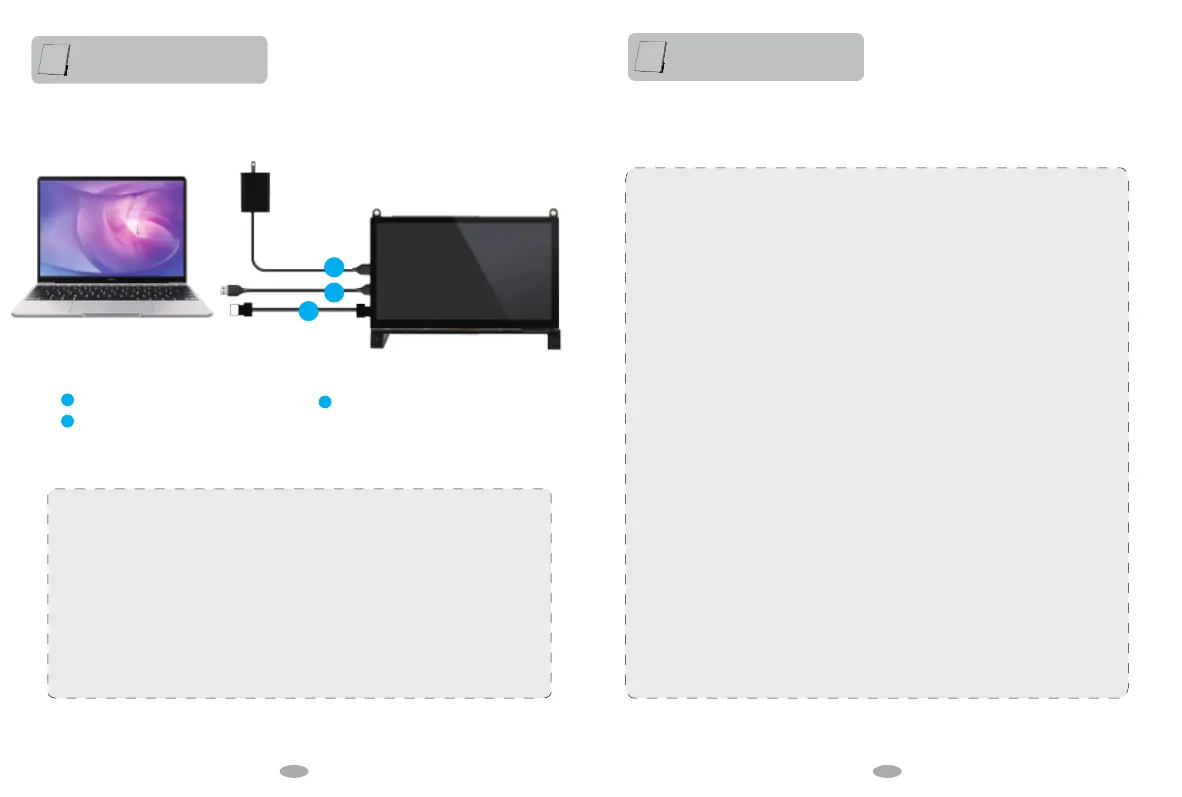
Standard HDMI cable
microUSB cable (For Power)
microUSB cable (For Touch)
If there is no touch function, please refer to the picture to check whether the touch cable is connected
correctly. You can change the connection with other computer equipment to verify whether there is a
problem with the touch interface.
Please note that one end of the touch cable needs to be connected to the monitor and the other end to
the computer equipment, host computer, Raspberry Pi and other HDMI devices.
When the monitor is connected to a game device or the monitor's touch end is connected to a power
source, socket, or other power supply device, it cannot be touched.
#hdmi_safe=1
# uncomment this if your display has a black border of unused pixels visible
# and your display can output without overscan
disable_overscan=1
# uncomment the following to adjust overscan. Use positive numbers if console
# goes off screen, and negative if there is too much border
overscan_left=0
overscan_right=0
overscan_top=0
overscan_bottom=0
# uncomment to force a console size. By default it will be display's size minus
# overscan.
framebuffer_width=1024
framebuffer_height=600
# uncomment if hdmi display is not detected and composite is being output
hdmi_force_hotplug=1
# uncomment to force a specific HDMI mode (this will force VGA)
hdmi_group=2
hdmi_mode=87
hdmi_timings=600 0 20 10 35 1024 0 32 64 320 0 0 0 60 0 512000000 1
display_rotate=0
sdtv_aspect=3
# uncomment to force a HDMI mode rather than DVI. This can make audio work in
# DMT (computer monitor) modes
hdmi_drive=2
# uncomment to increase signal to HDMI, if you have interference, blanking, or
# no display
config_hdmi_boost=4
# uncomment for composite PAL
#sdtv_mode=2
#uncomment to overclock the arm. 700 MHz is the default.
#arm_freq=800
# Uncomment some or all of these to enable the optional hardware interfaces
#dtparam=i2c_arm=on
#dtparam=i2s=on
#dtparam=spi=on
# Uncomment this to enable the lirc-rpi module
#dtoverlay=lirc-rpi
# Additional overlays and parameters are documented /boot/overlays/README
# Enable audio (loads snd_bcm2835)
dtparam=audio=on
gpu_mem=160
Connect to PC
How to solve touch deviation? How to adjust the resolution to 1024 * 600?
Modify the configuration file that configures the HDMI output to:
Function introduction
Adjust Resolution
12 13


 To Next Page
 Loading...