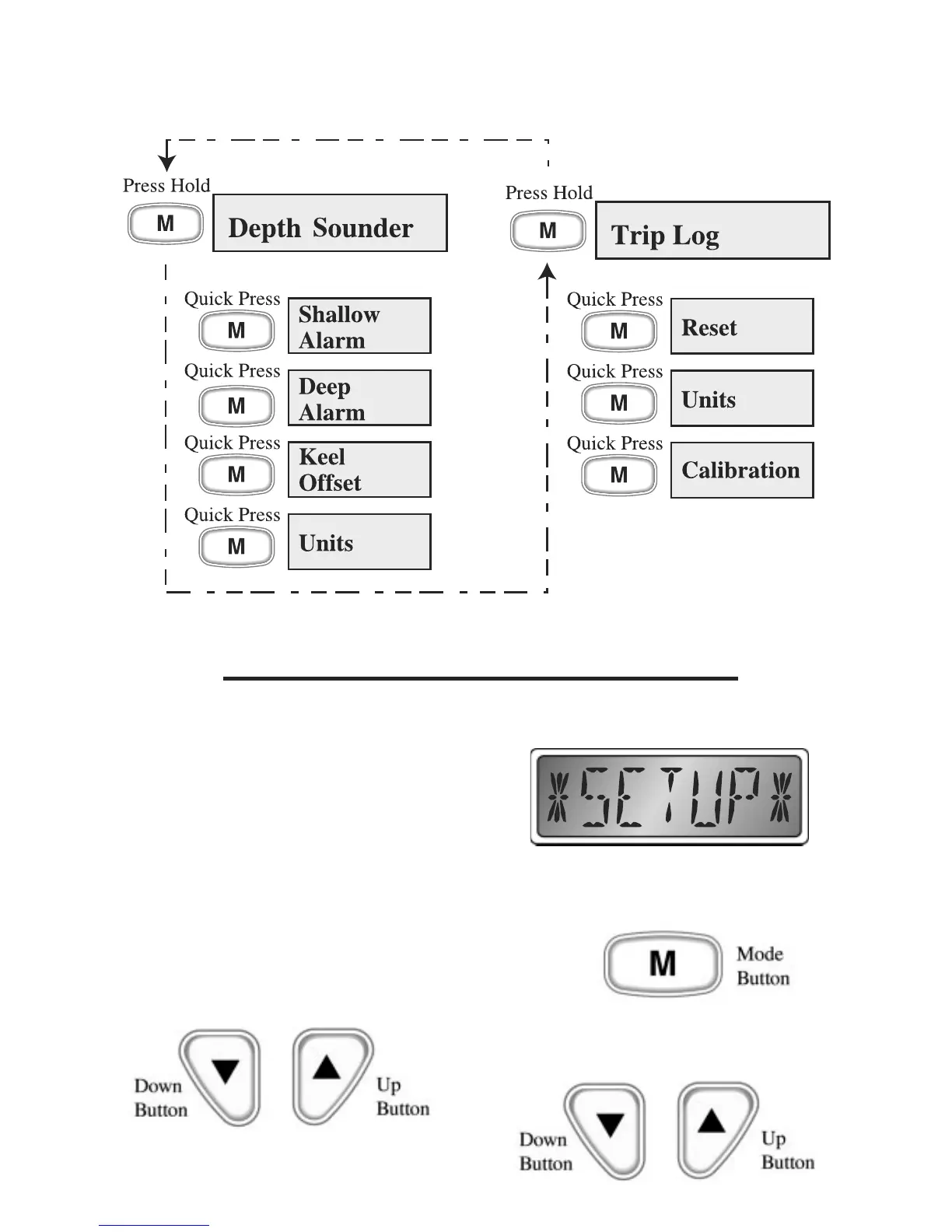
-Settings Menus-
-Settings Menus-
-
Page 6
Quick Reference Guide
Speedometer LCD Display Modes
Figure 2
Setup Mode
The speedometer full scale deflection
setting can be changed using the Setup
Mode (see Figure 1). Use this option only
if you have reason to believe that your
setting is wrong. Setting an incorrect
value in this menu can result in extremely
inaccurate performance of the
speedometer. To access the Setup Mode,
press and hold both the “Up” and
“Down” buttons while turning on the
instrument.
The display will show “*SETUP*”.
Briefly pressing the “Mode” button will
change the display to the setting menu.
The “Up” and “Down” buttons are used to
modify the setting.


 To Next Page