EVISTR VOICE RECORDER
http://evistr.com support@evistr.com
Page - 5 - of -18 -
2) Charging Your Voice Recorder
Use the USB cable provided. Connect to a computer, USB socket, or USB Adapter. The battery can be
fully charged in 2 hours, single full charge can work up to 12 hours.
3) Turn On Voice Recorder
Push power button to ON position, in future, we can press PLAY button to
turn ON/OFF the recording device.
Notice: if we push down the power button, it will totally cut off its power.
During recording, cannot do this, otherwise, file will be lost
4) How to Recording
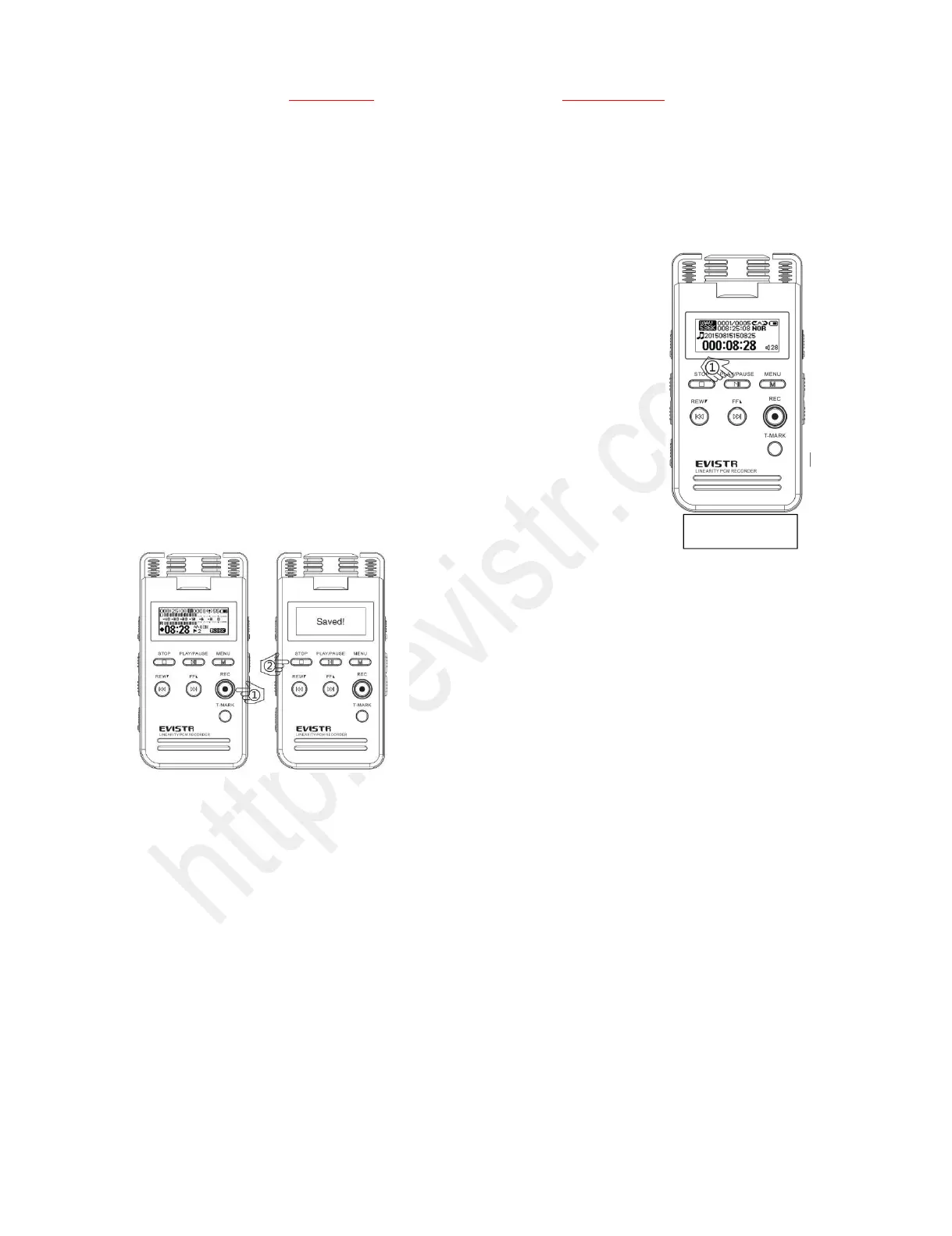
Hit REC button to begin recording. Press STOP to save
recording successfully, it will show “saved!”.
Notice: During recording, press VOL+/VOL-, we can
control the microphone gain
Must press STOP to save file before pushing down power
button, otherwise file will be lost.
What’s the file name stands for?
If, for example, you press REC and STOP 3 times, the recorder will create 3 recorded files
corresponding to each time, and they will typically be named in this format:
Year-Month-Day-Hour-Minute-Second.MP3 (or. WAV)
Example: we record a recordings at 2017-09-27. So recordings name will be :
2017 09 27 16 14 29.MP3
See Like below pictures, it has 3 sample recordings



 To Next Page