EVISTR VOICE RECORDER
http://evistr.com support@evistr.com
Page - 6 - of -18 -
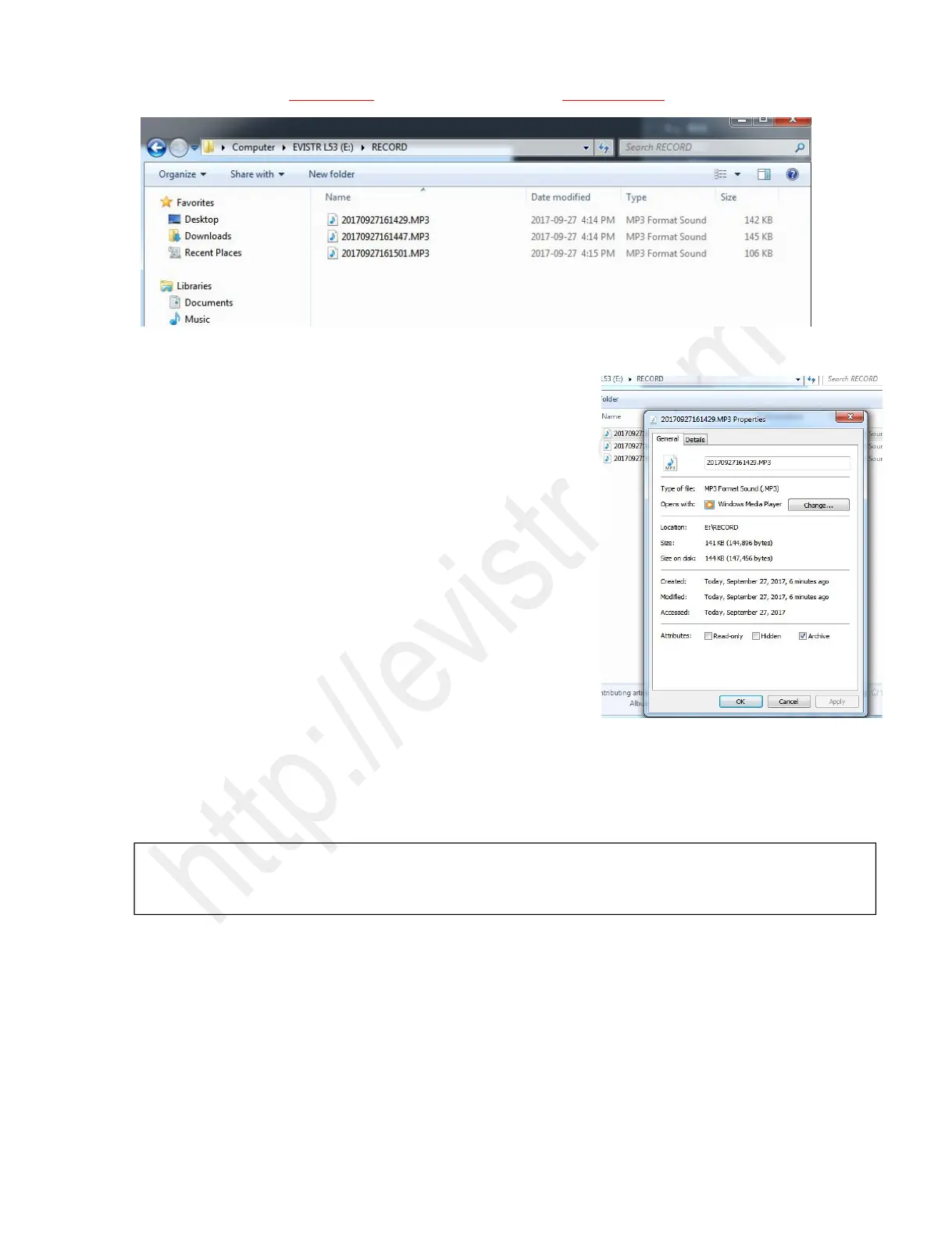
Each recordings will be saved a file names with date, but it has a
time stamp
If you want to see the recorded date of file
“20170927161429.MP3”, you could click right button and view file
properties, you will see the recordings file time
See the right side picture shows:
5) How to Pause and Resume Recording
During recording, press PLAY/PAUSE pause recording
Press PLAY/PAUSE again, resume your recording
6) How to Playback Your Recording
By tapping PLAY turn on your voice recorder
Choose the recording you wish to hear by pressing REW/FF button to choose, press PLAY.
7) How to Delete Your Recordings
Turn on the device, it will show the latest recording. By pressing REW/FF button to choose which file
to delete
Press ERASE button to delete.
For example:
NOTICE: If cannot recordings, please kindly check the left side, there is a DVR/MUSIC button, it is for
switching between MUSIC and RECORD folder, DVR position for RECORD folder



 To Next Page