EVISTR VOICE RECORDER
http://evistr.com support@evistr.com
Page - 8 - of -18 -
10) Playback Setting
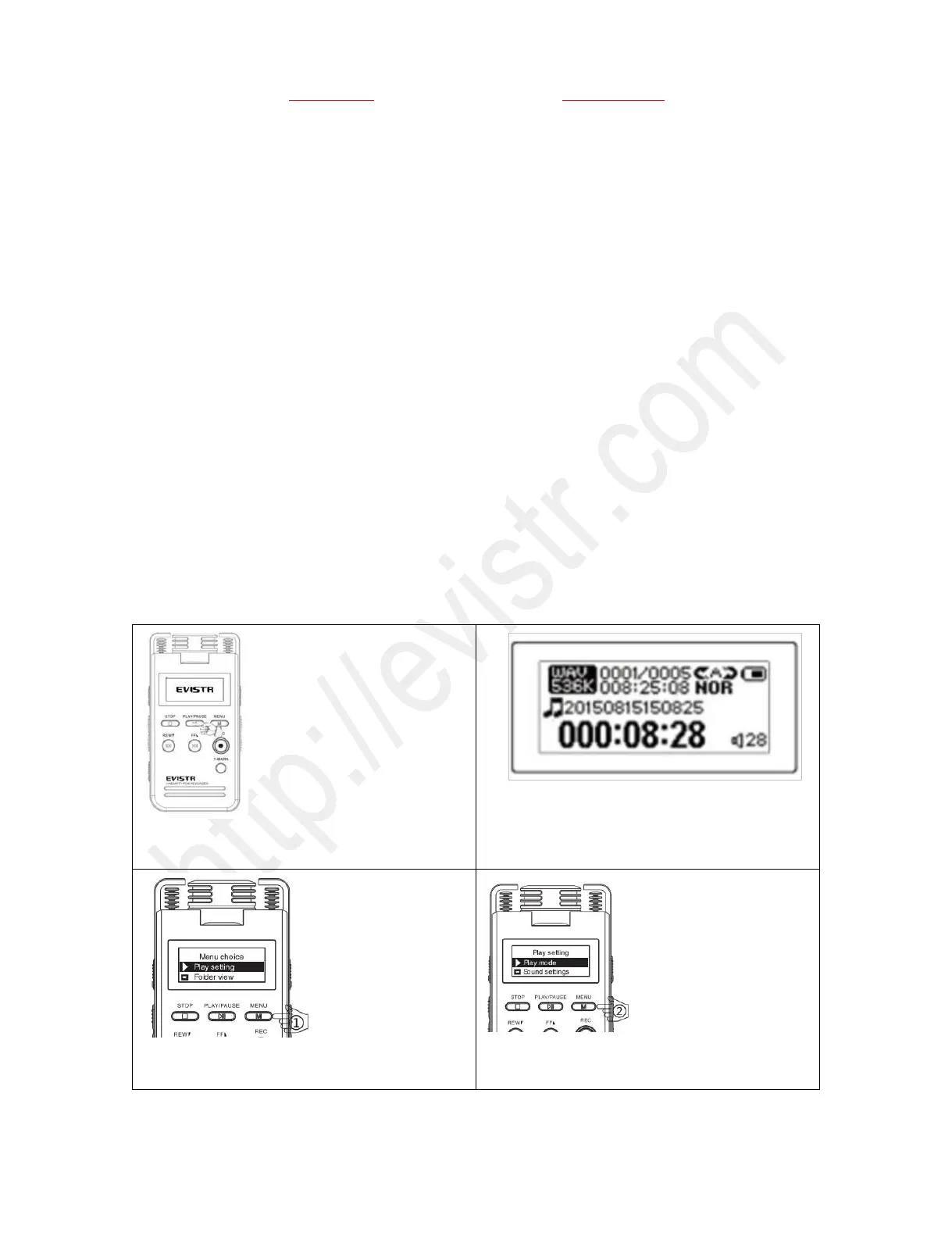
Press M to menu choice, selecting at Play setting, Press M (MENU), enter it
Repeat
Play setting -- >> Play mode ->>Repeat
Repeat: it has 3 repeat mode, Repeat All, Repeat off, repeat 1
Shuffle
playback the recordings/songs in the device in a random way
Repeat Settings:
This was for A-B repeat setting, we can set replay times, and replay intervals for A-B repeat
Sound Settings
Play setting -- >> Sound settings->> Equalizer
Equalizer: it has 8 mode, Off, Rock,Popular,Soft,Jazz,Classical,Techno
Use the FF/REW to select & highlight your setting, and then press M(menu) to confirm the setting
See Picture example on setting the REPEAT ALL MODE
1) Press & hold PLAY button, switch on your
recorder
2) Screen will like above
3) Press M (MENU) button, enter menu choice,
and select & highlight “Play setting”
4) Press M (MENU) button, enter play setting,
and select & highlight “Play mode”



 To Next Page