COMPUTER OPERATIONS
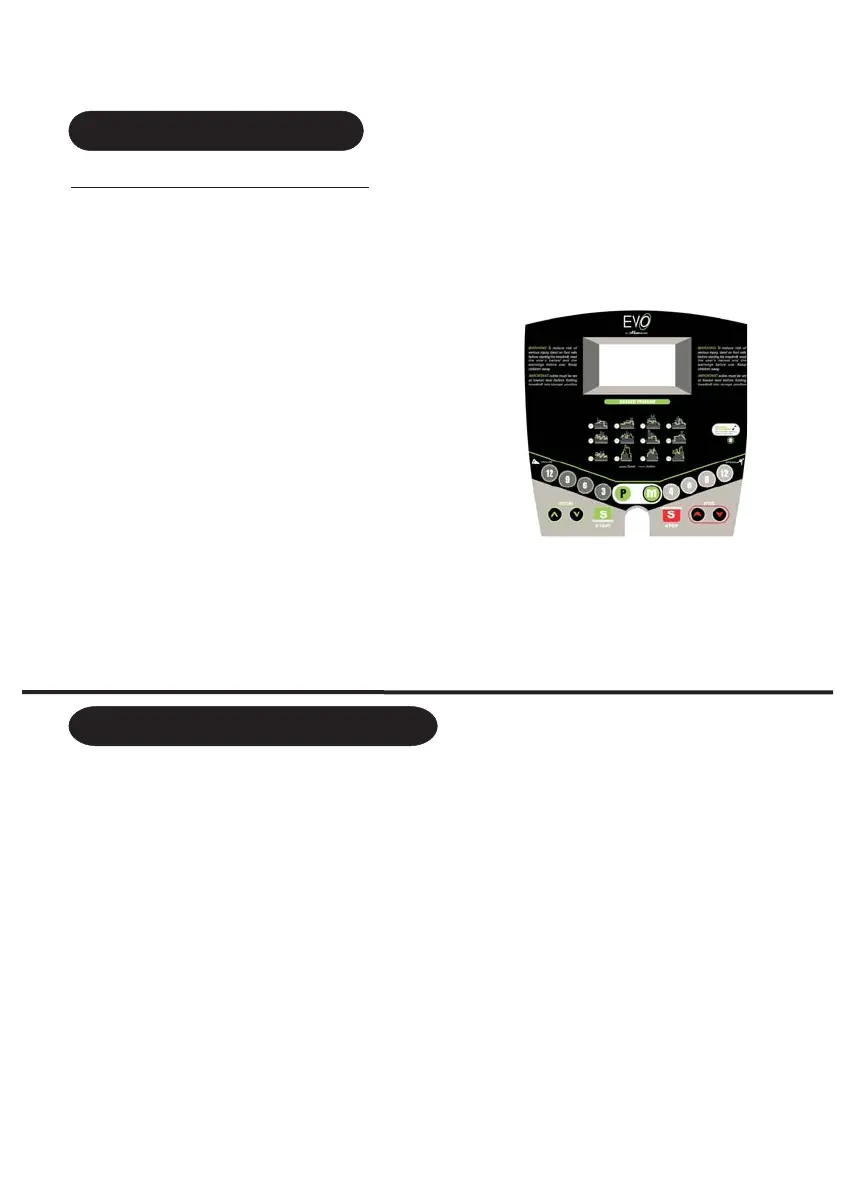
INCLINE:
Indicates incline in percent of
grade in 1% increments
CALORIES: Indicates
estimated calories burnt
PULSE: estimated heart rate
SPEED: Indicates kph in 0.1
increments
DISTANCE: Indicates km
travelled in 0.1 increment,can
TIME: Indicates time you workout,
can be set to countdown
START: Start the treadmill
MODE: Enter programs selection,
enter time setting, push 3 seconds for
scanning
STOP: Stop the treadmill
CONTROL PANEL FUNCTION
ONE-TOUCH SPEED 4,6,8,12:Used to reach ideal speed
ONE-TOUCH INCLINE 3,6,9,12: Used to reach ideal incline
CALORIES
Prog: Press Prog button and choose
from “1.0” manual mode to “P1-P16” “U01-U02”automatic mode to “FAT” body fat test.
Mode:
When the treadmill is not running, press the mode button to choose countdown modes:
“TIME”(H-1) “DISTANCE”(H-2) and “CALORIE”(H-3)
Window display:1 LCD window
One manual program includes time count down mode distance count down
mode calories count down mode
automatic programs P01 P02 P03 P04 P05 P06 P07 P08 P16
One body fat program,2 user ,U1,U2.
: 1 HRC program
: Put the safety key on the holder of the console beeper beeps once computer will
display then you are ready to go into the manual mode.
: Press the start key the middle window will indicate 5-4-3-2-1 beeper will beep five
times then you are ready to start your treadmill
.
:,
,;
: :,,,,,,,,,,;
:
,,
,
,,
,;
1 Program instruction
a)
b)
c)
d)
2.Start instruction
a)
b)
16
Turn on the power enter normal mode under manual program
Manual program has 3 settings: time setting, distance setting and calories setting.
When you start to enter manual mode the time window indicates 0:00
3. Manual Model
a)
b)
:, ;
:
;
9
be set to countdown
PROGRAM AND START INSTRUCTION


 To Next Page