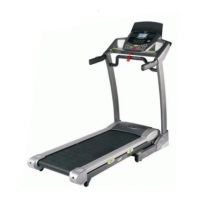
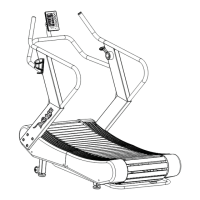
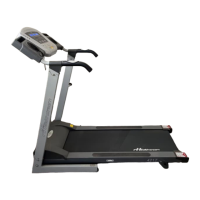
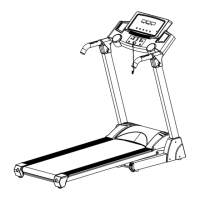
:,
.
:,
..
,
:,
..
c By Pressing mode key under manual mode you can enter into time count down
mode Time window lights up and indicates preliminary time 30:00. Press start to run the
machine
d Press mode key under time count down mode enter into distance count
down mode Window lights up and indicates preliminary distance 1.0 Pressing speed +/-
you can set distance count down ranging 1.00-99.00-1.0-...;
e Press mode key under distance count down mode you can enter into calories count
down mode Window lights up and indicates preliminary calories 50 Press speed +/-
or incline +/- you can set calories count down ranging 20-990CAL,,…;
f: The window will display “END” after stopping the time countdown, distance countdown
and calories countdown program.
4 Manual program operation.
:, 5,
;
:;
:, ;
:, ;
:, ;
:, ;
:.
“” ;
,,
,,
;
;
a Press start key time count down seconds then treadmill will start to work with
initial speed 1km/h
b Press speed+/-, you can adjust speed
c Press incline+/- you can adjust incline
d Press stop you can stop treadmill at working state
e Press quick speed key you can quickly adjust the speed you want
f Press quick incline key you can quick adjust the incline you want
g By pulling out safety key, you can stop the treadmill urgently Speed window indicates
E-07 and beeper warns a second
h: When you set the time gradually decreases to zero speed slows down until stop
Time window indicates END beeper warns once a second then display turns back
to P0 state
i : When you set the distance gradually decreases to zero, speed slows down until stop ,
distance window indicates END , beeper warns once a second , then display turns back to
P0 state
j : When you set the calories gradually decreases to zero, speed slows down until stop ,
calories window indicates END , beeper warns once a second , then display turns back to
P0 state
5. Program mode
a: Press program key you can enter into automatic program
b: Press start key you can start treadmill at the speed of program set
c. Press speed+/-, you can adjust speed
d: Press incline you can adjust incline
e: Press quick speed key, you can quickly adjust the speed you want
f: Press quick incline key, you can quick adjust the incline you want
g: Every program has 10 segments every segment working time is 1/10 of set time
h: When transferring from one segment to another you ll hear 3 beeps.
i: Press stop key you can stop working the treadmill
j: When set time gradually decreases to zero, speed slows down until stop , beeper warns
a second , then display turns back to P0 state
k: Pulling out safety key, you can stop working treadmill urgently. Speed window display”---”
,.
,;
;
+/- , ;
;
;
,;
,'
,;
;
10


 To Next Page