1. Initial configuration
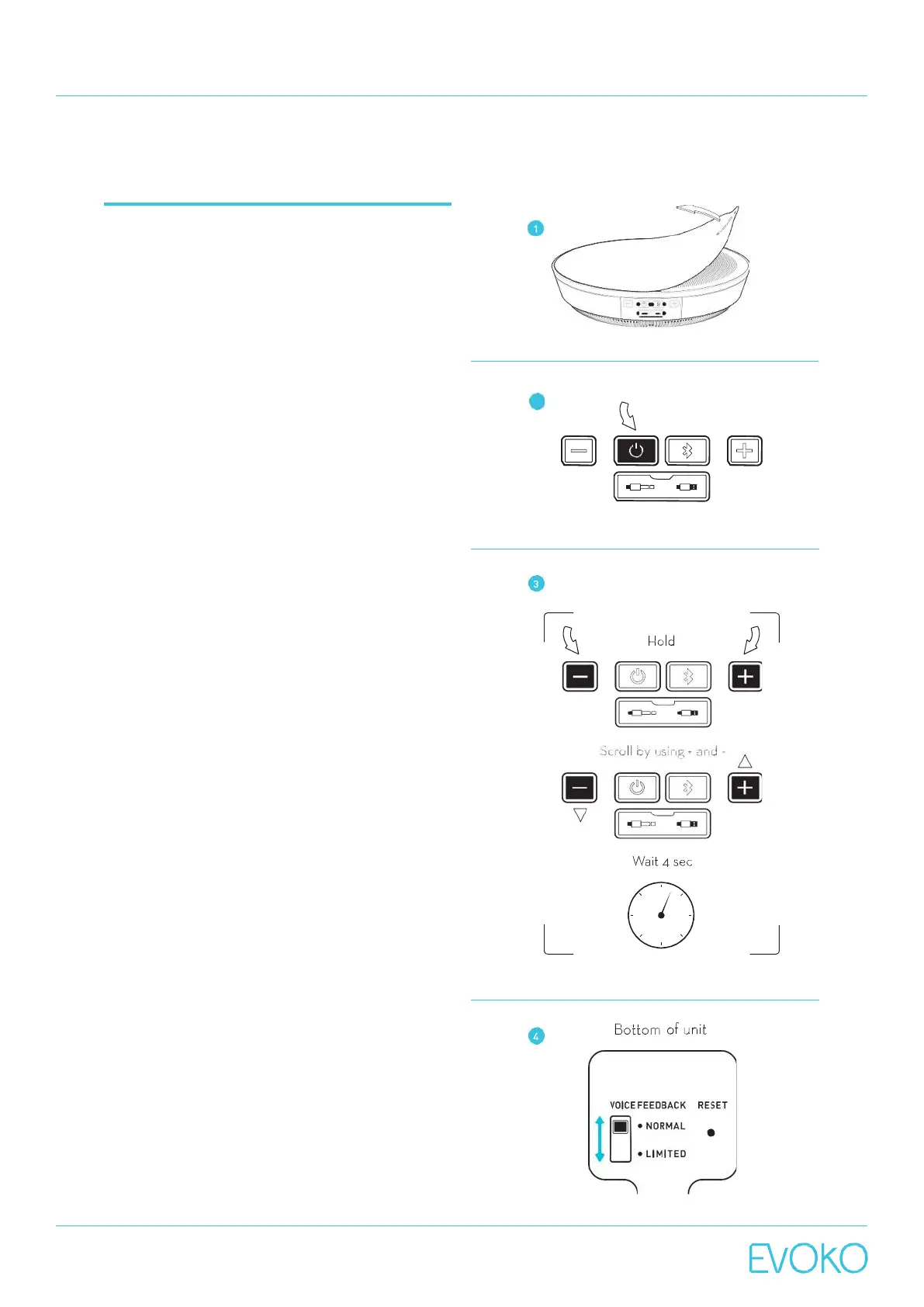
1. Remove plastic cover.
2. Turn on by pressing the power button.
3. Language selection.
a. Available languages are: Chinese (Mandarin),
English, French, German, Italian, Japanese,
Russian, Spanish and Swedish.
b. To change the language for Voice Feedback:
simultaneously hold down the + and – buttons for
2 seconds and you will hear a beeping sound. You
will then hear instructions in the first available
language.
c. Scroll between languages that are being vocally
presented by pressing either + or -.
d. To select your desired language simply wait 4
seconds after hearing the language of your
choice and it will be activated. You will hear the
beeping sound again.
NOTE: The languagesetting willbe savedforthe nexttime
the unit is restarted.Languagesettings canonly be made
when no active audio sessionisongoing. No audio session
canbestarted untilthelanguage setting is completed.
4. Set Voice Feedback mode.
a. Activate or deactivate voice feedback using the
voice feedback switch at the bottom of the unit.
b. Voice mode.
i. The feedback switch is moved to ”NORMAL”
position.
c. Sound mode.
i. The feedback switch is moved to ”LIMITED”
position.
NOTE: Certainsystem-critical voice feedbacktags will also
be played in limitedmode.
5. Set backlight mode.
a. Toactivate a backlight while charging in the
Minto Wall Mount, simultaneously hold down
the Bluetooth button and power button on the
Evoko Minto. Do the same to deactivate.
NOTE:The defaultbacklight mode is off.
NOTE: The unit can be rebooted by carefullyinsertinga
paperclipinthe holemarked with“Reset”on the bottom of
the unit.



 To Next Page